BACKING UP AND RETRIEVING FILES
75
WD MY CLOUD MIRROR PERSONAL CLOUD STORAGE
USER MANUAL
Creating a Remote Backup
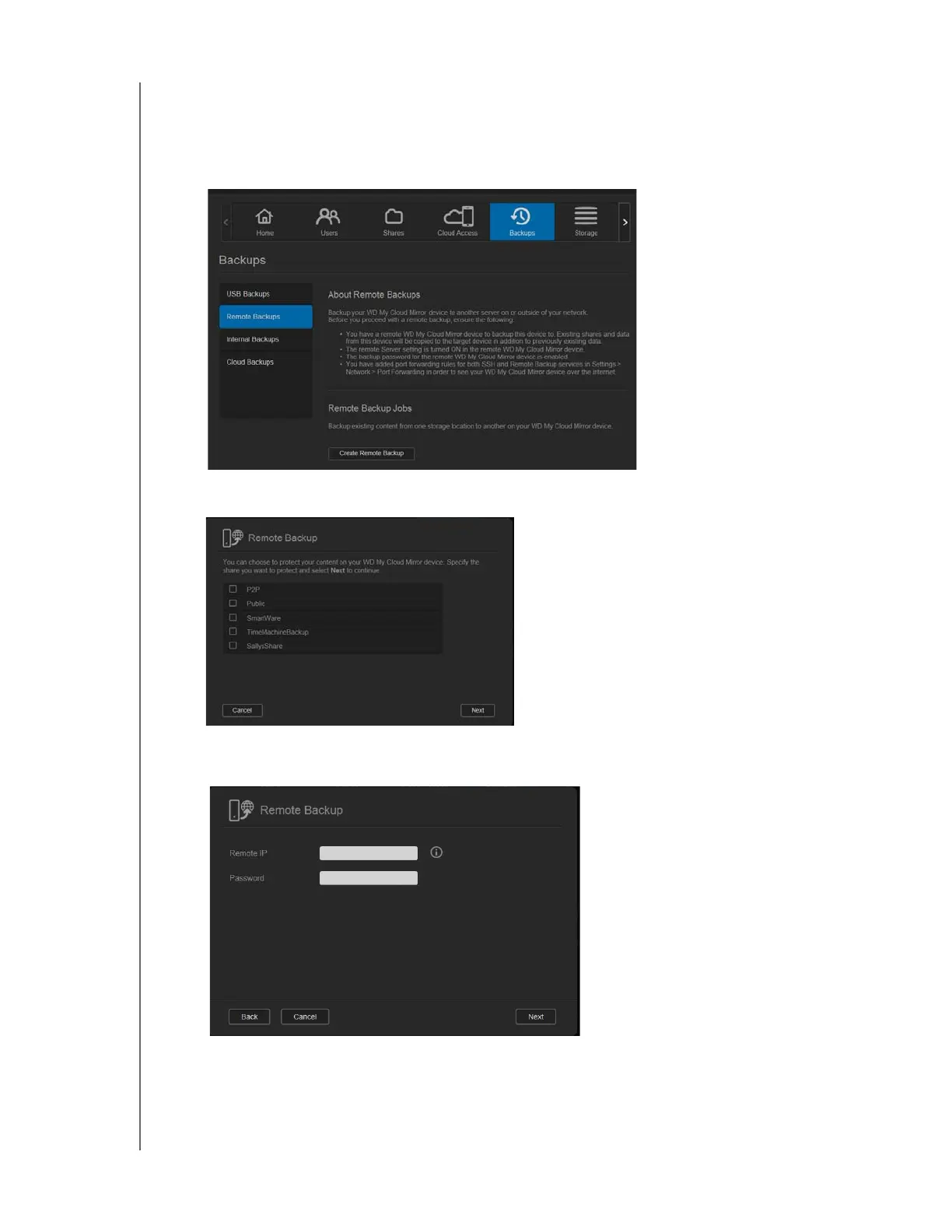
Use the following steps to back up your WD My Cloud Mirror to a remote device.
1. On the navigation bar, click Backups to display the Backups screen.
2. Click Remote Backup.
3. Click Create Remote Backup.
4. Place a check mark in the box next to the share you’d like to back up and then click
Next.
5. In the Remote IP field, enter the IP address of the remote backup server.
(Example: 192.168.1.16)
6. In the Password field, enter the password for the remote backup server and click Next.



 To Next Page