BACKING UP AND RETRIEVING FILES
80
WD MY CLOUD MIRROR PERSONAL CLOUD STORAGE
USER MANUAL
Deleting an Internal Backup Job
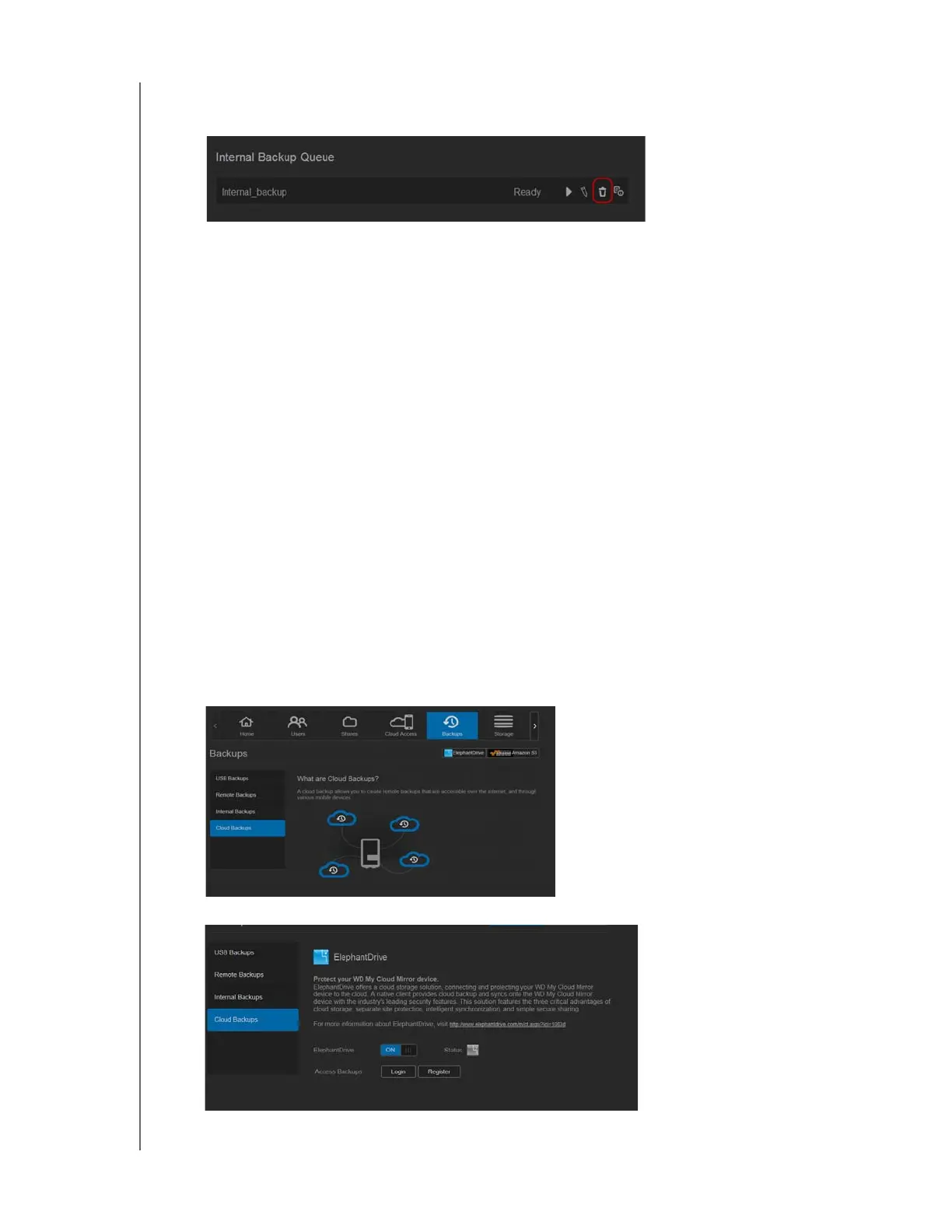
1. On the Internal Backups screen, under Internal Backup Queue, click the Delete button.
2. In response to the confirmation message, click OK. The selected Internal Backup job is
now deleted and removed from the Internal Backup Jobs list.
Cloud Backups
A cloud backup allows you to create remote backups that are accessible over the Internet
and through various mobile devices. WD My Cloud Mirror device uses the following cloud
services to create remote backups:
ElephantDrive: ElephantDrive is a cloud backup service that provides secure and
automatic backups to your files remotely.
Amazon S3: Amazon Simple Storage Service (S3) is an online file storage web
service that can be used to store and retrieve any amount of data, at any time, from
anywhere on the web.
Enabling ElephantDrive Cloud Backup
ElephantDrive is a cloud backup service that provides secure and automatic backups to
your files remotely. Once enabled, ElephantDrive automatically syncs with your device. For
additional information see
http://home.elephantdrive.com/welcome/wdc/.
Use the following steps to enable a cloud backup using ElephantDrive.
1. On the navigation bar, click Backups to display the Backups screen.
2. Click Cloud Backups, if not already selected.
3. Click ElephantDrive at the top of the screen.



 To Next Page