BACKING UP AND RETRIEVING FILES
77
WD MY CLOUD MIRROR PERSONAL CLOUD STORAGE
USER MANUAL
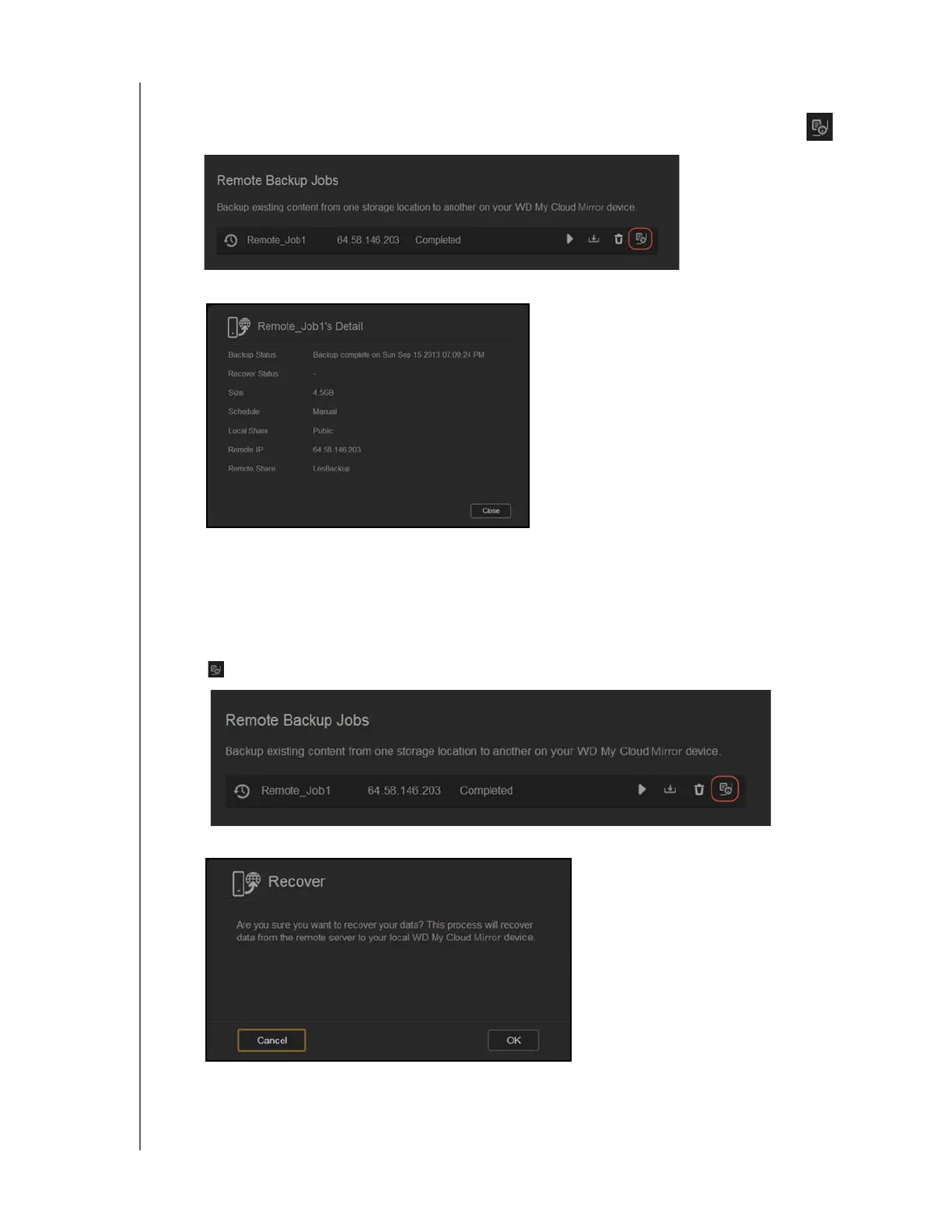
Viewing the Details of a Remote Backup Job
1. On the Remote Backup screen, under Remote Backup Jobs, click the Details icon
next to the job you’d like to view.
2. Review the Details screen and click Close.
Recovering a Remote Backup
Use the following steps to recover the data you saved on your remote server. This process
recovers the data you saved on the remote server to your local server.
1. On the Remote Backup screen, under Remote Backup Jobs, click the Recover button
next to the job you’d like to view.
2. On the Recover screen, click OK. Your data recovery begins.


 To Next Page