BACKING UP AND RETRIEVING FILES
82
WD MY CLOUD MIRROR PERSONAL CLOUD STORAGE
USER MANUAL
Enabling an Amazon S3 Cloud Backup
Note: Before creating your Cloud backup, sign up for the Amazon S3 service at
http://aws.amazon.com/s3.
Once your Amazon S3 account is set up, use the following steps to create a cloud backup.
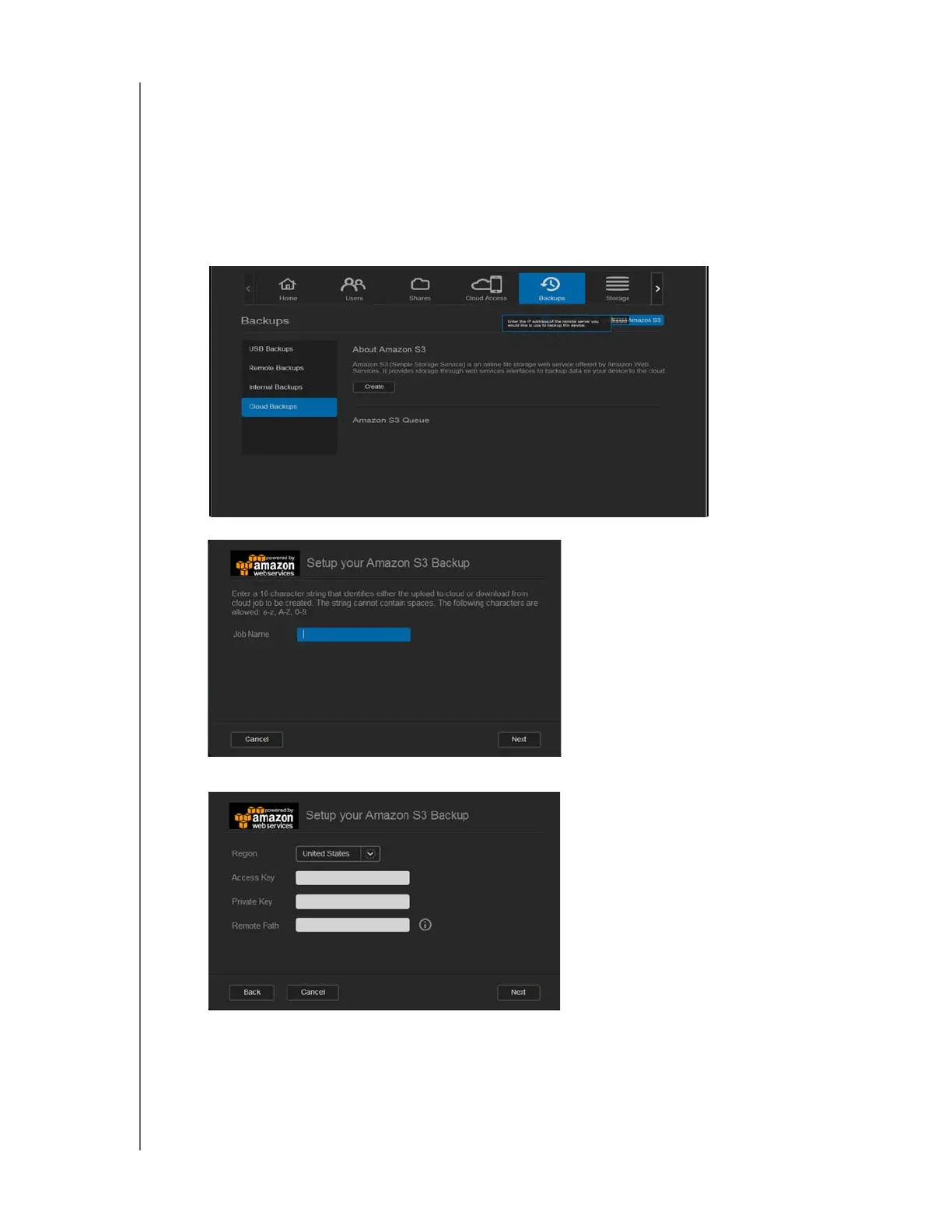
1. On the navigation bar, click Backups to display the Backups screen.
2. Click Cloud Backups, if not already selected.
3. Click the Amazon S3 button at the top of the screen.
4. Click Create.
5. Enter a Job Name for your cloud backup and click Next.
6. Enter the following information supplied by Amazon S3:
Region: Select the region used for your cloud from the drop-down menu.
Access Key: Enter the access key supplied to you by Amazon S3.
Private Key: Enter the private key supplied to you by Amazon S3.
Remote Path: Enter the remote path for your cloud. This is normally your bucket
name.



 To Next Page