EasyManua.ls Logo

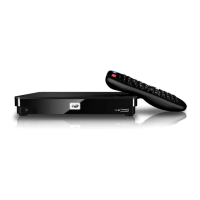
Western Digital TV Play - User Manual

Western Digital TV Play
171 pages
Print Icon
To Next Page IconTo Next Page
Loading...
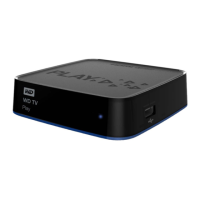
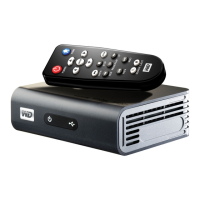
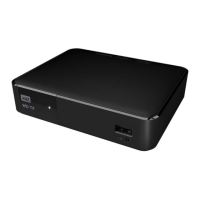
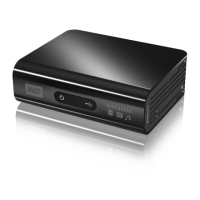
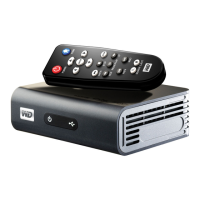
WD TV
®
Play
Media Player
User Manual

Table of Contents

Question and Answer IconNeed help?

Do you have a question about the Western Digital TV Play and is the answer not in the manual?

Summary

Important User Information

Important Safety Instructions

Safeguards for safe installation, use, and servicing of the device.

Product Overview

Features and Functions

Connections

Identifies and describes the physical ports on the media player.

Remote Control

Details the buttons and functions of the physical remote control.

Getting Started

Installation Procedure

Step-by-step guide for setting up the media player.

Step 1 - Connecting the Power Cable

Instructions on how to connect the power adapter and plug in the device.

Step 2 - Connecting the Media Player

Guides on connecting the player to a TV using HDMI or composite.

Step 4 - Connecting to Your Network

Initiates the network setup process for internet and media access.

Network Setup

Ethernet Network (Wired) Setup

Step-by-step guide for setting up a wired Ethernet connection.

Wireless Network Setup

Outlines the options for connecting to a wireless network.

Finding Your Content - My Storage

Operating the Media Player

Using the Remote Control

Explains the functions of each button on the remote control.

Alerts

Updating Firmware

Instructions for updating the device's system firmware.

Watching Video

Video Playback

Steps to start playing video files from various sources.

Video Playback Controls

Explains the remote control functions for video playback.

Playing Music

Music Playback Controls

Explains the remote control functions for music playback.

Viewing Photos

Setup and Advanced Features

System Maintenance

System Firmware Upgrade

Instructions for updating the device's system software.

Troubleshooting

Common problems and their solutions for display, files, audio, network, and USB.

Summary

Important User Information

Important Safety Instructions

Safeguards for safe installation, use, and servicing of the device.

Product Overview

Features and Functions

Connections

Identifies and describes the physical ports on the media player.

Remote Control

Details the buttons and functions of the physical remote control.

Getting Started

Installation Procedure

Step-by-step guide for setting up the media player.

Step 1 - Connecting the Power Cable

Instructions on how to connect the power adapter and plug in the device.

Step 2 - Connecting the Media Player

Guides on connecting the player to a TV using HDMI or composite.

Step 4 - Connecting to Your Network

Initiates the network setup process for internet and media access.

Network Setup

Ethernet Network (Wired) Setup

Step-by-step guide for setting up a wired Ethernet connection.

Wireless Network Setup

Outlines the options for connecting to a wireless network.

Finding Your Content - My Storage

Operating the Media Player

Using the Remote Control

Explains the functions of each button on the remote control.

Alerts

Updating Firmware

Instructions for updating the device's system firmware.

Watching Video

Video Playback

Steps to start playing video files from various sources.

Video Playback Controls

Explains the remote control functions for video playback.

Playing Music

Music Playback Controls

Explains the remote control functions for music playback.

Viewing Photos

Setup and Advanced Features

System Maintenance

System Firmware Upgrade

Instructions for updating the device's system software.

Troubleshooting

Common problems and their solutions for display, files, audio, network, and USB.

Western Digital TV Play Specifications

General IconGeneral
BrandWestern Digital
ModelTV Play
CategoryMedia Player
LanguageEnglish

Related product manuals