EasyManua.ls Logo

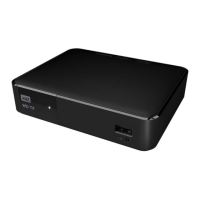
Western Digital WD TV Live - User Manual

Western Digital WD TV Live
238 pages
Print Icon
To Next Page IconTo Next Page
Loading...
WD TV
®
LIVE
Streaming Media Player
User Manual

Table of Contents

Question and Answer IconNeed help?

Do you have a question about the Western Digital WD TV Live and is the answer not in the manual?

Summary

Important User Information

Important Safety Instructions

Essential safety guidelines for device installation, use, and servicing to prevent hazards.

WD Service and Support

Information on obtaining technical assistance and support services from WD.

Features and Functions

Connections

Identification and description of all physical ports on the media player.

Remote Control

Detailed description of the remote control buttons and their functions.

Getting Started

Installation Procedure

Step-by-step guide for setting up the media player.

Network Setup

Ethernet Network (Wired) Setup

Instructions for connecting the media player to a wired network.

Wireless Network Setup

Guide to connecting the media player to a wireless network.

Finding Your Content

Accessing Media Content

How to access media files from various sources like network shares and USB drives.

Operating the Media Player

Using the Remote Control

Detailed explanation of remote control buttons and their functions.

Watching Video

Video Playback

Instructions on how to play video files on the media player.

Video Playback Controls

Explanation of remote control buttons used during video playback.

Playing Music

Viewing Photos

Files

Live TV

Setup and Advanced Features

Audio;Video Output

Configuring video output resolution, aspect ratio, and audio output modes.

Network Settings

Configuring wired and wireless network settings.

Device Reset

Performing device reset options like factory defaults or clearing accounts.

System Maintenance

System Firmware Upgrade

Instructions for updating the media player's system software.

Troubleshooting

Solutions for common problems related to display, files, audio, network, and USB devices.

Summary

Important User Information

Important Safety Instructions

Essential safety guidelines for device installation, use, and servicing to prevent hazards.

WD Service and Support

Information on obtaining technical assistance and support services from WD.

Features and Functions

Connections

Identification and description of all physical ports on the media player.

Remote Control

Detailed description of the remote control buttons and their functions.

Getting Started

Installation Procedure

Step-by-step guide for setting up the media player.

Network Setup

Ethernet Network (Wired) Setup

Instructions for connecting the media player to a wired network.

Wireless Network Setup

Guide to connecting the media player to a wireless network.

Finding Your Content

Accessing Media Content

How to access media files from various sources like network shares and USB drives.

Operating the Media Player

Using the Remote Control

Detailed explanation of remote control buttons and their functions.

Watching Video

Video Playback

Instructions on how to play video files on the media player.

Video Playback Controls

Explanation of remote control buttons used during video playback.

Playing Music

Viewing Photos

Files

Live TV

Setup and Advanced Features

Audio;Video Output

Configuring video output resolution, aspect ratio, and audio output modes.

Network Settings

Configuring wired and wireless network settings.

Device Reset

Performing device reset options like factory defaults or clearing accounts.

System Maintenance

System Firmware Upgrade

Instructions for updating the media player's system software.

Troubleshooting

Solutions for common problems related to display, files, audio, network, and USB devices.

Western Digital WD TV Live Specifications

General IconGeneral
Connectivity technologyWired
AV outputYes
USB 2.0 ports quantityUSB 2.0 ports have a data transmission speed of 480 Mbps, and are backwards compatible with USB 1.1 ports. You can connect all kinds of peripheral devices to them.
Product colorBlack
Audio formats supportedAAC, FLAC, MKA, MP3, OGG, WMA
Image formats supportedBMP, GIF, PNG
Video compression formatsAVI, MKV, VOB
Subtitle formats supportedASS, SMI, SRT, SSA, SUB
Power requirements100 - 240 VAC, 50-60 Hz
Storage temperature (T-T)-40 - 35 °C
Operating temperature (T-T)5 - 35 °C
Weight and Dimensions IconWeight and Dimensions
Depth100 mm
Width125.5 mm
Height40 mm
Weight303 g

Related product manuals