EasyManua.ls Logo

Western Digital WDAVN00B - User Manual

Western Digital WDAVN00B
81 pages
Print Icon
To Next Page IconTo Next Page
Loading...
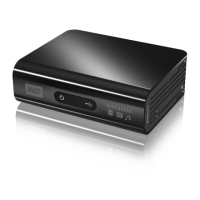
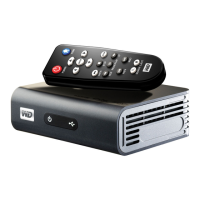
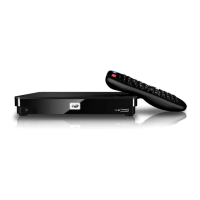
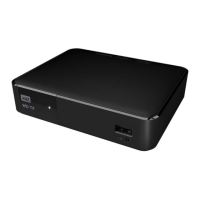
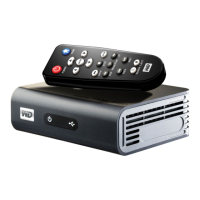
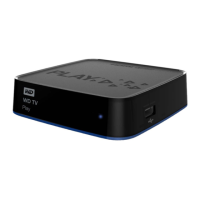
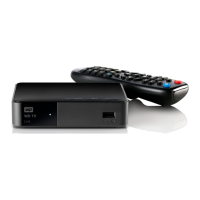
WD TV
HD Media Player
Question and Answer IconNeed help?

Do you have a question about the Western Digital WDAVN00B and is the answer not in the manual?

Summary

Important User Information

Safety, Support, and Registration

Essential safety guidelines, technical support contacts, and product registration.

Product Overview

Key Features and Capabilities

Overview of the WD TV HD Media Player's main functions, navigation, and supported media types.

Features and Functions

Connectivity and File Support

Details on audio/video interfaces, USB support, and supported file formats.

Hardware Indicators and Control

Explanation of LED indicators and the remote control functions.

Getting Started

Package Contents and Setup

Items included, requirements, and installation steps.

Connection Options and USB Management

Guides for connecting the player to TVs and managing USB devices.

Operating the HD Media Player

Remote Control Usage

Comprehensive guide to remote control functions for navigation and playback.

User Interface Navigation

Understanding the Home screen menu and navigation methods.

Watching Video

Supported Formats and Playback

List of supported video files and basic playback steps.

Playback Controls and Options

How to control playback and customize viewing with options like subtitles and zoom.

Playing Music

Supported Formats and Playback

List of supported audio files and steps for music playback.

Playback Controls and Options

Using the remote for music playback and setting repeat/shuffle modes.

Viewing Photos

Supported Formats and Browsing

List of supported image files and how to browse them.

Display and Slideshow Customization

Options for viewing photos, including manipulation and slideshow creation.

Settings and Advanced Features

Navigating Settings Categories

How to access settings and configure Audio/Video, Music, and Movie playback.

Photo, System, and Media Library Configuration

Customizing photo/slideshow settings, system preferences, and managing the media library.

File Conversion, System Reset, and Search

Converting files, performing system resets, browsing, and searching content.

File Examination Tools

Using tools like MediaInfo and ArcSoft MediaConverter.

System Maintenance

Firmware Upgrade and Troubleshooting

Procedures for upgrading firmware and resolving common system issues.

Error Messages and FAQs

Guidance on interpreting error messages and answers to frequently asked questions.

Appendix

Supported Formats and Compliance

Reference for supported file types and regulatory compliance statements.

Warranty and Service Information

Details on obtaining warranty service and the product's limited warranty terms.

Summary

Important User Information

Safety, Support, and Registration

Essential safety guidelines, technical support contacts, and product registration.

Product Overview

Key Features and Capabilities

Overview of the WD TV HD Media Player's main functions, navigation, and supported media types.

Features and Functions

Connectivity and File Support

Details on audio/video interfaces, USB support, and supported file formats.

Hardware Indicators and Control

Explanation of LED indicators and the remote control functions.

Getting Started

Package Contents and Setup

Items included, requirements, and installation steps.

Connection Options and USB Management

Guides for connecting the player to TVs and managing USB devices.

Operating the HD Media Player

Remote Control Usage

Comprehensive guide to remote control functions for navigation and playback.

User Interface Navigation

Understanding the Home screen menu and navigation methods.

Watching Video

Supported Formats and Playback

List of supported video files and basic playback steps.

Playback Controls and Options

How to control playback and customize viewing with options like subtitles and zoom.

Playing Music

Supported Formats and Playback

List of supported audio files and steps for music playback.

Playback Controls and Options

Using the remote for music playback and setting repeat/shuffle modes.

Viewing Photos

Supported Formats and Browsing

List of supported image files and how to browse them.

Display and Slideshow Customization

Options for viewing photos, including manipulation and slideshow creation.

Settings and Advanced Features

Navigating Settings Categories

How to access settings and configure Audio/Video, Music, and Movie playback.

Photo, System, and Media Library Configuration

Customizing photo/slideshow settings, system preferences, and managing the media library.

File Conversion, System Reset, and Search

Converting files, performing system resets, browsing, and searching content.

File Examination Tools

Using tools like MediaInfo and ArcSoft MediaConverter.

System Maintenance

Firmware Upgrade and Troubleshooting

Procedures for upgrading firmware and resolving common system issues.

Error Messages and FAQs

Guidance on interpreting error messages and answers to frequently asked questions.

Appendix

Supported Formats and Compliance

Reference for supported file types and regulatory compliance statements.

Warranty and Service Information

Details on obtaining warranty service and the product's limited warranty terms.

Western Digital WDAVN00B Specifications

General IconGeneral
BrandWestern Digital
ModelWDAVN00B
CategoryMedia Player
LanguageEnglish

Related product manuals