EasyManua.ls Logo

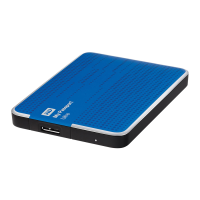
Western Digital WDBMWV0020BBK - User Manual

Western Digital WDBMWV0020BBK
87 pages
Print Icon
To Next Page IconTo Next Page
Loading...
External Portable
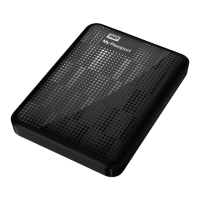
My Passport
®
Ultra
Portable Hard Drive
User Manual
My Passport Ultra User Manual

Table of Contents

Question and Answer IconNeed help?

Do you have a question about the Western Digital WDBMWV0020BBK and is the answer not in the manual?

Summary

WD Service and Support

Accessing Online Support

Guides users to the WD support website for FAQs, downloads, and registration.

Contacting WD Technical Support

Provides a comprehensive list of telephone numbers for global technical support.

About Your WD Drive

Operating System Compatibility

Specifies compatible Windows and Mac OS X versions for the drive and software.

Handling Precautions

Provides essential guidelines for safe handling and care of the external drive.

Connecting the Drive and Getting Started

Connecting the Drive

Step-by-step instructions for physically connecting the My Passport Ultra drive to a computer.

Getting Started with the WD Software

Guides users through the installation process of the WD software suite.

WD SmartWare Software Functional Overview

Backup Tab Displays

Details the category and file-based backup selection methods within the software.

Retrieve Tab Displays

Explains how to select backup volumes and files for restoration.

Managing and Customizing the Drive

Safely Disconnecting the Drive

Critical steps to safely eject the drive, preventing data loss or corruption.

Erasing the Drive

Complete instructions for securely deleting all data from the drive.

Managing and Customizing the Software

Using the Drive with a Mac

Reformatting the Drive

Essential steps to reformat the drive for compatibility with Mac OS X and Time Machine.

Troubleshooting

Frequently Asked Questions

Answers to common user queries regarding drive recognition and booting issues.

Summary

WD Service and Support

Accessing Online Support

Guides users to the WD support website for FAQs, downloads, and registration.

Contacting WD Technical Support

Provides a comprehensive list of telephone numbers for global technical support.

About Your WD Drive

Operating System Compatibility

Specifies compatible Windows and Mac OS X versions for the drive and software.

Handling Precautions

Provides essential guidelines for safe handling and care of the external drive.

Connecting the Drive and Getting Started

Connecting the Drive

Step-by-step instructions for physically connecting the My Passport Ultra drive to a computer.

Getting Started with the WD Software

Guides users through the installation process of the WD software suite.

WD SmartWare Software Functional Overview

Backup Tab Displays

Details the category and file-based backup selection methods within the software.

Retrieve Tab Displays

Explains how to select backup volumes and files for restoration.

Managing and Customizing the Drive

Safely Disconnecting the Drive

Critical steps to safely eject the drive, preventing data loss or corruption.

Erasing the Drive

Complete instructions for securely deleting all data from the drive.

Managing and Customizing the Software

Using the Drive with a Mac

Reformatting the Drive

Essential steps to reformat the drive for compatibility with Mac OS X and Time Machine.

Troubleshooting

Frequently Asked Questions

Answers to common user queries regarding drive recognition and booting issues.

Western Digital WDBMWV0020BBK Specifications

General IconGeneral
BrandWestern Digital
ModelWDBMWV0020BBK
Capacity2TB
TypeExternal Hard Drive
InterfaceUSB 3.0
CompatibilityWindows, Mac
ColorBlack
Weight0.27 lbs
Form FactorPortable

Related product manuals