
 Need help?
Do you have a question about the Western Digital WDBVHT0040JCH and is the answer not in the manual?
How to get help and resources from the WD support website, including downloads, registration, and knowledge base.
Phone numbers and details for contacting WD for technical assistance.
Instructions on how to register your WD product online for updates and special offers.
Critical safety guidelines for installing, using, and servicing the product to prevent electric shock or fire hazards.
Section to record serial number, model number, and other product details for support purposes.
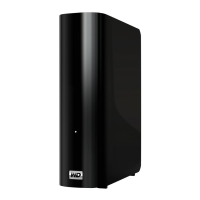
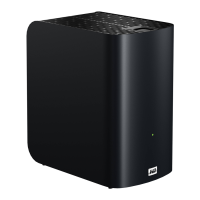
Description of the My Book Live Duo as a high-performance dual-drive personal cloud storage system.
Highlights key features such as maximum storage capacity, RAID 1 technology, and shared storage capabilities.
Lists the items included in the product package.
Details the operating systems, web browsers, and network requirements for the product.
Guidelines for selecting an optimal location for the drive before installation.
Advice on handling the product carefully to prevent damage during unpacking and installation.
Technical details of the device, including Ethernet, protocols, dimensions, power, and temperature.
Visual diagram identifying the components and ports of the My Book Live Duo.
Step-by-step instructions for physically connecting the My Book Live Duo to a home or small office network.
Guide on how to use the included CD for initial setup and discovery on Windows and Mac systems.
Alternative setup methods for Windows 7/Vista and Mac users who don't use the CD.
Overview of common activities and functionalities after initial setup.
Instructions on utilizing WD SmartWare for automatic and manual data backup and retrieval.
Guide on using Windows built-in backup features to back up files to the My Book Live Duo.
Instructions for configuring and using Apple Time Machine for backups on Mac computers.
How to access various drive management functions via the WD Quick View icon's menu.
Steps to monitor drive capacity, temperature, and health status using WD Quick View.
How to launch the WD SmartWare software from the WD Quick View menu.
Procedure for safely closing the WD SmartWare application.
How to access shared folders (Public and Private) using WD Quick View.
Methods to access the web-based dashboard for drive configuration and management.
Instructions for assigning a network drive letter to the My Book Live Duo in Windows.
How to create a desktop shortcut for easy access to the Public share.
How to view detailed information about the My Book Live Duo drive.
How to check drive usage, capacity, and RAID status via WD Quick View.
Recommended procedures for safely powering off the My Book Live Duo using WD Quick View.
How to view system alerts and notifications for potential issues like overheating or drive failure.
How to access the Learning Center for additional information on using the software.
Steps to remove the WD Quick View application from the system.
Various methods to open and start using the drive's dashboard interface.
Initial steps upon first accessing the dashboard, including language selection and agreement.
Explanation of the different elements and sections within the My Book Live Duo dashboard.
Information on how to get help, access documentation, forums, and contact support.
A summary of common tasks and their corresponding sections in the manual.
Configuration options for the drive's system, including general settings, date/time, and updates.
Settings for configuring the drive's network connection, including IP address and network mode.
Access to drive utilities like diagnostics, factory restore, and reboot/shutdown options.
Configuration for enabling and managing remote access to files via the internet.
Settings for configuring DLNA and iTunes media servers to stream content.
Options for configuring internal drive modes (Spanning, RAID 1) and monitoring storage status.
How to view a list of current users and their details on the My Book Live Duo.
Step-by-step guide to creating new user accounts with specific access privileges.
How to create a dedicated, private share for a specific user.
Procedure for updating or setting a password for an existing user account.
How to modify user profiles and share access permissions.
Steps to remove a user account from the My Book Live Duo.
How to display and view details of all shares (public and private) on the drive.
Guide on creating new shared folders or directories for storing files.
How to create a new user account and assign share access privileges simultaneously.
Converting a private share to a public share accessible by all users.
Steps to remove a share and all its contents from the drive.
How to access public and private shares using various methods.
How to view a list of computer backups stored on the My Book Live Duo.
Detailed steps to view existing computer backup information.
Procedure for removing unwanted computer backups from the drive.
Utilizing safepoint technology to create secure, second copies of the drive's data.
Explanation of WD 2go as a service for secure remote access to personal cloud storage.
Steps to enable remote access functionality for accessing files on the go.
How to configure mobile access for photos, music, and documents via apps.
Instructions for setting up web-based access to files via the WD 2go website.
Steps to resolve issues if the WD Photos database becomes corrupted.
Guide to accessing your files and data remotely via the web and mobile applications.
Introduction to the My Book Live Duo as a central media hub for streaming content.
Configuration options for DLNA and iTunes media servers to stream content.
Lists the various audio, video, and image file types supported by the media server.
Explains how to access and store media content using network shares.
Guidance on connecting various media players like Xbox, PS3, and DLNA devices.
Instructions on using iTunes to play music files stored on the My Book Live Duo.
Introduction to turning the My Book Live Duo into a network drive by attaching a USB 2.0 drive.
Steps to connect a USB 2.0 drive for additional storage and its compatibility formats.
How to assign a network drive letter to a connected USB drive in Windows.
Guide to creating a desktop shortcut for easy access to the USB drive.
Critical warning about using only approved WD hard drive assemblies for replacements to maintain warranty.
Safety precaution to ground yourself before handling the device to prevent electrostatic discharge damage.
Informational note about identifying drives using color-coded decals.
A specific instruction regarding the proper tightening of the thumbscrew when replacing the drive cover.
Basic checks to perform when encountering issues, such as power, cables, and status indicator lights.
Procedure to reset the device to default settings using the reset button, without erasing files.
Solutions for common issues like LEDs not lighting or network connectivity problems.
Information regarding compliance with FCC, ICES/NMB-003, Safety, and CE standards.
Instructions on how to get maintenance or service for the product, including RMA procedures.
Details about the product's warranty period, terms, and conditions based on region.
 Capacities and Models
| capacity | 4 TB, 6 TB |
|---|
Interface| network interface | Gigabit Ethernet |
|---|---|
| usb interface | USB 2.0 |
System Compatibility| compatible with | Windows XP (SP3), Windows Vista, Windows 7, Mac OS X Leopard, Snow Leopard, or Lion, DLNA/UPnP-enabled devices |
|---|
 Weight and Dimensions
| height | 6.5 in (165 mm) |
|---|---|
| depth | 6.2 in (157 mm) |
| width | 3.9 in (99 mm) |
| weight | 4.98 lb (1.09 kg) |






 To Next Page

