EasyManua.ls Logo

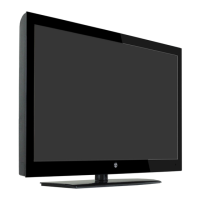
Westinghouse CW39T8RW - User Manual

Westinghouse CW39T8RW
28 pages
Print Icon
To Next Page IconTo Next Page
Loading...
USER’S MANUAL
MANUEL DE L’UTILISATEUR
MANUAL DEL USUARIO
CW39T8RW

Questions and Answers

  • S
    Stephanie OdomJul 31, 2025
    What to do if my Westinghouse LCD TV does not respond to the remote control?
    • J
      Jessica MonroeJul 31, 2025
      Check if there is any obstruction between the remote control and the TV unit. Ensure that you are within the remote control's operational range. Also, verify that the batteries in the remote control are not weak or exhausted.
  • L
    lynchtonyaAug 6, 2025
    What to do if my Westinghouse LCD TV has no power?
    • C
      Christian ThomasAug 6, 2025
      First, check all power connections to the TV. Then, press either the power button or the Standby button on the remote control.
  • A
    Alicia FuentesAug 11, 2025
    Why does my Westinghouse LCD TV have no picture or sound?
    • D
      Diana DeckerAug 11, 2025
      Ensure that the TV is properly plugged in and that the power is turned on. Also, make sure the antenna is securely connected. If the issue persists, try tuning to a different program.
  • T
    Terry OnealAug 18, 2025
    How to fix poor picture quality on Westinghouse CW39T8RW LCD TV?
    • M
      Mackenzie LarsonAug 18, 2025
      First, check the antenna connections to ensure they are secure. Next, verify that the channel is properly tuned. You may also want to adjust the picture settings, such as brightness, color, sharpness, contrast, or hue. Finally, ensure that the TV is not located near other electrical appliances that might cause radio frequency interference.
  • C
    Cynthia SmithAug 23, 2025
    Why is there no color on my Westinghouse CW39T8RW?
    • C
      Chad SantosAug 23, 2025
      First, try adjusting the color setting on your TV. If that doesn't work, check to see if the program you're watching is broadcast in color. Also, make sure the channel is tuned properly.

Summary

Cautionary Information

Safety Information

Electrical Safety Precautions

Essential guidelines to prevent electrical hazards, overload, and damage to the equipment and power supply.

Physical Safety Precautions

Guidelines for safe handling, placement, and cleaning of the TV to prevent physical damage or injury.

First Time Installation

Language and Time Zone Setup

Guide to selecting the OSD language and setting the correct time zone for initial TV configuration.

Power On Mode and Connectivity Selection

Instructions for choosing the power on mode and connecting external sources like cable boxes or game consoles.

Channel Scanning Setup

Detailed steps for scanning TV channels via Antenna (ATSC) or Cable, including access code procedures.

Basic Operation

Powering the TV On and Off

Instructions on how to turn the TV on, put it in standby mode, and turn it off using the power button.

Selecting Input Sources

Guide to switching between different input sources like TV, AV, HDMI, and PC for various media devices.

OSD Menu Functions

Picture Menu Settings

Configuration options for picture quality, including brightness, contrast, color, sharpness, and screen size.

Sound Menu Settings

Adjustments for audio settings including Sound Mode, Surround, AVL, Analog/Digital Sound, and Digital Audio Output.

Simple Troubleshooting

Troubleshooting: Power and Picture;Sound Issues

Solutions for common problems like no power, no picture or sound, and poor picture quality.

Troubleshooting: Color and Remote Control Issues

Solutions for issues related to no color display and the TV not responding to the remote control.

Westinghouse CW39T8RW Specifications

General IconGeneral
BrandWestinghouse
ModelCW39T8RW
CategoryLCD TV
LanguageEnglish

Related product manuals