EasyManua.ls Logo

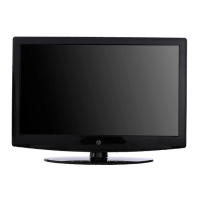
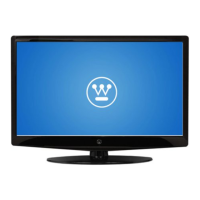
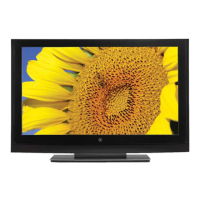
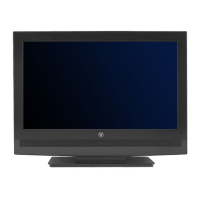
Westinghouse VK-42F240S - User Manual

Westinghouse VK-42F240S
48 pages
Print Icon
To Next Page IconTo Next Page
Loading...

Questions and Answers

  • J
    Jacob KaufmanJul 30, 2025
    How to fix Westinghouse LCD TV when it has no power?
    • M
      Michael FullerJul 30, 2025
      First, ensure the power cord is firmly connected to the 'AC In' jack on the back of your Westinghouse High Definition LCD TV and securely plugged into the AC socket. To verify the outlet's functionality, plug another electrical device into it. Also, if the TV is set to E. Saver mode, it may take longer to power on. Change the Power menu setting to Normal to improve the power-on time.
  • R
    Ryan BoydAug 13, 2025
    What to do if my Westinghouse LCD TV power is suddenly turned off?
    • J
      Joshua DavidsonAug 13, 2025
      If your Westinghouse LCD TV suddenly turns off, check whether the Sleep Timer is enabled and disable it. Also, check whether the Inactivity Off setting is enabled and disable it as well.

Summary

PRODUCT SAFETY

Important Notice Concerning Power Cord Selection

Guidelines for selecting the correct power cord for safety and compliance.

FCC Compliance Statement

Statement regarding the device's compliance with FCC rules for digital devices.

FCC Warning

Warning about using specific cables for FCC compliance and avoiding modifications.

Important Safety Instructions

Key safety precautions for operating the HDTV.

Antenna Installation Safety

Guidance on safely grounding antennas and related components.

INTRODUCTION: CONTROLS AND CONNECTIONS

Rear and Side Connectors

Overview of input and output ports on the rear and sides of the HDTV.

HDTV;ACCESSORY SETUP

Connecting Your HDTV

Steps to connect the HDTV to power and select the initial TV source.

Determining Available Channels

Guide to running the channel scan (Autoscan) for receiving broadcast channels.

Connecting Your Personal Computer

Instructions for connecting a PC to the HDTV using VGA and audio cables.

HDTV OPERATION

Video Menu Settings

How to adjust picture properties like brightness, contrast, and sharpness via the Video menu.

About Parental Controls

How to set up and use parental controls to block content based on ratings.

APPENDIX: Troubleshooting

No Picture or Signal Issues

Troubleshooting steps for when there is no picture or a 'No Input Signal' message.

APPENDIX: Cleaning the High Definition LCD TV

Westinghouse VK-42F240S Specifications

General IconGeneral
BrandWestinghouse
ModelVK-42F240S
CategoryLCD TV
LanguageEnglish

Related product manuals