EasyManua.ls Logo

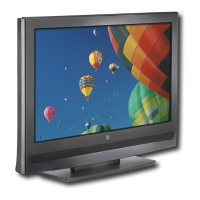
Westinghouse SK-32H640G - User Manual

Westinghouse SK-32H640G
61 pages
Print Icon
To Next Page IconTo Next Page
Loading...
USER’S MANUAL
MANUEL DE L’UTILISATEUR
MANUAL DEL USUARIO
SK-32H640G

Questions and Answers

  • C
    Christopher GuzmanJul 26, 2025
    What to do if Westinghouse LCD TV remote control does not work?
    • C
      Christine HerreraJul 26, 2025
      If your Westinghouse LCD TV remote control isn't working, make sure to press only one button at a time. Verify that the batteries are properly inserted. If the batteries are drained, replace them with new ones.
  • D
    david41Jul 30, 2025
    How to fix no sound on Westinghouse LCD TV?
    • T
      Tabitha MooreJul 30, 2025
      If your Westinghouse LCD TV has no sound, ensure the audio input cable is properly connected to the correct terminal and that the correct input mode is enabled. Check if the volume is muted; press the volume up key to turn it on. You can also adjust the Bass, Treble, and Balance settings in the Audio menu. If using the TV speakers, ensure the TV Speakers option is set to On in the Audio menu. If using an external audio device, make sure the TV Speakers option is set to Off in the Audio menu.
  • J
    Jennifer GrayAug 3, 2025
    How to troubleshoot no picture on Westinghouse LCD TV?
    • P
      Patrick AndrewsAug 3, 2025
      If your Westinghouse LCD TV shows no picture, ensure the video input cable is properly connected to the correct terminal and that the correct input mode is enabled. Verify that the antenna is properly connected and the preferred channel is enabled in the channel list. You may also want to adjust the display settings.
  • D
    David WatsonAug 7, 2025
    How to adjust picture size on Westinghouse LCD TV?
    • G
      Gloria AtkinsonAug 7, 2025
      If your Westinghouse LCD TV picture is cut off or appears in a sidebar screen, adjust the Aspect ratio by pressing the corresponding button on your remote.
  • S
    shicksAug 12, 2025
    How to improve poor image quality on Westinghouse SK-32H640G LCD TV?
    • D
      David MillerAug 12, 2025
      If you're experiencing poor image quality on your Westinghouse LCD TV (cutoff picture, snowy images), check your antenna connection and rotate the antenna, waiting up to ten seconds for a signal. Reduce signal splitters and excessively long cables. Replace poor antenna cables and connectors to improve signal quality. You can also adjust the Aspect ratio. Adjust the Noise Reduction setting in the Picture menu. In HDMI mode, ensure the external device is compatible with the LCD TV.
  • M
    muellercatherineAug 16, 2025
    How to fix wrong colors on Westinghouse SK-32H640G?
    • C
      Christopher GainesAug 16, 2025
      If your Westinghouse LCD TV displays wrong, abnormal, or missing colors, and any colors (red, green or blue) are missing, check the video cable to ensure it is securely connected. Adjust the Hue, Saturation, and Color Temperature settings in the Picture menu. You may also want to connect the TV to another computer to check if the problem is with the computer screen.
  • G
    Gregory KentAug 20, 2025
    What to do if no signal appears on Westinghouse SK-32H640G with VGA connection?
    • S
      Seth JordanAug 20, 2025
      If you see no picture or a 'No Signal' message when a VGA cable is connected to your Westinghouse LCD TV, ensure the VGA cable is properly connected to the TV's VGA port. Decrease the video resolution setting on the computer and try again. You can also adjust the display settings.

Summary

Digital Television Transition Notice

Important Information

Warnings

Important warnings to reduce the risk of fire or electric shock.

Notices

FCC Compliance Statement

Important Safety Instructions

Operational Guidelines

Circuit Overload and Power Cord Protection

Warnings about electrical hazards and guidelines for power cord safety.

Ventilation and Lamp Disposal

Instructions on maintaining proper ventilation and safe disposal of lamps.

Antenna Installation Safety

Lighting and Power Line Safety

Precautions regarding lightning and proximity to power lines during antenna setup.

Cleaning the LCD TV

Package Contents

Control Panel

Terminals

Remote Control

Remote Control Operation

Installing Remote Control Batteries

Step-by-step guide for inserting batteries into the remote control.

LCD TV Base

Installing the LCD TV Base

Steps for attaching the base stand to the LCD TV unit.

Removing the LCD TV Base

Antenna Connection

Outdoor Antenna Connection

Diagram and instructions for connecting an outdoor antenna.

Cable TV Connection

Instructions for connecting the TV to a cable TV service.

External Device Connections

Power Connection

Connecting AC Power

Steps for connecting the AC power cord to the TV and outlet.

Initial Setup

Guide to the initial setup process using the SetupWizard.

Basic Operations

Turning Power On and Off

Instructions for powering the TV on and off.

Adjusting Volume

How to increase, decrease, or mute the TV volume.

Channel and Input Management

Changing Channels

Instructions for browsing, selecting, and saving favorite channels.

Selecting Input Source

How to choose the video input source for the TV.

Display and Backlight Adjustment

Adjusting Display Format

How to adjust the display format for optimal viewing.

Adjusting LCD Backlight

How to adjust the LCD screen backlight for different viewing conditions.

Setup Menus

Setup Menu Operation

How to navigate and operate the TV's setup menu screens.

Picture Settings

Adjusting Brightness and Contrast

How to adjust the TV's brightness and contrast levels.

Adjusting Saturation

How to adjust the color intensity (saturation) of the display.

Audio Settings

Adjusting Bass and Treble

How to calibrate low-pitched and high-pitched sound settings.

Adjusting Balance

How to adjust the sound balance between the left and right speakers.

View Mode Settings

View Mode (VGA)

Aspect Ratio

Selecting the display's aspect ratio in VGA mode.

Position Adjustment

Adjusting horizontal and vertical position of the display in VGA mode.

Channels Management

Skip List Management

Selecting channels to skip during channel scanning or browsing.

Channel Edit

Assigning names to channels for easier identification.

MTS and Audio Language

Adjusting MTS

Selecting multichannel television sound options (Mono, Stereo, SAP).

Adjusting Audio Language

Selecting the preferred audio language for TV programs.

Channel Search Options

Auto Search

Automatically scanning for available TV channels based on source.

Manual Search

Manually adding specific channels to the TV's channel list.

System Settings

Date and Time Adjustment

Adjusting the current date, time, and time zone settings.

Parental Controls

Setting up parental ratings and blocking unrated programs.

Wall Mount Option

Wall Mount Installation Reminders

Important reminders and cautions before mounting the TV on a wall.

Troubleshooting

Westinghouse SK-32H640G Specifications

General IconGeneral
Screen Size32 inches
Display TypeLCD
Resolution1366 x 768
HDMI Ports3
USB Ports1
Display TechnologyLED
Aspect Ratio16:9
Refresh Rate60 Hz
Built-in Wi-FiNo
Smart TVNo
Weight12.8 lbs
Dimensions (W x H x D)7.9 inches

Related product manuals