EasyManua.ls Logo

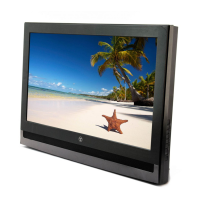
Westinghouse SK-26H735S - User Manual

Westinghouse SK-26H735S
70 pages
Print Icon
To Next Page IconTo Next Page
Loading...
USER’S MANUAL
MANUEL DE L’UTILISATEUR
MANUAL DEL USUARIO
SK-26H735S
SK-26H730S

Questions and Answers

  • F
    Frank MartinAug 14, 2025
    What to do if Westinghouse LCD TV remote control does not work?
    • J
      Jose ManningAug 15, 2025
      If your Westinghouse LCD TV remote control isn't working, ensure you press only one button at a time and that the batteries are correctly inserted. If the batteries are drained, replace them with new ones.
  • J
    Julian RodriguezAug 18, 2025
    How to troubleshoot no power on Westinghouse SK-26H735S LCD TV?
    • B
      Bonnie Elliott MDAug 18, 2025
      If your Westinghouse LCD TV has no power, ensure the power indicator is illuminated blue. Also, verify the power cord is securely connected to the AC-in jack and plugged into a functional AC outlet. You can test the outlet by plugging in another electrical device to confirm it's supplying the correct voltage.
  • J
    Jose DownsAug 21, 2025
    Why is there no sound on my Westinghouse LCD TV?
    • J
      James JohnsonAug 21, 2025
      If there is no sound on your Westinghouse LCD TV, ensure the audio input cable is properly connected to the correct terminal and the correct input mode is enabled. Check if the volume is muted, and if so, press the Vol+ key. Adjust the Bass, Treble, and Balance settings in the Audio menu. If using TV speakers, make sure the TV Speakers option is set to On in the Audio menu. If using external speakers, ensure the TV Speakers option is set to Off and that the external device's volume is turned up.
  • J
    Jessica CoxAug 25, 2025
    Why is there no picture on my Westinghouse SK-26H735S LCD TV?
    • K
      kevinfrankAug 25, 2025
      If your Westinghouse LCD TV has no picture, ensure the video input cable is properly connected to the correct terminal and the correct input mode is enabled. In TV mode, verify the antenna is properly connected and the preferred channel is enabled in the channel list. You can also adjust the display settings in the Picture menu. If using an older Macintosh computer, you might need a Macintosh adapter.
  • J
    Jessica WagnerAug 28, 2025
    How to fix cut off picture on Westinghouse SK-26H735S?
    • H
      hesterjeffreyAug 28, 2025
      If the picture on your Westinghouse LCD TV is cut off or appears in a sidebar screen, press the appropriate button on your remote and make sure the Standard option is selected.
  • C
    Christopher BaileyAug 31, 2025
    Why are colors wrong on my Westinghouse LCD TV?
    • A
      Adam JohnsonAug 31, 2025
      If the colors on your Westinghouse LCD TV are wrong, abnormal, or missing, and any colors (red, green or blue) are missing, check the video cable to ensure it is securely connected, as loose or broken pins in the cable connector could cause an improper connection. You can also adjust the Hue and Saturation settings in the Picture Settings menu, or adjust the Color Temperature settings in the Picture Advanced menu. To check if the problem is with the TV screen, connect the TV to another computer.
  • K
    Kendra HoffmanSep 3, 2025
    How to improve poor image quality on Westinghouse SK-26H735S LCD TV?
    • J
      Joseph LawsonSep 3, 2025
      To address poor image quality (cutoff picture, snowy images) on your Westinghouse LCD TV in TV mode, check your antenna connection. Reduce signal splitters and excessively long cables. Replace poor antenna cables and/or connectors to improve signal quality. Ensure the Standard option is selected. Adjust the Noise Reduction setting in the Picture | Advanced menu. In HDMI mode, ensure the external device is compatible with the LCD TV.
  • S
    Susan MooreSep 7, 2025
    What to do if no signal appears when VGA cable is connected to Westinghouse SK-26H735S?
    • J
      James RamirezSep 7, 2025
      If you see no picture or a 'No Signal' message when a VGA cable is connected to your Westinghouse LCD TV, make sure the VGA cable is properly connected to the LCD TV’s VGA port. Decrease the video resolution setting on the computer and try again. You can also adjust the display settings in the Picture menu.
  • J
    Jessica LunaSep 10, 2025
    How to reset forgotten PIN on Westinghouse SK-26H735S LCD TV?
    • D
      donaldsmithSep 10, 2025
      To reset a forgotten PIN on your Westinghouse LCD TV, press the Menu button on your remote and select Settings | Reset All, and then Yes. Access the setup screen again and select Locks. Key in and reconfirm your new PIN.

Summary

Important Information and Safety Guidelines

Warnings

Essential warnings to reduce the risk of fire or electric shock.

Safety Guidelines

Guidelines for safe operation and handling of the LCD TV.

FCC Compliance Statement

Statement detailing compliance with FCC rules for Class B digital devices.

Important Safety Instructions

Comprehensive safety instructions for operating the LCD TV.

Circuit Overload and Power Cord Protection

Covers risks of circuit overload and guidelines for power cord safety.

Warnings and Precautions

Detailed warnings and precautions for safe usage and handling of the TV.

Antenna Installation Safety

Safety guidelines for installing antennas, including grounding and lightning protection.

Cleaning the LCD TV

Instructions on how to safely clean the LCD TV screen and case.

System Tour and Package Contents

Control Panel Overview

Details the functions of buttons on the TV's control panel.

Terminals and Connections

Describes all input and output terminals and their uses.

Remote Control Model A

Explains the functions of buttons on Remote Control Model A.

Remote Control Model B

Explains the functions of buttons on Remote Control Model B.

Installation Procedures

Installing the LCD TV Base

Step-by-step guide to attaching the LCD TV to its base.

Antenna Connection

Guide to connecting outdoor antennas or cable TV to the unit.

External Device Connections

How to connect various audio-video devices to the TV.

Power Connection

Instructions for connecting the LCD TV to a power source.

Basic Operations Guide

Turning Power On and Off

How to turn the TV on, turn it off, and understand power status lights.

Adjusting Volume and Muting

Steps to control the TV's audio volume and mute function.

Changing Channels

Methods for browsing and selecting TV channels.

Selecting Input Source

How to switch between different video input sources.

Setup Menus and Configurations

Setup Menu Operation

How to navigate and use the TV's setup menu system.

Picture Settings

Options to configure display quality settings like brightness and contrast.

Audio Settings

Options to configure audio quality settings for the TV speakers.

Channels Setup

Options to view the channel list and scan for available channels.

Locks and Parental Controls

Changes system PIN and sets allowable video content based on ratings.

Wall Mount Option

Troubleshooting Common Issues

Product Specifications

Westinghouse SK-26H735S Specifications

General IconGeneral
Screen Size26 inches
Display TechnologyLCD
Resolution1366 x 768
Aspect Ratio16:9
HDMI Ports2
VGA InputYes
Component Input1
Composite Input1
RF Input1
Headphone JackYes
Built-in SpeakersYes

Related product manuals