5
OPERATION
SETTING THE TIME
If you have purchased a model fitted with an electronic
clock, you MUST set the time of day before you can
operate your appliance.
ELECTRONIC CLOCK
• After the appliance has been electrically connected
“12.00” will be displayed and the “clock” indicator
will flash.
• To set the time of day, press the – or + symbols. 5
seconds after the last change, the “clock” indicator will
disappear, confirming the time has been set.
NOTE: The clock has a 24-hour display.
• Please remove all internal boxes and bags from the oven
before operation.
• Please wipe out the oven interior prior to operation with
warm soapy water and polish dry with a soft clean
cloth. Do not close the oven door until the oven is
completely dry.
• New appliances can have a smell during first use. It is
recommended to ‘run in’ the oven before cooking for the
first time. Operate the oven, empty, at a temperature of
180°C for approximately 30 minutes. Please ensure the
room is well ventilated during this process.
For appliances with a separate grill compartment, run
grill on maximum for 15 minutes with grill door open.
• If your appliance is fitted with a mechanical “Auto Off”
timer, make sure it is set to “Off” marker for manual
operation.
INSTALLING YOUR OVEN ACCESSORIES
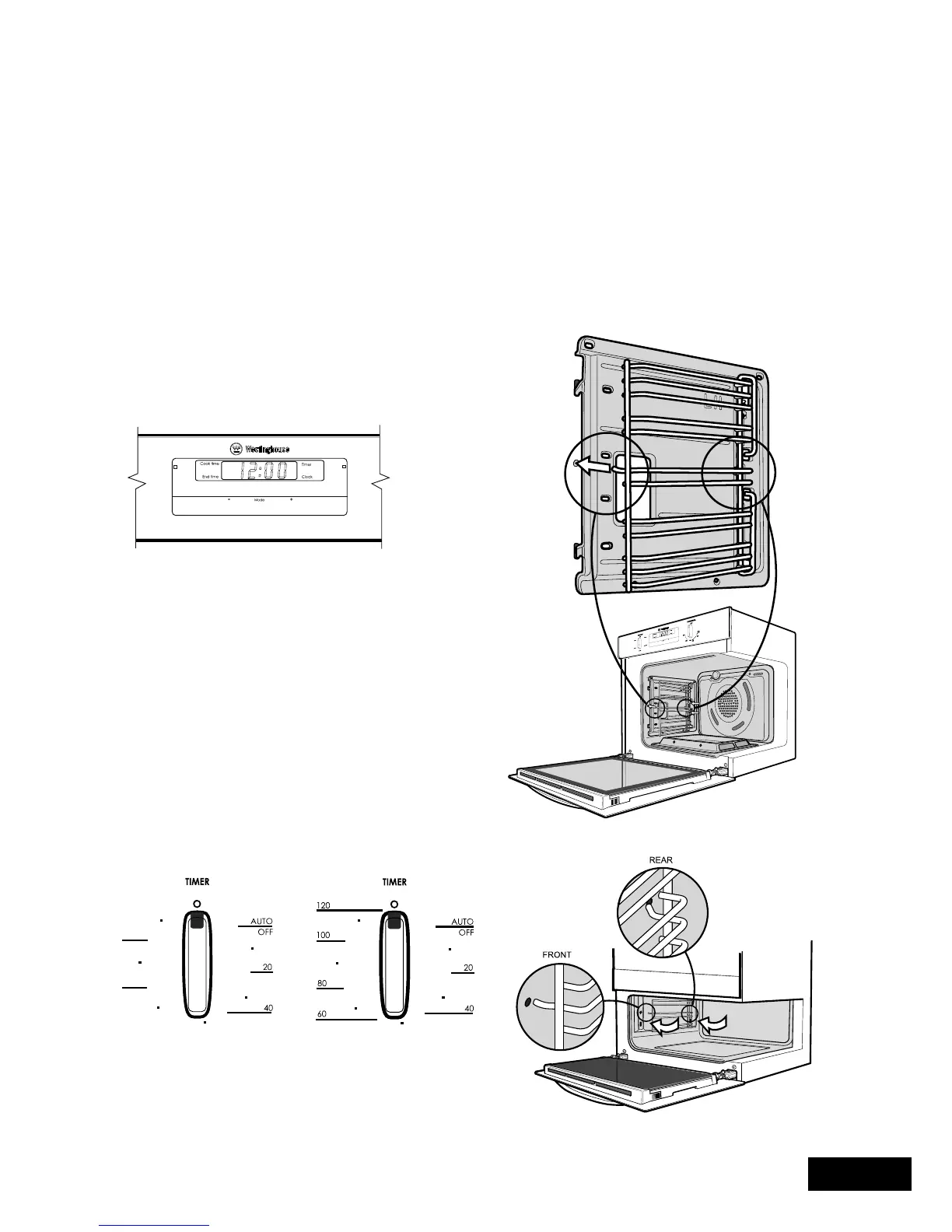
1. Side racks
The side racks that come with your oven can be attached to
either side of your oven.
• Insert the twin pegged side into the rear access holes
provided. See diagram.
• Then locate the front peg into the front access hole and
push in firmly.
BEFORE OPERATING YOUR APPLIANCE FOR THE
FIRST TIME



 To Next Page