EasyManua.ls Logo

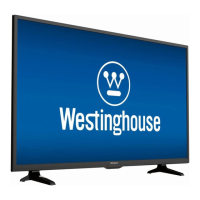
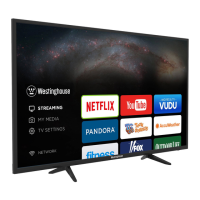
Westinghouse WA43UFA1001 - User Manual

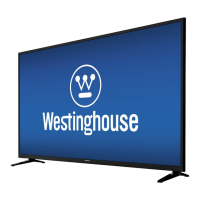
Westinghouse WA43UFA1001
20 pages
Print Icon
To Next Page IconTo Next Page
Loading...

Questions and Answers

  • C
    Carlos AndersonAug 19, 2025
    What to do if the Westinghouse WA43UFA1001 LED TV remote control does not work?
    • C
      Christine WadeAug 19, 2025
      If your Westinghouse LED TV remote control isn't working, first, check for any obstructions between the remote and the TV, ensuring you're pointing the remote directly at the TV. Then, try these steps: * Install new batteries. * Remove and reinsert the batteries to reinitiate pairing. * Hold down the home button for 10 seconds to rediscover the remote within 60 seconds. * Make sure the batteries are installed with the correct polarity (+ to +, - to -).
  • M
    michaellopezAug 21, 2025
    How to fix a Westinghouse WA43UFA1001 LED TV that does not respond to buttons?
    • C
      Catherine LeachAug 21, 2025
      If your Westinghouse LED TV does not respond when pressing any buttons, the TV may have frozen. Disconnect the power cord from the power socket for a few minutes, then reconnect it and try operating the TV again as usual.
  • J
    Jennifer MatthewsAug 23, 2025
    What to do if my Westinghouse WA43UFA1001 LED TV cannot be switched on?
    • A
      adamdayAug 23, 2025
      If your Westinghouse LED TV is not switching on, ensure that the TV is properly connected to the power supply. Also, make sure all connected AV devices are switched off before switching on your TV.
  • A
    Alyssa CruzAug 26, 2025
    How to fix lines or streaks in pictures on Westinghouse WA43UFA1001?
    • J
      Joseph BarryAug 26, 2025
      If your Westinghouse LED TV displays lines or streaks in pictures, check the antenna and try changing its position.
  • M
    mitchell04Aug 28, 2025
    How to fix no output from one of the speakers on Westinghouse WA43UFA1001?
    • J
      jason47Aug 28, 2025
      If there is no output from one of the speakers of your Westinghouse LED TV, adjust the Balance settings in the SOUND menu.
  • B
    Brandi RogersAug 30, 2025
    Why does my Westinghouse WA43UFA1001 LED TV power off suddenly?
    • S
      Samuel WhiteAug 30, 2025
      If your Westinghouse LED TV suddenly turns off, it might be due to an interruption in the power supply. Check the TV's power connection. Also, verify if the sleep timer is activated.
  • G
    grantjoseSep 1, 2025
    What to do if my Westinghouse LED TV has no picture and no sound?
    • N
      ncampbellSep 1, 2025
      If your Westinghouse LED TV displays no picture and no sound, ensure the TV is switched on. If it is, the issue might be with the broadcaster. Try tuning to another channel to see if the problem persists.
  • S
    shamiltonSep 4, 2025
    Why does my Westinghouse WA43UFA1001 LED TV have no or poor color or poor picture?
    • A
      Ashley GordonSep 4, 2025
      If your Westinghouse LED TV has no or poor color or poor picture, try adjusting the settings in the PICTURE menu. If that doesn't work, the problem may be caused by the broadcaster, so try another channel. Also, check if the video cables are connected properly.
  • P
    Patricia Maxwell PhDSep 6, 2025
    What to do if my Westinghouse WA43UFA1001 LED TV picture OK but no sound?
    • A
      amber62Sep 6, 2025
      If your Westinghouse LED TV has picture but no sound, first, press the VOL +/- buttons. If there's still no sound, check if the sound is muted and press the Volume Up button. The problem may also be caused by the broadcaster, so try another channel.
  • M
    Mrs. Brittany WileySep 8, 2025
    Why does my Westinghouse WA43UFA1001 have poor reception on some channels?
    • M
      Michele MillerSep 9, 2025
      If your Westinghouse LED TV displays poor reception on some channels, the station or cable channel may be experiencing problems; tune to another station. If the station signal may be weak, reposition the antenna for better reception. Also, check for sources of possible interference.

Westinghouse WA43UFA1001 Specifications

General IconGeneral
Screen Size43 inches
Display TechnologyLED
Smart TVYes
HDMI Ports3
USB Ports2
Refresh Rate60 Hz
Operating SystemAndroid TV
Audio Output20W
BluetoothYes
Resolution4K Ultra HD (3840 x 2160)
HDR SupportHDR10
Wi-FiYes
Dimensions (W x H x D)3.2 inches

Related product manuals