This document serves as a user's manual for the WE55UDT108 device, providing comprehensive instructions for its operation, setup, and maintenance. The device is a television, designed to deliver a range of entertainment and connectivity features.
Function Description:
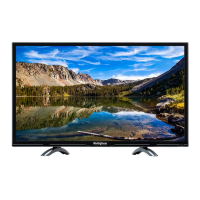
The WE55UDT108 is primarily a television set, capable of displaying video content from various sources, including broadcast television (ATV/DTV), external devices connected via HDMI, VGA, composite/component inputs, and USB. It also offers smart TV functionalities, allowing users to stream content from popular online services and access multimedia files.
The television features a user-friendly interface that enables navigation through menus, selection of input sources, and customization of settings. It supports both wired (LAN) and potentially wireless (WIFI, though not explicitly detailed for setup) network connections for streaming and internet-based applications. The device is equipped with audio output options, including optical output for digital sound systems and a headphone socket for private listening. It also includes an audio input for connecting external audio devices.
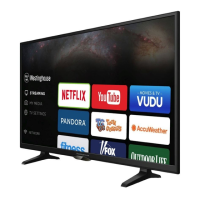
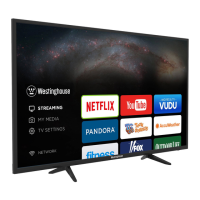
A key function of this television is its ability to access streaming services such as Netflix, YouTube, VUDU, Pandora, and AccuWeather. These applications provide a wide array of content, from movies and TV shows to personalized music and weather updates. The television is designed to handle 4K video content, provided there is a high-speed internet connection and access to actual 4K media.
Usage Features:
The WE55UDT108 offers a variety of features to enhance the user experience:
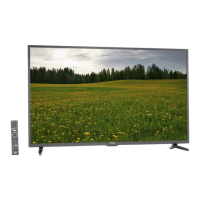
- Remote Control: The television comes with a remote control that provides comprehensive control over all functions. This includes power on/off, volume adjustment, channel selection, input source switching, menu navigation, playback controls (play, pause, reverse, advance, stop, skip), aspect ratio selection, and direct access to streaming apps like YouTube, VUDU, Pandora, and Netflix.
- On-Screen Display (OSD): The intuitive OSD allows users to easily navigate through various settings and options. Arrow buttons on the remote or TV keypad are used for selection, and an "OK" button confirms choices.
- Initial Setup Wizard: Upon first use, the television guides the user through an initial setup wizard. This process includes selecting a language, setting the time zone, and scanning for available channels (Antenna or Cable). This ensures the TV is ready for use with local broadcasts.
- Input Source Selection: Users can easily switch between different input sources (TV, HDMI1, HDMI2, HDMI3, USB, VGA, AV, Component) using the "SOURCE" button on the remote or the main unit.
- Streaming Services: Dedicated buttons on the remote provide quick access to popular streaming applications. The "STREAMING" menu allows users to explore and launch these services, offering a vast library of on-demand content.
- My Media: The "My Media" section enables users to view photos, listen to music, and watch videos from a connected USB storage device. This feature transforms the TV into a personal multimedia hub.
- TV Settings Customization: The "TV Settings" menu offers extensive customization options, categorized into General, Picture, Audio, Network, Channel, Time, Lock, and APP settings.
- Picture Settings: Users can adjust various picture parameters to optimize viewing quality based on content and environment.
- Audio Settings: Sound modes (standard, music, movie, user) and other audio adjustments are available to tailor the audio experience. The MTS (Multi-channel Television Sound) feature allows switching between different audio channels (stereo, mono, SAP).
- Network Settings: Configuration for both wired and potentially wireless network connections.
- Channel Settings: Options for channel scanning, organizing, and managing favorite channels.
- Time Settings: Adjusting the device's clock and related time-based functions.
- Lock (Parental Control): The "V-CHIP" function allows setting up parental controls to restrict access to certain content.
- Closed Caption (CC): The television supports closed captions, with options to turn them on, off, or display them only when muted.
- Picture Freeze: A "FREEZE" button allows users to pause the current picture on the screen.
- Favorite Channels: Users can create and manage a list of favorite channels for quick access.
- Wall-Mounting Option: The television is designed to be wall-mountable, with instructions provided for removing the stand and attaching a VESA bracket (screws not included).
Maintenance Features:
Maintaining the WE55UDT108 involves several key practices to ensure its longevity and safe operation:
- Cleaning: The TV screen and casing should be cleaned only with a soft, dry cloth. Solvents or petroleum-based fluids should be avoided to prevent damage.
- Power Management:
- Always connect the TV to a main power supply with the correct voltage.
- Avoid overloading power sockets by connecting too many electronic components.
- Unplug the apparatus during lightning storms or when unused for long periods.
- The SLEEP-MODE Power consumption is less than 0.5 W, indicating energy efficiency in standby.
- Ventilation: Ensure that ventilation slots on the back cover are not blocked. Maintain at least 5cm (2") clearance around the TV, especially if placed in a cabinet, to prevent overheating. No naked flame sources, such as lighted candles, should be placed on the apparatus.
- Physical Handling:
- Avoid tapping or shaking the TV screen to prevent damage to internal circuits.
- Handle the remote control with care.
- When installing or removing the stand, lay the TV face down on a flat, cushioned surface to prevent scratching or damage.
- Cable Management: Protect power cords from being walked on or pinched, especially at plugs and connection points.
- Battery Care (Remote Control):
- Remove batteries from the remote control if it will not be used for a long period or if the batteries are exhausted to prevent leakage.
- Do not break open or throw exhausted batteries into a fire.
- Use AAA type batteries (alkaline, carbon-zinc, etc.) for best results.
- Install only new batteries of the same type and ensure correct polarity.
- Do not mix old and new batteries, or different types of batteries.
- Dispose of batteries according to state and local guidelines.
- Keep batteries away from children.
- Professional Servicing: Do not attempt to service the unit yourself, as there are no user-serviceable parts inside. Refer all servicing to qualified personnel, especially if the apparatus has been damaged (e.g., damaged power cord, spilled liquid, objects fallen into the apparatus, exposure to rain/moisture, or if it has been dropped or does not operate normally).
- Stability and Safety:
- Never place the television set in an unstable location.
- Use cabinets or stands recommended by the manufacturer.
- Ensure the television set is not overhanging the edge of supporting furniture.
- If placing on tall furniture, anchor both the furniture and the television set to a suitable support.
- Avoid placing the television set on cloth or other materials that may be located between the television set and supporting furniture.
- Educate children about the dangers of climbing on furniture to reach the television set or its controls.
- If relocating an existing television set, apply the same safety considerations.
- Environmental Considerations: Attention should be drawn to the environmental aspects of battery disposal. The product contains electrical or electronic materials and should not be disposed of as unsorted waste but collected separately for proper disposal and recycling.

 Need help?
 General


 To Next Page