EasyManua.ls Logo

Westinghouse WBRCNG140F - User Manual

Westinghouse WBRCNG140F
84 pages
Print Icon
To Next Page IconTo Next Page
Loading...
Installation
Start-Up
Maintenance
Parts
Warranty
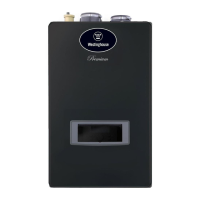
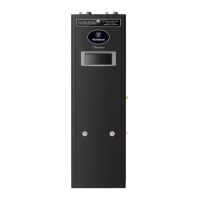
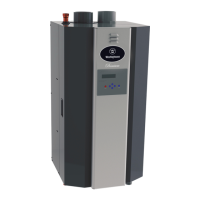
WBRC**140 / 199*
WBRUC**140 / 199* Models
* “F” Denotes Floor Model; W” Denotes Wall Mount Model, ** “NG” Denotes Natural Gas; “LP Denotes Propane Gas
DANGER
!
This manual must only be used by a qualied service technician. Read all instructions in this manual before installing. Perform
steps in the given order. Failure to do so could result in substantial property damage, severe personal injury, or death.
NOTICE
The manufacturer reserves the right to make product changes or updates without notice and will not be held liable for
typographical errors in literature.
NOTE TO CONSUMER: PLEASE KEEP ALL INSTRUCTIONS FOR FUTURE REFERENCE.
www.westinghousewaterheating.com whl-648 Rev. 001 Rel. 003 Date 10.8.19
WARNING
!
Improper installation, adjustment, alteration, service, or maintenance could void product warranty and cause property
damage, severe personal injury, or death.
California Proposition 65 Warning: This product contains chemicals known to the State of California to cause cancer, birth
defects, or other reproductive harm.
Heat Exchanger Bears the
ASME “H” Stamp
The surfaces of these products contacted by potable (consumable) water contain less than 0.25% lead by weight as required
by the Safe Drinking Water Act, Section 1417.
Gas Fired Residential
Floor and Wall Mount
Combi Boilers


Table of Contents

Questions and Answers

  • R
    Ryan HoganSep 16, 2025
    What does error code Er:72 mean on a Westinghouse WBRCNG140F Boiler and how to fix?
    • C
      Christina GardnerSep 16, 2025
      This Error Code Er:72 will disappear when the condition is remedied. If the error happens again: 1. Check the boiler cover, ensuring it is secure, as the flame detection sensor can detect an external light source. 2. Check the flame detection sensor, ensuring connections are secure. Normal operating settings are more than 2.5DC before ignition, less than 2.5DC after ignition. 3. If the problem persists, replace the main control.
  • D
    Daniel HubbardAug 25, 2025
    Why is hot water not available from my Westinghouse WBRCNG140F Boiler?
    • A
      amber57Aug 25, 2025
      Check if the appliance has power by ensuring it's plugged in and restore power if needed. Then, make sure the unit is turned on by pressing and holding the Power button. Also, ensure the gas supply valve is open. If an error code is flashing on the display panel, refer to the Diagnostic and Error Codes section in this manual.
  • T
    Timothy JacksonAug 26, 2025
    What to do if Westinghouse WBRCNG140F Boiler water temperature is not hot enough?
    • N
      nevansAug 26, 2025
      Ensure the faucet is open enough to allow at least 0.6 gallons (2.3L) per minute to flow through the appliance. If the outlet water temperature is set too low, adjust it. If an error code is displayed, refer to the Diagnostic and Error Codes section in this manual.
  • K
    Kenneth MurphyAug 26, 2025
    What to do if Westinghouse WBRCNG140F has no water when faucet is opened?
    • J
      Jonathan MillerAug 26, 2025
      Check if the water supply valve is shut off at the meter and open it if closed. Also, verify that the water supply valve near the unit is open. If the water pipe is frozen, turn OFF the unit, close all water valves and the gas valve, and contact an authorized service technician. If an error code is flashing on the display panel indicating a leak, contact an authorized service technician.
  • A
    Anne HowardSep 17, 2025
    What does error code Er:76 mean on a Westinghouse WBRCNG140F and how do I resolve it?
    • M
      Melanie HardySep 17, 2025
      This Error Code Er:76 will disappear when the condition is remedied. If the error happens again: 1. Check the connections from the main control to the display panel (this error occurs if there is no communication for ten minutes). 2. If the problem persists, replace the display and/or the main control.
  • J
    Jillian HarrisDec 1, 2025
    What to do if Westinghouse WBRCNG140F displays error code Er:11?
    • A
      Anthony RobertsDec 1, 2025
      If the Westinghouse Boiler displays error code Er:11, first, press the Power button to clear the error. This code will also automatically reset after one hour (up to three times). If the error persists, follow these steps: 1. Monitor the gas pressure to the boiler while in operation, ensuring it remains between 3.5 and 14” WC. 2. Check the gas valve wire and flame detection sensor, ensuring the connections are secure. Normal operating settings for the flame detection sensor are more than 2.5DC before ignition and less than 2.5DC after ignition. 3. Check the igniter transformer for proper connection. 4. Clean the spark igniter with steel wool to remove oxides, ensuring proper separation (3-4 mm). 5. Replace the spark igniter if damaged. 6. Ensure that the flame is stable when lit. 7....
  • M
    Mrs. Jennifer DanielsSep 8, 2025
    Why does my Westinghouse WBRCNG140F display error code Er:37?
    • D
      Diane GrossSep 8, 2025
      Error code Er:37 means the supply frequency is too high to operate. This Error Code will disappear when the supply frequency returns to normal operating range. If the error happens again: 1. Ensure the boiler is properly wired to a power source meeting the requirements on the rating plate. 2. If the problem persists, replace the main control.
  • M
    Mike BeckSep 9, 2025
    What does error code Er:38 mean on a Westinghouse Boiler and how to fix it?
    • M
      Maria MedinaSep 9, 2025
      If your Westinghouse Boiler is showing error code Er:38, press the Power button to clear the error. If the error persists, replace the main control.
  • D
    Debra VargasSep 3, 2025
    What does error code Er:35 mean on a Westinghouse Boiler and how can I fix it?
    • B
      banksjamieSep 3, 2025
      This Error Code Er:35 will disappear when the exhaust temperature decreases. If the error happens again: 1. Check the exhaust temperature sensor, ensuring the connections are secure. 2. Check the sensor resistance; if resistance is zero, replace the sensor. 3. Check the exhaust vent for any blockage. 4. If the problem persists, the main control may need replacement.
  • C
    Caleb ThompsonSep 1, 2025
    What to do if Westinghouse Boiler displays error code Er:20?
    • B
      Brian JenningsSep 1, 2025
      If the Westinghouse Boiler displays error code Er:20, press the Power button to clear it. If the error happens again: 1. Check the condensate and main controller connections to ensure they are secure. 2. Check the condensate resistance; if the resistance is not zero, replace the switch. 3. Check the condensate hose to ensure it is connected and in good condition. 4. Check the condensate line and termination for blockages. 5. Check the exhaust vent for blockages. 6. If the problem persists, the main control may need to be replaced.

Summary

Foreword

Part 1 - General Safety Information

Operation and Installation Warnings

Warnings for operating and installing the boiler.

Improper Combustion

Discusses issues related to improper combustion.

Gas

Information specific to gas fuel.

When Servicing the Boiler

Guidelines for servicing the boiler.

Boiler System

Information about the boiler system.

Water Chemistry Requirements

Requirements for water chemistry.

Freeze Protection

Measures for freeze protection.

Water Temperature Adjustment and Scalding

Adjusting temperature and scald risks.

High Elevation Installations

Considerations for high elevation installations.

Part 2 - Before You Start

Whats in the Box

Lists components included with the boiler.

Optional Equipment

Lists optional equipment available.

Part 3 - Prepare the Boiler Installation

Locating the Boiler

Guidelines for selecting the boiler's installation location.

Leveling

Instructions for leveling the boiler.

Clearances for Service Access

Required clearances for maintenance.

Residential Garage and Closet Installations

Specific installation requirements for garages/closets.

Exhaust Vent and Intake Pipe

Information on exhaust and intake piping.

Carbon Monoxide Detectors

Requirements for CO detectors.

Prevent Combustion Air Contamination

Preventing contamination of combustion air.

Part 4 - Water Piping

General Plumbing Guidelines

General guidelines for water piping installation.

Backflow Preventer

Information on installing a backflow preventer.

Expansion Tank

Requirements and installation of an expansion tank.

Piping the Boiler

Instructions for piping the boiler.

Applications

Diagrams and explanations of system applications.

Part 5 - Venting

General

General guidelines for venting the appliance.

Approved Materials for Exhaust Vent and Intake Pipe

Lists approved materials for vent and intake piping.

Additional Requirements for Installation in Canada

Specific installation requirements for Canada.

Exhaust Vent and Intake Pipe Location

Specifies locations for exhaust and intake pipe terminations.

Exhaust Vent and Intake Pipe Sizing

Guidelines for sizing exhaust and intake vent pipes.

Tightening Boiler Collar to Exhaust Vent and Intake Pipe

Instructions for tightening the boiler collar to vent pipes.

Exhaust Vent and Intake Pipe Installation

Procedures for installing exhaust and intake vent pipes.

Removing a Appliance from a Common Vent System

Procedure for removing old appliances from shared venting.

Applications

Diagrams and explanations of system applications.

Venting Through an Existing System

Procedures for venting through an existing system.

Power Venting, Indoor Combustion Air in Confined or Unconfined Space

Guidelines for power venting with indoor combustion air.

Installing the Condensate Drain

Connecting Electrical Service

Wiring

Instructions for electrical wiring connections.

Dip Switches

Configuration of DIP switches for boiler operation.

Gas Connections

Gas Pipe Sizing Tables

Tables for sizing gas supply pipes.

Gas Connection Requirements

Requirements for connecting the gas supply.

Additional Precaution for Excess Flow Valve (EFV)

Precautions for excess flow valves in gas lines.

Setting and Verifying the Combustion Setting

Setting and verifying combustion parameters.

Controls

Control and Display Overviews

Overview of the control panel and display.

Start-Up Sequence

Steps during the boiler's start-up sequence.

Changing the DHW Set-Point

How to change the Domestic Hot Water set-point.

Changing the Temperature Indicator

How to change temperature units (Fahrenheit/Celsius).

Changing the CH Set-Point

How to change the Central Heating set-point.

Storage Mode

Information about the storage mode operation.

Lock Function

How to activate and use the lock function.

Status Display

How to access and interpret status display information.

Installer Mode

Accessing and navigating installer mode settings.

Outdoor Temperature Mode (Optional)

Using the outdoor sensor for temperature control.

0-10 Volt Input

Connecting and using a 0-10 Volt input signal.

Troubleshooting

Error Code

Explains error codes and their meanings.

Error Tree Analysis

Flowcharts for diagnosing error codes.

Suggested Corrective Actions

Common problems and their solutions.

Start-Up

Check; Control Water Chemistry

Procedures for checking and controlling water chemistry.

Check for Gas Leaks

How to check for gas leaks.

Freeze Protection (When Used)

Instructions for using freeze protection fluids.

Fill and Test Water System

Steps for filling and testing the water system.

Purge Air from CH and Internal Storage Tank

Procedures for purging air from the system.

Purge Air from DHW System

Steps for purging air from the DHW system.

Check Thermostat Circuit(s)

Checking thermostat wiring and circuits.

Condensate Removal

Information on condensate removal systems.

Installation Checklist

Maintenance

Start-Up, Adjust, and Test

Steps for starting up, adjusting, and testing the boiler.

Moving Adapters from Left to Right (Floor Models)

Replacement Parts

Limited Warranty for WBRC Appliances

Residential Use Warranty

Warranty details for residential use.

Commercial Use Warranty

Warranty details for commercial use.

WARRANTY EXCLUSIONS

List of conditions not covered by the warranty.

Customer Installation Record Form

Westinghouse WBRCNG140F Specifications

General IconGeneral
Fuel TypeNatural Gas
Input (BTU/h)140, 000
BTU Input140, 000 BTU/h
Gas Connection1/2 inch
Water Connections3/4 inch

Related product manuals