EasyManua.ls Logo

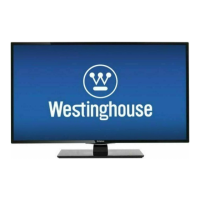
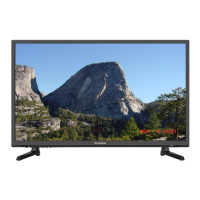
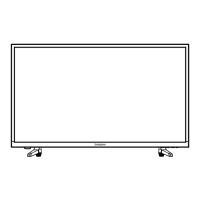
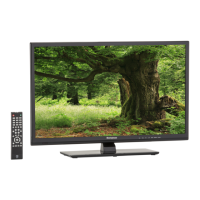
Westinghouse WD32FC2240 - User Manual

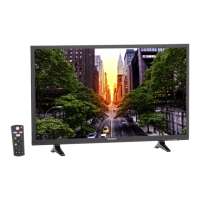
Westinghouse WD32FC2240
83 pages
Print Icon
To Next Page IconTo Next Page
Loading...
USER’S MANUAL
MANUEL DE L’UTILISATEUR
MANUAL DEL USUARIO
WD32FC2240

Questions and Answers

  • K
    kristyterrySep 23, 2025
    Why is there unusual sound from inside my Westinghouse TV?
    • M
      Matthew JuarezSep 23, 2025
      A change in ambient humidity or temperature may result in an unusual noise when the Westinghouse TV is switched on or off and does not indicate a fault with the TV.
  • K
    kenneth53Aug 23, 2025
    Westinghouse WD32FC2240 TV cannot be switched on, what to check?
    • D
      Dr. Natalie WolfAug 23, 2025
      If your Westinghouse TV cannot be switched on, first check that the TV is properly connected to the power supply. Then, make sure all connected AV devices are switched off before attempting to switch on the TV.
  • N
    nmedinaAug 25, 2025
    Westinghouse WD32FC2240 TV picture OK but no sound, how to fix?
    • Z
      Zachary RochaAug 26, 2025
      If your Westinghouse TV has picture but no sound, try the following: First, press the VOL + or - buttons to adjust the volume. Also, check if the sound is muted by pressing the MUTE button. Finally, try switching to another channel to see if the audio returns.
  • N
    Nicole SmithAug 27, 2025
    How to reset a lost password on Westinghouse WD32FC2240 TV?
    • O
      oshawAug 27, 2025
      If you've lost the password for your Westinghouse TV, go to the SET Password setting in the LOCK menu. Enter the master password “8899”. This will clear your previous password, allowing you to enter a new one.
  • S
    spearsdavidAug 27, 2025
    How to fix Westinghouse TV not responding to buttons?
    • C
      clairewelchAug 27, 2025
      If your Westinghouse TV is not responding to any button presses, it may have frozen up. To resolve this, disconnect the power cord from the power socket for a few minutes, then reconnect it and try operating the TV again.
  • T
    Tasha LyonsSep 18, 2025
    How to stop horizontal/vertical bar or picture shaking on Westinghouse TV?
    • M
      Michael SheppardSep 18, 2025
      If you notice a horizontal or vertical bar or picture shaking on your Westinghouse TV, check for local interference from electrical appliances or power tools.
  • S
    Stephanie WestSep 15, 2025
    Why is the screen color unstable on my Westinghouse TV?
    • B
      Brian EspinozaSep 15, 2025
      If the screen color on your Westinghouse TV is unstable or showing a single color, check the signal cable. If the issue persists, try reinstalling the PC video card.
  • D
    Danielle GarciaSep 16, 2025
    How to adjust picture ratio on Westinghouse TV?
    • D
      douglascarrSep 17, 2025
      If the pictures on your Westinghouse TV appear in the wrong ratio, adjust the Aspect Ratio settings in the SETUP menu or press the ASPECT button on the remote control.
  • C
    christopherhowellSep 6, 2025
    How to fix no sound from one speaker on Westinghouse WD32FC2240?
    • F
      frostgabrielleSep 6, 2025
      If there's no output from one of the speakers on your Westinghouse TV, adjust the Balance settings in the AUDIO menu.
  • K
    Kathy WestSep 4, 2025
    How to fix signal out of range on Westinghouse WD32FC2240?
    • L
      Leah SmithSep 4, 2025
      If you're experiencing the signal is out of range (invalid format) on your Westinghouse TV, adjust the resolution, horizontal frequency, or vertical frequency.

Summary

Important Safety Instructions

General Safety Guidelines

Read, keep, and follow all operating and safety instructions for safe product use.

Safety Information

Electrical Safety

Guidelines for safe electrical connections, preventing overload, and avoiding water exposure.

Physical Safety

Instructions for safe placement, handling, cleaning, and servicing to prevent physical hazards.

Preparation

Whats Included

Lists all items included in the package: TV, remote, stand, screws, and documentation.

Front View

Identifies and describes the function of front panel controls and indicators.

Rear View

Details and labels all input/output ports and connectors on the rear of the TV.

Installing the Stand

Step-by-step guide for attaching the TV stand to the main unit.

Removing the Stand for Wall-Mounting

Instructions on how to detach the TV stand for wall mounting.

Remote Control Operation

Explains the functions of each button on the remote control for TV operation.

Connecting External Devices

Connection Diagram

Illustrates how to connect various external devices like game consoles, Blu-ray players, and audio systems.

Customizing TV Settings

Initial Setup Wizard

Guides the user through the initial TV setup process, including language and connection.

Channel Scanning and Setup Navigation

Procedure for scanning channels and navigating the TV's setup menus.

Using Built-in Apps

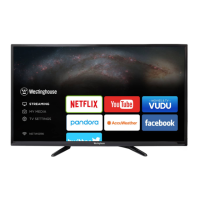
Overview of available applications like Netflix, YouTube, and VUDU, and how to access them.

Media Playback: Viewing JPEG Images

How to view JPEG image files from connected storage devices using the media player.

Media Playback: Viewing MJPEG Videos

Instructions for playing MJPEG video files from connected storage devices.

Selecting Input Source

Guide on choosing the desired input source for the TV (TV, AV, HDMI, VGA).

General Setup and Configuration

Configuring menu language, OSD timeout, remote app, and VGA settings.

Audio Settings Configuration

Adjusting sound mode, bass, treble, balance, and audio language options.

Picture Settings Configuration

Adjusting picture mode, brightness, contrast, color, sharpness, and advanced settings.

Channel and Time Settings

Configuring channel selection, scanning, and setting the sleep timer.

Lock and Parental Control Setup

Setting a password, system lock, input block, and content ratings.

Network Settings and Connectivity

Configuring network type (LAN/Wireless), IP address, and account management.

Network Software Upgrade Procedure

Details on automatic and manual software upgrades for the TV via network connection.

Parental Control

Setting Up Parental Restrictions

Overview of options and considerations for setting up content restrictions and viewer ratings.

Understanding Rating Systems

Explanation of MPAA and TV Parental Guideline rating grades and their meanings.

Troubleshooting

TV Operation Issues

Solutions for problems like TV freezing, not responding, or not switching on.

Remote Control and Video Problems

Troubleshooting steps for remote control issues and video/sound problems.

Audio and PC Mode Issues

Resolving audio function problems and display issues when connected to a PC.

Maintaining Your TV

Care and Environment Guidelines

Guidelines for TV maintenance and recommended operating temperature ranges.

Specifications

Technical Product Details

Lists key technical specifications such as panel size, resolution, aspect ratio, and response time.

OTT App Service Information

App Support and Contact

Information and contact details for supported OTT apps like Netflix, YouTube, VUDU, Pandora, and AccuWeather.

Westinghouse WD32FC2240 Specifications

General IconGeneral
Screen Size32 inches
Resolution1366 x 768
Display TypeLED
HDMI Ports3
USB Ports1
Refresh Rate60Hz
Smart TVYes
Built-in Wi-FiYes
Audio Output10W

Related product manuals