WESTLOCK CONTROLS
280N MIDLAND AVENUE, STE.258, SADDLE BROOK, NJ 07663 TEL: 201-794-7650 FAX: 201-794-0913
www.westlockcontrols.com
12/20/2017 TECH-533/ D.W.O. 22902 Page 14 of 20
4.5 Setting the Cams.
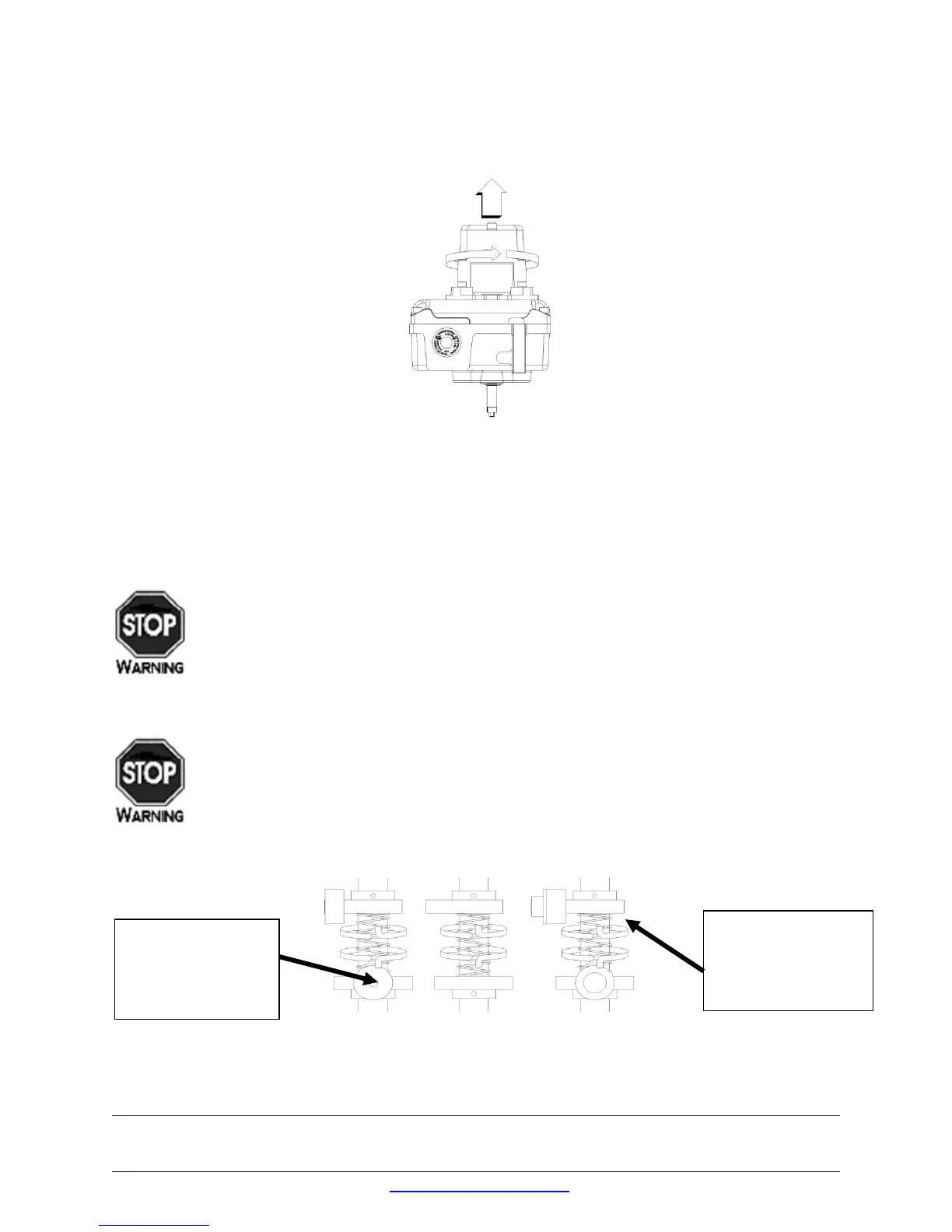
To release the cover, loosen the cover retaining screws using a 4mm A/F Allen Key. Lift the cover and twist
approx. 45° and remove. See Figure 2 below.
Figure 5
To set switches, lift the bottom Touch Set cam and turn until the switch has activated and then release. The
spring will push the Touch Set cam back onto the splined shaft. See figure X.
To set switches, lift the bottom Touch Set cam and turn until the switch has activated and then release. The
spring will push the Touch Set cam back onto the splined shaft. See figure X.
Before stroking the actuator, please ensure that the process is safe to do so and that all hands are
kept away from the moving shaft / cams.
Stroke the actuator to the opposite end of travel. Set the top Touch Set cam by pushing down and turning
the Touch Set cam until the switch is activated. See figure X.
Before stroking the actuator, please ensure that the process is safe to do so and that all hands are
kept away from the moving shaft / cams.
Stroke the actuator from one end of travel to the other several times to check the switch operation.
If the switches require adjustment, repeat as required.
Figure 6
MAGNUM MECHANICAL NAMUR
PUSH DOWN,
TURN &
LIFT UP, TURN
& RELEASE


 To Next Page