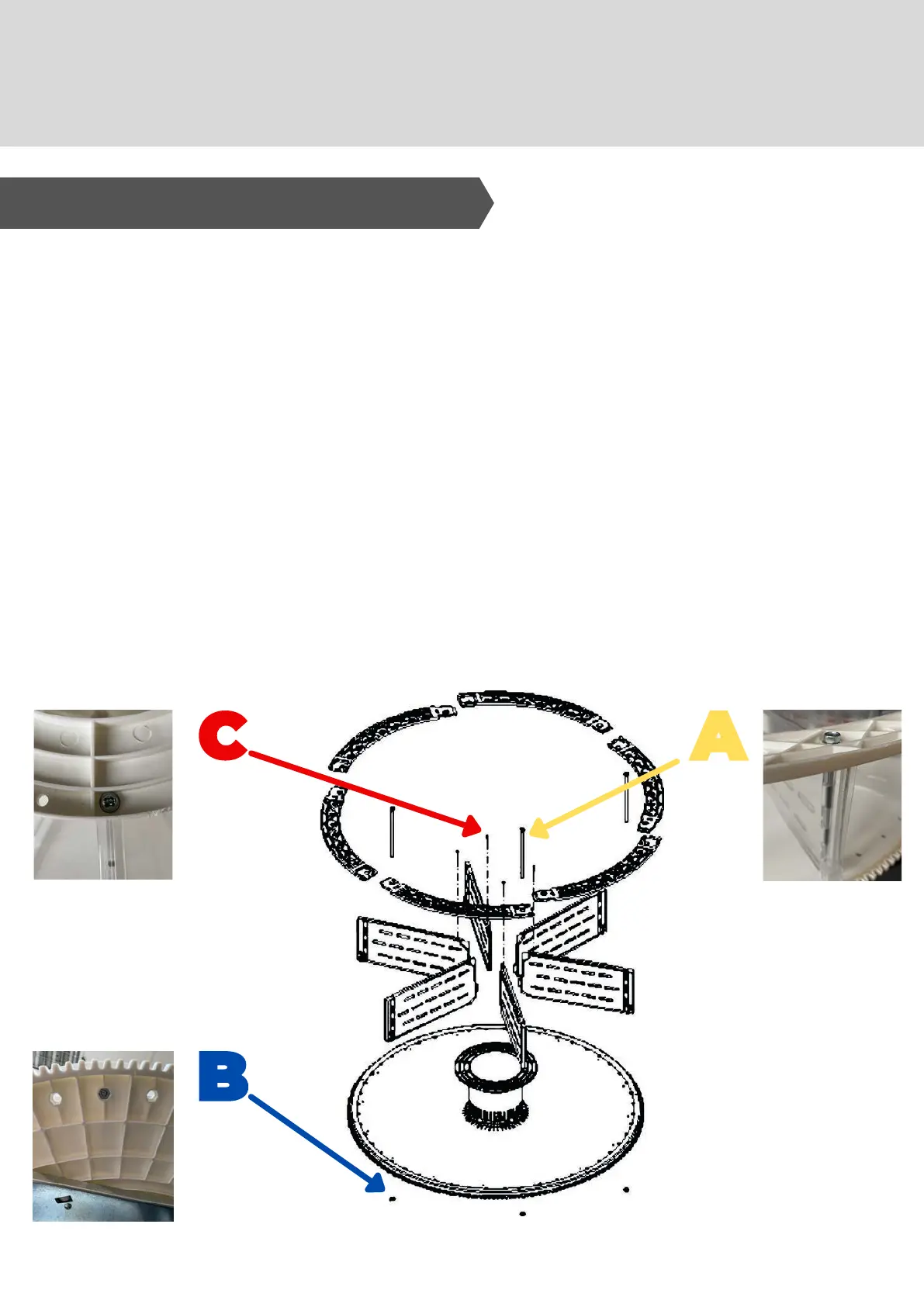
The number of compartments can be varied by
removing/adding dividers.
Options: 4, 6, 8, 12, 16, 24, 48.
To remove dividers - use 8mm socket wrench for the rods
'A' - and undo screws 'C' with a Phillips screwdriver.
Keep nuts 'B' safe when removing rods/screws.
For the 4 compartment kit - contact Westomatic to
purchase retro-fit kit.
Do NOT remove divider that contains the magnet.
To change the dimensions of the compartments:
1.
2.
3.
4.
5.
6.
10. Adjustments
2 . PR O DU C T C O MPA R T ME N T S



 To Next Page