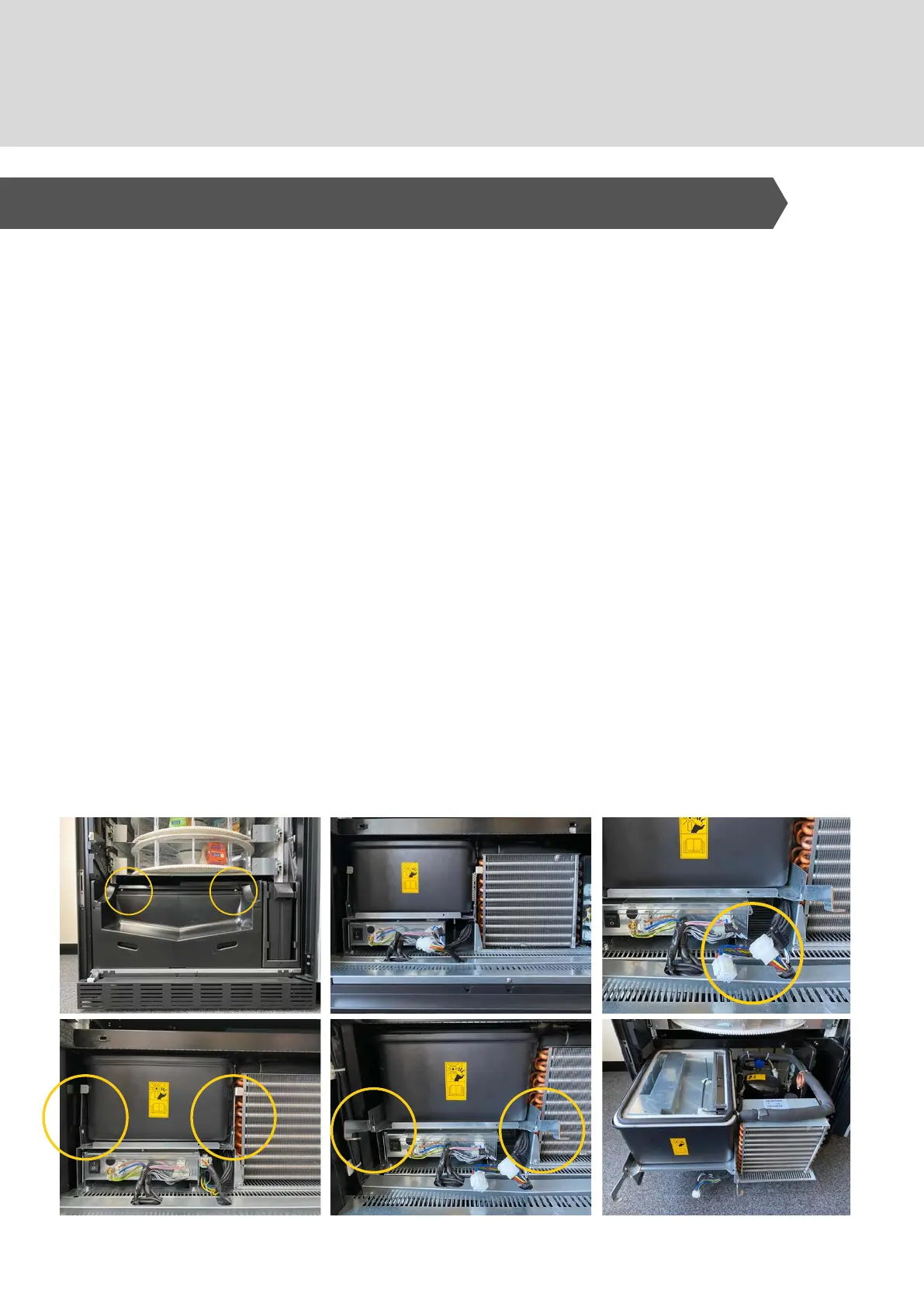
Power to the machine must be switched OFF.
Open the door
Using a Phillips-head screwdriver - unscrew 1/4 turn to
unlock the screws that fix the product retrieval cover and the
cash box to the machine.
Remove both of these covers.
To remove the refrigeration unit - switch off power to the
fridge and disconnect the power looms
Lower the 2 levers at each side of the evaporator - ensure
gasket at the top edge is detached.
Slide the the refrigeration unit out.
The Power boards, and the refrigeration unit are located at the
bottom of the machine - To access:
1.
2.
3.
4.
5.
6.
7.
11. Refrigeration
1 . A CCE S S T H E R E FR I G E R A T I ON U N I T



 To Next Page