4. F I T T I N G A CA R D R E A DE R
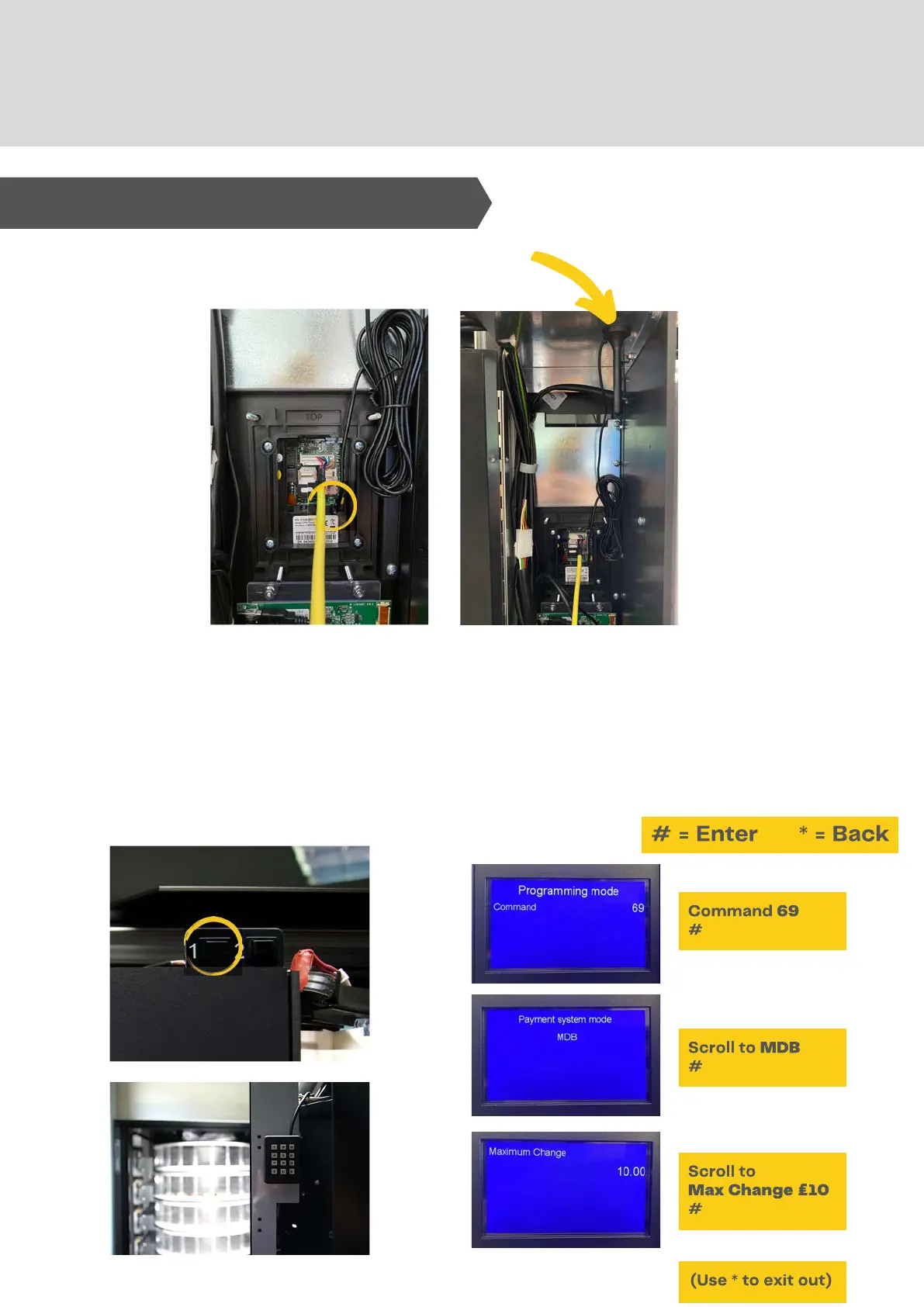
Plug aerial in and find a spot to attach it - it may need moving until you
find a signal.
Set the reader to the machine
Enter Service mode - Press Button 1
Using the internal keypad - Follow the below...
To fit a card reader:
1.
2.
3.
4.
18. Setting Payment Systems



 To Next Page