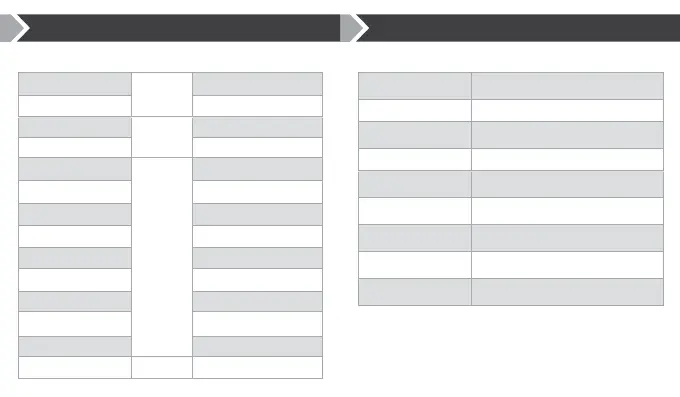
Function Button Action
Vol Up Normally
Vol +
Single Press
Next Track Long Press (1s)
Vol Down Normally
Vol -
Single Press
Previous Track Long Press (1s)
Power On
Power
Long Press (1s)
Power O Very Long Press (2.5s)
Enter Pairing Mode Very Very Long Press (5s)
Music Play/Pause Single Press
Receive Incoming Call Single Press
Reject Incoming Call Long Press (1s)
Cancel/End Active Call Single Press
Reconnect to Last Device Single Press
Voice Search / Siri Double Press
Clear Paired Device List Vol+ & Vol- Very Very Long Press (5s)
Button Functionality
Event LED Indication
Power On Blue + Red LEDs Flash Once
Power O Blue + Red LEDs Flash Once
Pairing Mode Blue + Red LEDs Alternate Flashing
Connectable State Red LED Flash 2 times / 2 seconds
Connected State Blue LED Flash 3 times / 2 seconds
Battery Level Low Red LED Flash 2 times / 1 second
Charging Red LED On
Charging Complete Blue LED On
Clear Paired Device List Blue + Red LEDs Flash Twice
LED Indications



 To Next Page