20
ENG
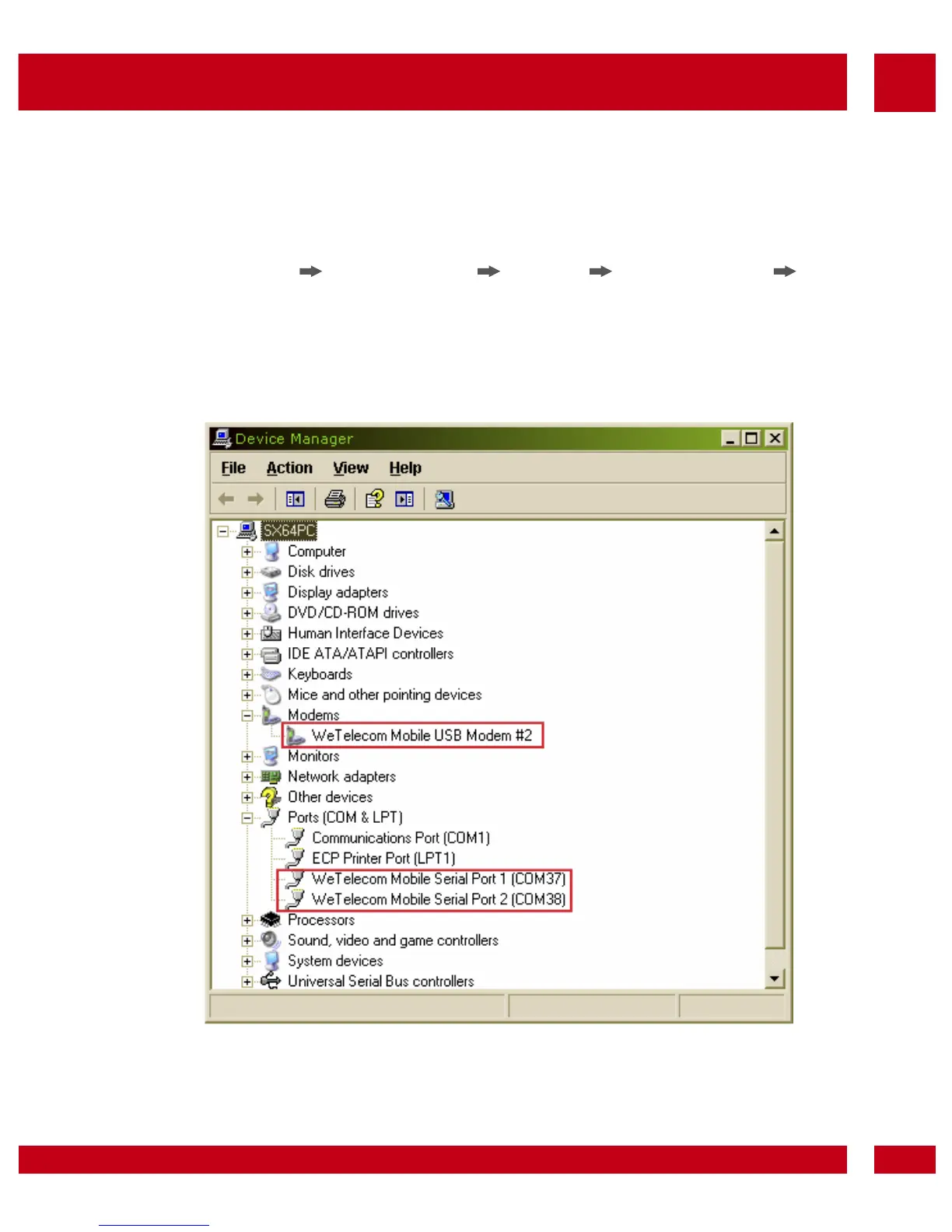
• It will now start to install the driver. Please check
whether the driver has been installed properly
by checking Device Manager.
(Start Control Panel System Hardware Tab
Device Manager)
If Device Manager for Modems and Ports indicate
as “WeTelecom Mobile USB Modem” and “WeTelecom Mobile
Serial Port 1/2”, then the driver has been successfully installed.
Note:
If installing driver manually, find the driver from Driver
directory. Execute Setup.exe to install MTS Connect
manually.



 To Next Page