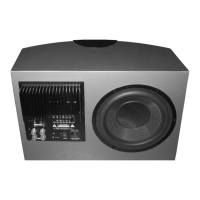
PowerCube +
Series
Instruction Manual
PowerCube 12+
SERIAL No.:
LINE LEVEL
INPUT OUTPUT
OFF ON
AC INPUT
POWER
PHASE
AUTO
POWER
OFFON
180º0º
~230V/50Hz 150W
FUSE
T2A 250V
LEFT
RIGHT
VOLUME
RIGHT
LEFT
FREQUENCY
CROSSOVER
SPEAKER LEVEL INPUTS
!
N
11189
35
45
55
65
75
85
(Hz)
FREQUENCY
CROSSOVER
FREQUENCY
VOLUME
CROSSOVER
WHARFEDALE INTERNATIONAL HUNTINGDON,UNITED KINGDOM
SUB-WOOFER AMPLIFIER
MODEL:POWER CUBE 12+
CAUTION:
DISCONNECT SUPPLY CORD
BEFORE CHANGING FUSE.
REPLACE ONLY WITH SAME
TYPE FUSE AND RATING
ATTENTION:
REPLACER LE FUSIBLE.
UTILISER UN FUSIBLE DE
RECHANGE DE MEME TYPE
ET CALIBRE
WARNING:
TO REDUCE THE RISK OF FIRE OR ELECTRICAL SHOCK
DO NOT EXPOSE THIS PRODUCT TO RAIN OR MOISTURE
PowerCube 10+
LINE LEVEL
INPUT OUTPUT
OFF ON
AC INPUT
POWER
PHASE
AUTO
POWER
OFFON
180º0º
~230V/50Hz 100W
FUSE
LEFT
RIGHT
RIGHT
LEFT
FREQUENCY
CROSSOVER
SPEAKER LEVEL INPUTS
!
CAUTION:
DISCONNECT SUPPLY CORD BEFORE CHANGING FUSE,
REPLACE ONLY WITH SAME TYPE FUSE AND RATING
ATTENTION:
DEBRANCHER AVANT DE REPLACER LE FUSIBLE,
UTILISER UN FUSIBLE DE RECHANGE
DE MEME TYPE ET CALIBRE
WARNING:
TO REDUCE THE RISK OF FIRE OR ELECTRICAL SHOCK,
DO NOT EXPOSE THIS PRODUCT TO RAIN OR MOISTURE
N11189
FREQUENCY
VOLUME
CROSSOVER
O
35
45
55
65
75
85
(Hz)
SERIAL No.:
SUB-WOOFER AMPLIFIER
MODEL: POWER CUBE 10+
WHARFEDALE INTERNATIONAL LTD,HUNTINGDON, UNITED KINGDOM
MODEL: POWER CUBE 10+
PowerCube 8+
LINE LEVEL
INPUT OUTPUT
OFF ON
AC INPUT
POWER
PHASE
AUTO
POWER
OFFON
180º0º
~230V/50Hz 100W
FUSE
LEFT
RIGHT
RIGHT
LEFT
FREQUENCY
CROSSOVER
SPEAKER LEVEL INPUTS
!
CAUTION:
DISCONNECT SUPPLY CORD BEFORE CHANGING FUSE,
REPLACE ONLY WITH SAME TYPE FUSE AND RATING
ATTENTION:
DEBRANCHER AVANT DE REPLACER LE FUSIBLE,
UTILISER UN FUSIBLE DE RECHANGE
DE MEME TYPE ET CALIBRE
WARNING:
TO REDUCE THE RISK OF FIRE OR ELECTRICAL SHOCK,
DO NOT EXPOSE THIS PRODUCT TO RAIN OR MOISTURE
N11189
FREQUENCY
VOLUME
CROSSOVER
O
35
45
55
65
75
85
(Hz)
SERIAL No.:
SUB-WOOFER AMPLIFIER
MODEL: POWER CUBE 10+
WHARFEDALE INTERNATIONAL LTD,HUNTINGDON, UNITED KINGDOM
MODEL: POWER CUBE 10+
BRITAIN'S MOST FAMOUS LOUDSPEAKERS
Specifications
Drive Unit
Amplifier Power
Input Sensitivity
(Line input)
Crossover Range
LF Response (Fb)
Dimensions Overall
H x W x D mm
H x W x D inches
Maximum SPL (ref 1m)
200mm diameter
(8 inch)
100 watts
250mv
for 75 watts
35 - 85 Hz
50Hz
345 x 295 x325
13.6 x 11.6 x 12.8
107dB
250mm diameter
(10 inch)
100 watts
250mv
for 75 watts
35 - 85 Hz
45Hz
385 x 335 x 360
15.2 x 13.2 x 14.2
108dB
300mm diameter
(12 inch)
150 watts
300mv
for 100 watts
35 - 85 Hz
40Hz
430 x 375 x 375
16.9 x 14.8 x 14.8
110dB
PC 10+PC 8+ PC 12+
Service & Information
1932
In 1932, when Gilbert Briggs founded the Wharfedale Wireless Works, his
company was at the leading edge of an exciting new technology which was
dedicated to bringing the pleasure of music and entertainment to a wide range
of people. As the technology advanced Wharfedale gave many music lovers their
first taste of High Fidelity, mounting a series of live sound demonstrations which
excited the audio world and heralded the era of the modern hi-fi loudspeaker.
Today Wharfedale still takes the same uncompromising approach to the design
and manufacture of every loudspeaker system, using high quality components
and state-of-the-art testing to ensure consistently high performance. And that
means that you can continue to count on the quality of all Wharfedale products.
Loudspeaker Manufacturers since 1932
The name ‘WHARFEDALE' is a registered trademark of Wharfedale International Ltd.
Wharfedale has a policy of continuous product development and reserves the right to
change specification without notice.
Wharfedale is a member of the International Audio Group.
Authorised Wharfedale Service Centres
For information on other authorised service centres worldwide contact Wharfedale
International in the U.K.
A worldwide distributor list is available on the Wharfedale website:
www.wharfedale.co.uk
USA
IAG America, Inc.
15 Walpole Park South
Walpole
MA 02081
T
el: +1 508 850 3950
CANADA
Korbon Trading Ltd
6800 Kitimat Road
Units 19-20
Mississauga
Ontario
T
el: +1 905 567 1920
UK
Wharfedale International Ltd.
IAG House, Sovereign Court,
Ermine Business Park,
Huntingdon,
Cambs PE29 6XU,
England.
T
el:+44 (0)1480 447700
Fax: +44 (0)1480 43176
Weight
12.2 Kg 15.5 Kg 17.6 Kg
Frequency Response
(6 dB Boundary position)
40 - 95 Hz
35 - 95 Hz 30 - 95 Hz
THE HOME THEATRE ENVIRONMENT CONNECTING TWO SUBWOOFERS
FRONT, CENTRE AND REAR CHANNELS
The front channel loudspeakers should be placed on either side of the television screen, 2 to 3
metres apart. and rotated slightly towards the listeners.
As the Centre speaker carries the dialogue effects, it should be placed central to the listening
position and close to the TV screen. Operating height is important. Ideally, the front and
centre channel speakers should be operated at the same height and with the tweeters at ear
level to a seated listener.
Place the Rear speakers 2.5 - 3.5 metres apart in a high position behind the listener. If you
are using dipole or special surround speakers follow the instructions for those units.
SUBWOOFER
As the ear is unable to detect the direction from which deep bass originates, this allows
freedom in positioning the subwoofer. Varying the distance from the wall will alter the
amount of bass. Some prefer to place the subwoofer against a corner of the room. This
arrangement gives more bass at the possible expense of clarity.
LOUDSPEAKER SIZES
Many digital AV Processors require you to specify the size of speakers in the various channels.
These are usually ‘Large’ or ‘Small’. Unless your loudspeakers are large floor standing units,
you should choose 'Small' for the Front channels, as the s
ubwoofer is going to be better at
providing clean, deep and louder bass. Choose 'Small' for the surround channels and also for
the Centre channel, so that any bass from these channels will be directed to the subwoofer.
Set the ‘Subwoofer’ option on the processor to 'On’ or 'Yes'.
SETTING LEVELS
Once the loudspeaker settings have been finalised, put the AV amplifier into its “Test” mode
(see instructions supplied with your processor.) Adjust the levels until all channels are
reproduced at equal loudness.
You may need to adjust the subwoofer output level. Avoid setting too high a level or you will
swamp the sound with bass which be tiring to listen to and may limit the subwoofer’s ability
to respond to large bass transients. Set a sensible level going into the subwoofer. The
subwoofer volume control should be between 12 o’
clock and 3 o’clock .
LFE
Before investigating the cause of a problem, always switch off the system
The Low Frequency Effects channel was designed as an additional bass channel with its own
at the mains.
dedicated subwoofer. In practice however, if all the speakers are set to Small, the LFE channel
will be combined with the bass from other channels and all this feeds into the subwoofer. When
you set the LFE level from your AV processor, use care with this setting as the LFE channel may
contain powerful low frequencies which, although normal in a cinema, may overload a
domestic subwoofer.
If, during a programme, you hear popping or thumping noises coming from the subwoofer,
immediately turn the AV Processor's volume level down and then back off the LFE level. If this
does not cure the problem, back off the volume level at the subwoofer.
Please read the relevant sections of your AV amplifier manual and familiarise yourself with
the various issues. If you are unsure, consult your dealer for help.
CARE AND MAINTENANCE
The loudspeaker cabinets can be cleaned with a damp cloth or with a spray furniture polish
and a soft cloth. Apply the spray sparingly to the cloth and then polish the cabinet. Never
apply spray directly to the cabinet.
GUARANTEE & SERVICE
In the unlikely even that your unit develops a fault you should return it to your Wharfedale
dealer using the original packing to ensure safe shipping.
The terms of your guarantee may vary from country to country but in all locations the
guarantee excludes:
All damage caused through accident, misuse, wear and tear, neglect, incorrect installation,
adjustment or repair by unauthorised personnel.
Liability for damage or loss occurring in transit to or from the purchaser.
Wharfedale will not be liable for any consequential damage, loss or injury, arising from or in
conjunction with this equipment.
TROUBLESHOOTING
If your system is not working properly please work through this checklist before returning a
unit to your dealer.
LEFT
RIGHT
AV AMPLIFIER
INPUT
OUTPUT
LINE LEVEL
RIGHT
LEFT
SUBWOOFER
OUT
INPUT
OUTPUT
LINE LEVEL
RIGHT
LEFT
LEFT
LEFT
RIGHT
STEREO AMPLIFIER
RIGHT
LEFT
INPUT
OUTPUT
LINE LEVEL
RIGHT
LEFT
PRE OUT
INPUT
OUTPUT
LINE LEVEL
RIGHT
LEFT
AMPLIFIER
RIGHT
LEFT
SPEAKER LEVEL INPUTS
LEFT
RIGHT
FRONT LEFT
FRONT RIGHT
SPEAKER LEVEL INPUTS
LEFT
RIGHT
Television picture is distorted or there
is colour distortion
Subwoofer too close to TV. (Switch off system and TV.
Move units away. Leave 15 mins. Switch on)
Excessive bass distortion at low
volume levels
Subwoofer level set too high; LFE level set too
high; Subwoofer incorrectly wired
Excessive or distorted bass at high
volume levels
System level set too high; Bass control set too
high; Subwoofer too close to room corners
Popping sounds or thumps from the
subwoofer
System level set too high;
Subwoofer level set too high
Indistinct sound
Poor localisation of effects
One or more loudspeakers is out of phase
(See the relevant pages of this manual for the
Distorted or rattling sounds at high
volume levels
System level set too high; Objects placed on
subwoofer; Objects too close to subwoofer
Sound lacks bass content
Bass reproduction indistinct
Subwoofer not switched on; Subwoofer phase
incorrect; Subwoofer crossover control too low
No Sound
System not switched on; Speaker cables shorting
terminals out; Wrong source selected
Symptom Possible Cause
SUBWOOFER
LINE CONNECTION
STEREO
LINE CONNECTION
HIGH LEVEL
SPEAKER
CONNECTION

 Need help?
 General

 To Next Page