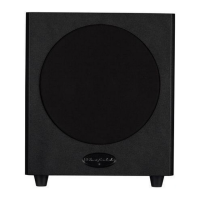
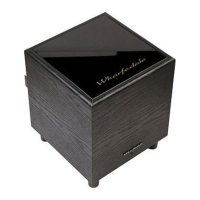
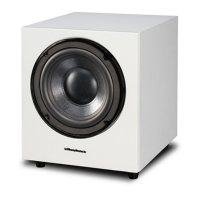
The Wharfedale WH-D8 and WH-D10 are active subwoofers designed to enhance the bass performance of an audio system. These subwoofers are part of a long line of distinguished active subwoofers from Wharfedale, known for their technological advancements and ability to complement various electronic setups and decors. The user manual provides comprehensive instructions for installation, operation, maintenance, and troubleshooting to ensure optimal performance and longevity of the device.
Function Description
The primary function of the WH-D8 and WH-D10 subwoofers is to reproduce low-frequency sounds (bass) that main loudspeakers might not be able to handle effectively. As active subwoofers, they incorporate their own built-in amplifiers, eliminating the need for an external amplifier to drive them. This design allows for precise control over the bass output and seamless integration with existing audio systems, whether for stereo music listening or multi-channel home theater setups.
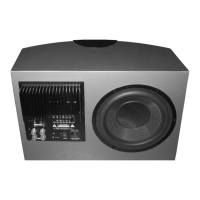
The subwoofers are equipped with various controls on their rear panels to allow users to fine-tune their performance according to their room acoustics, main speaker characteristics, and personal preferences. These controls include:
- Volume Control: Adjusts the overall output level of the subwoofer, allowing users to balance the bass with the rest of the audio system.
- Crossover Frequency Control: Determines the upper-frequency limit at which the subwoofer operates. This control is crucial for blending the subwoofer's output smoothly with the main loudspeakers, preventing gaps or overlaps in the frequency response. Higher settings are typically used with smaller bookshelf speakers, while lower settings are suitable for larger floorstanding speakers.
- Phase Switch: This switch (0° or 180°) helps to correct phase discrepancies between the subwoofer and the main speakers. Proper phase alignment ensures that the bass waves from the subwoofer arrive at the listening position in sync with the bass waves from the main speakers, resulting in a more coherent and impactful sound.
- Auto Sense Switch: This feature allows the subwoofer to automatically detect an audio signal and power on, and then enter a low-power mute status after approximately 20 minutes of no signal, reducing power consumption. This can be manually overridden by setting the switch to "off."
- Line Level Inputs/LFE Input: These inputs facilitate connection to various audio sources, including A/V processors, stereo amplifiers with preamplifier outputs, or dedicated subwoofer outputs (LFE). The LFE (Low-Frequency Effects) input is specifically designed for multi-channel systems to handle the dedicated bass channel.
The subwoofers are designed to be robust and reliable, with safety features such as a mains power fuse and clear warnings regarding electrical shock and proper handling. They are Class II or double-insulated electrical appliances, meaning they do not require a safety connection to electrical earth.
Usage Features
The WH-D8 and WH-D10 offer several features that enhance their usability and integration into different audio environments:
- Flexible Positioning: While the unit can be placed almost anywhere, optimal performance is achieved when positioned in front of the listener and as central to the listening position as possible. Placing the subwoofer about 20cm (8 inches) from a wall can enhance bass, and placing it in a corner can further increase bass, though potentially at the expense of clarity. Users are encouraged to experiment with placement to find the best sound. It's important to avoid placing the subwoofer too close to a television (within 450mm) to prevent magnetic interference with the picture.
- Multi-Channel Room Placement: For home theater systems, the manual recommends Dolby Labs' guidelines for multi-channel operation. In a 5.1 channel setup, the subwoofer is typically placed in the LFE position. For 7.1 channel systems, users can further enhance the experience by using larger Wharfedale loudspeakers as front channels and satellite units as back channels.
- Power Connection and Safety: The subwoofer is designed for a specific mains voltage, which should be verified before connection. Users are advised to switch off all amplifier and source units and unplug power cords before making connections. The ON/OFF switch on the subwoofer should also be in the OFF position during connection.
- Initial Settings and Tuning: Before initial operation, the subwoofer's volume control should be set to minimum, and the phase switch to 0°. The crossover frequency should be adjusted to integrate with the main speakers. Once powered on, the power indicator light will glow.
- Volume Setting: After initial setup, users should play a program with extended bass at a reasonable system volume and then adjust the subwoofer's volume control to achieve the desired bass level. The goal is to make the bass an extension of the main loudspeakers, avoiding excessive bass that can compromise clarity.
- Phase Adjustment: If the bass sounds indistinct or lacks depth, adjusting the phase switch between 0° and 180° can help. The position that yields the most natural and extended bass should be chosen.
- Crossover Adjustment: This control fine-tunes the blend between the subwoofer and main speakers. Higher settings are for smaller speakers, and lower settings for larger ones. Incorrect settings can lead to a "hole" in the bass response (too low) or bloated upper bass (too high).
- Auto-Sense Functionality: The Auto-Sense switch provides convenience and energy efficiency. When enabled, the subwoofer automatically turns on when an audio signal is detected and enters a low-power mute mode after about 20 minutes of inactivity. This feature can be disabled if continuous operation is preferred.
- Mains Operation: For extended periods of non-use, it is recommended to switch off the subwoofer at the mains to protect it from switching noises from other domestic appliances. The best practice is to switch the entire system on and off from a central point.
Maintenance Features
Proper maintenance ensures the longevity and optimal performance of the WH-D8 and WH-D10 subwoofers:
- Cleaning: The subwoofer should only be cleaned with a soft, dry cloth to remove fingerprints and dust.
- Handling Drive Units: Users should never touch the subwoofer's drive units, as they can be easily damaged by improper handling.
- Grille Cleaning: A vacuum cleaner should not be used to clean the subwoofer grille. Instead, it should be brushed carefully by hand with a soft brush.
- Moving the Subwoofer: When cleaning the floor underneath the subwoofer, it should be switched off, unplugged from the mains supply, lifted clear of the floor, and moved to another location. After cleaning, the subwoofer should be replaced carefully.
- Servicing: In case of a fault, the subwoofer should be packed correctly using its original packaging for safe shipment. It should be returned to the appointed dealer from whom it was purchased. If there are difficulties or no local Wharfedale dealer, users can contact the Wharfedale distributor for assistance.
By following these guidelines, users can ensure that their Wharfedale WH-D8 or WH-D10 subwoofer provides superb performance for many years.


 To Next Page
 General