Assembly
1.
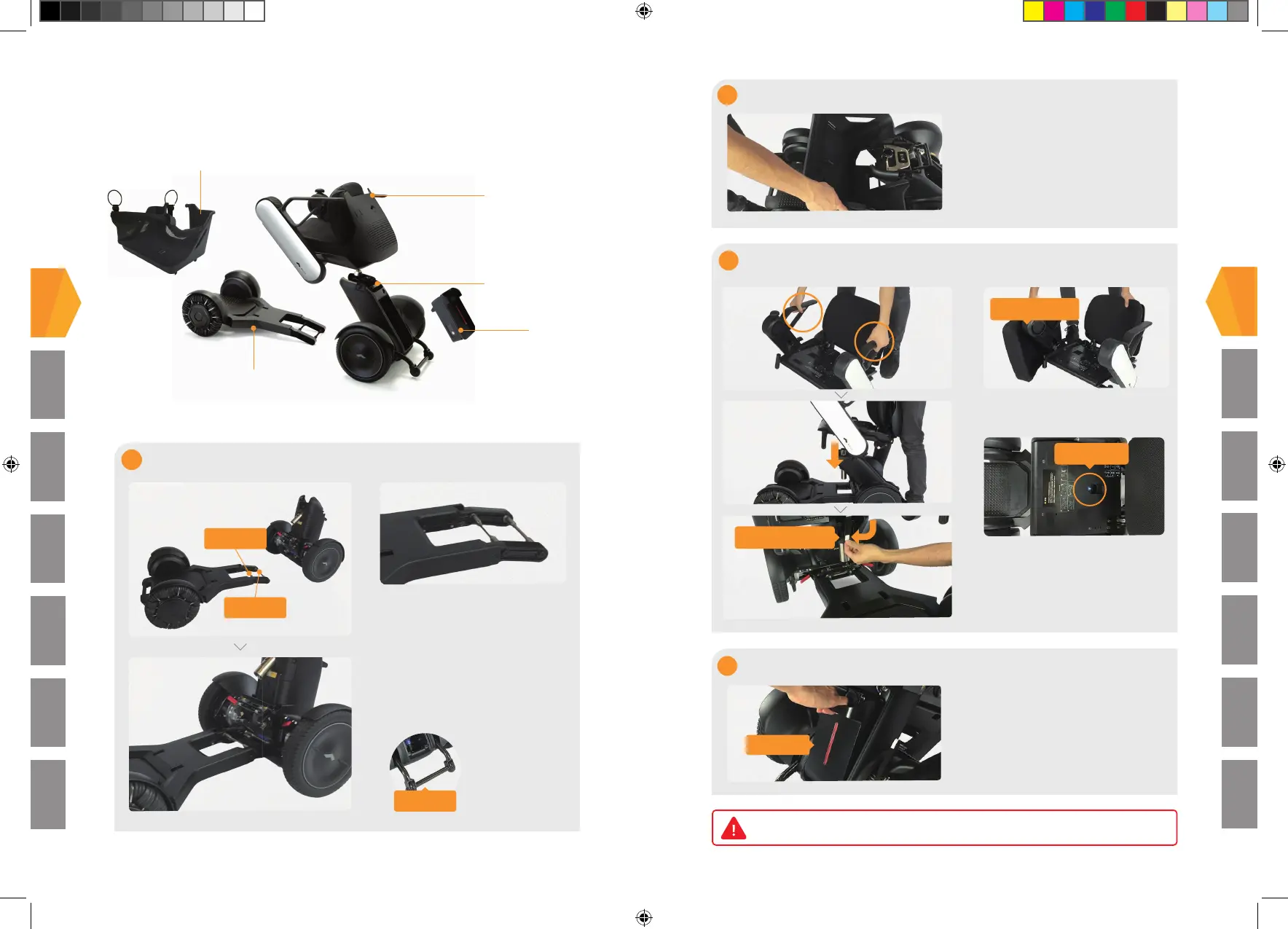
Storage Basket (if purchased)
Seat Assembly
Rear Drive Base
Li-ion
Battery
Front Drive Base
Basics
Smartphone App
Freewheel Mode
Charging
Disassembly
Troubleshooting
Assembly
1
Handle A
Handle B
Connecting the Rear Drive Base to the Front Drive Base
Anti-tip Bar
Grasp Handle A and align Handle B
with the hook on the rear drive base.
Slowly tilt the reat drive base forward
to join it with the front drive base. A
click will be heard when the two parts
are correctly connected.
Make sure that
the anti-tip bar is
lowered.
1
3
4
2 Attaching the Storage Basket (if purchased)
Align the storage basket with the
rear drive base. Rotate the storage
basket and place the basket onto
the front drive base. Attach the
hook fastener on the bottom of the
storage basket to the front drive
base.
Attaching the Seat Assembly
Seat Cushion
View Hole
Seat Release Lever
Attaching the Battery
Tail Light
Be sure to fully charge the battery before use.
Basics
Smartphone App
Freewheel Mode Charging Disassembly Troubleshooting
Assembly
Grasp the battery handle and
align the battery with the tabs
at the bottom of the battery
compartment. Press on the top
of the battery to insert it. The tail
light will illuminate and then shut
off. You're done!
Remove the cushion and lift up the
seat assembly by the arm rests.
Use the view hole to align and position
the seat assembly onto the seat post.
Pull down on the seat release lever and
attach the cushion back to chair frame.
2
320-07185.indd 2 10/09/2018 15:38



 To Next Page