17
CLEANING THE BUTTONS CATCH
COMPARTMENT
The Buttons Catch Compartment retains buttons, coins and
other objects that may eventually detach from clothes and
remain in your Washer/Dryer. Periodically, clean the Buttons
Catch Compartment following the steps below:
1. Open the lid by pulling it down through the top tab.
2. Locate a drain, a drainage point or a container to drain
the water according to the following steps.
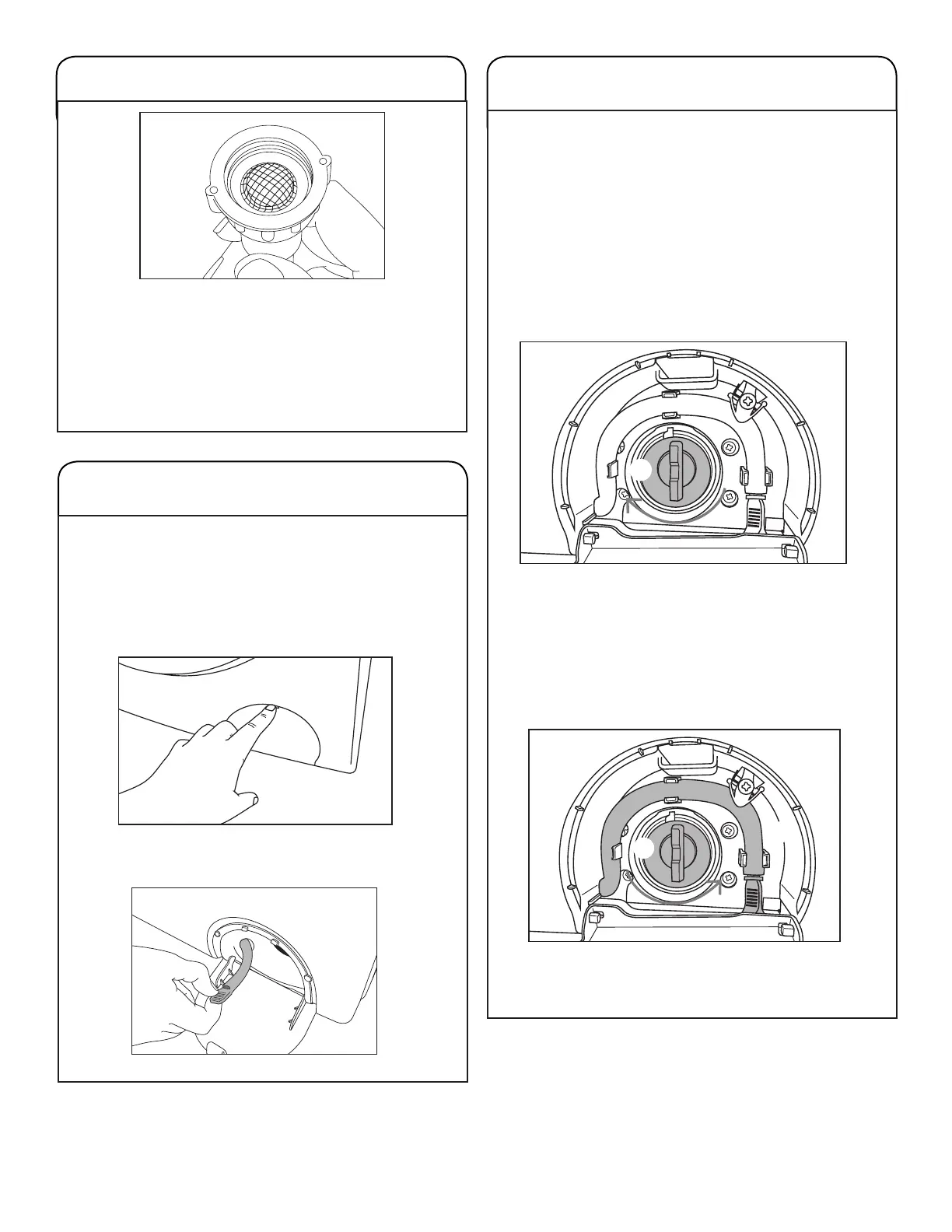
CLEANING THE HOSE’S SCREEN FILTER
Every 2 months, it will be necessary to unscrew the hose
from the tap and submit the screen lter to a water jet; a
brush can also be used to clean it.
IMPORTANT: Keep the screen lter in the same position as it
came from the factory. In that position, impurities in the water
are prevented from clogging the lter.
CLEANING THE BUTTONS CATCH
COMPARTMENT (Cont.)
3. Use hose q to drain the remaining water into the drain
or point of drainage.
■ Remove the lid at the end of the hose.
■ Lower the end of the hose to oor level.
■ Wait until the water in the product runs out.
■ Replace the lid at the end of the hose..
■ Reinstall the hose in the clicks as shown in the following
picture.
4. Remove the lid from compartment w, by turning it
clockwise as shown in the picture on the side.
5. Carry out the cleaning.
6. Reinstall the lid w in its slot by turning it
counterclockwise.
Turn the lid until you feel the end of the thread course.
7. Reinstall the hose q in the bracket at the top left.
8. Lift and close the Catch Buttons Compartment lid,
pushing it until you hear the click.



 To Next Page