7
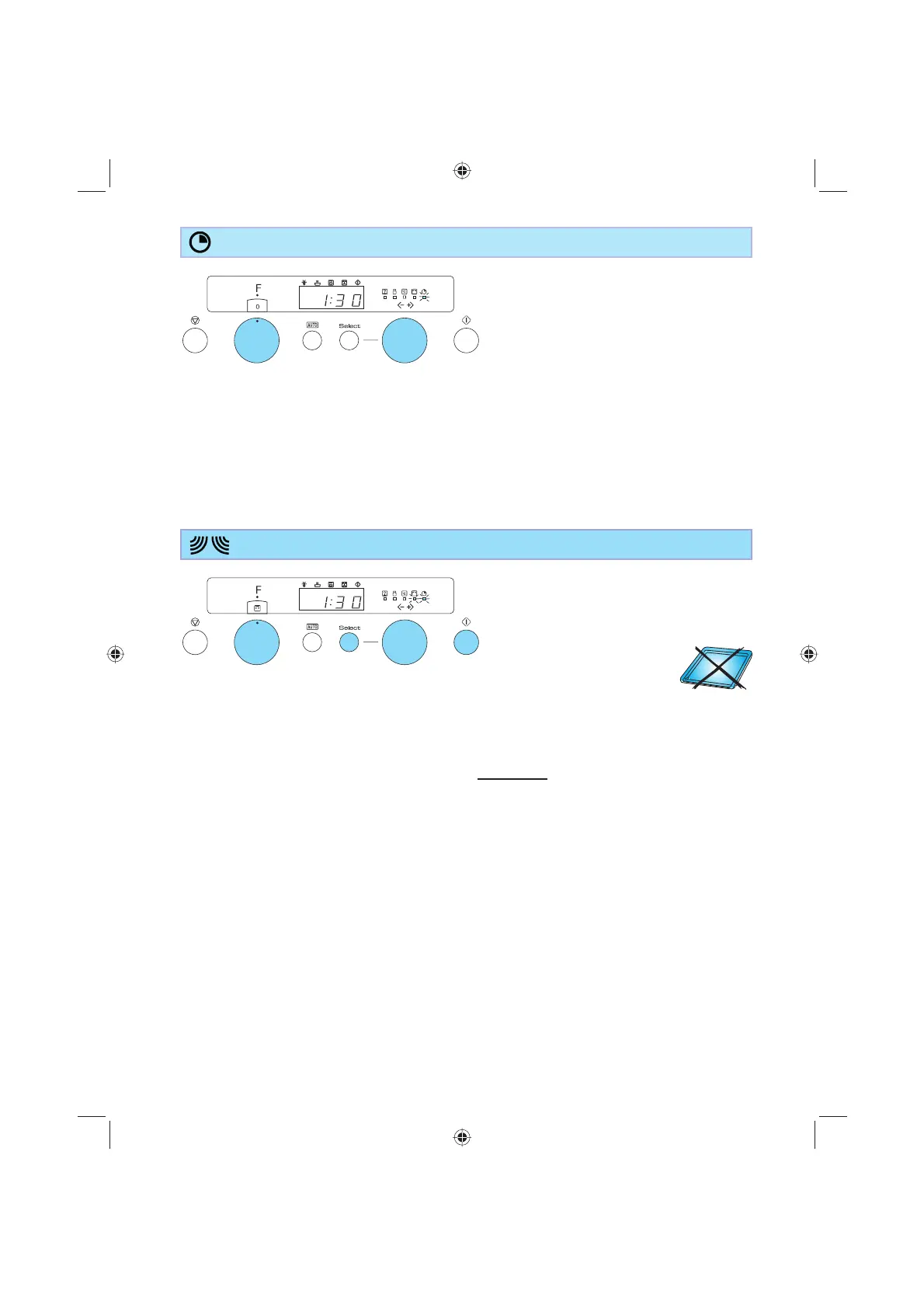
1. Turn the multifunction knob to the zero
position.
2. Turn the +/- knob to set the time to
measure.
KITCHEN TIMER
Use this function when you need a
kitchen timer to measure exact time for
various purposes such as cooking eggs,
pasta or letting the dough rise before
baking etc.
The timer autostarts the countdown after
1 second.
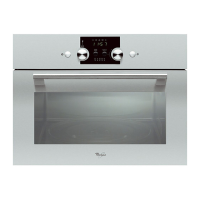
1. Turn the multifunction knob to the
microwave position.
2. Turn the +/- knob to set the cooking time.
3. Press the Select button to select power
level.
4. Turn the +/- knob to set the preferred
power level.
5. Press the Start button.
COOK & REHEAT WITH MICROWAVES
Use this function for normal cooking
and reheating, such as vegetables, fi sh,
potatoes and meat.
Once the cooking process has been
started:
The time can easily be increased in 30-
second steps by pressing the Start button.
Each press increases the time with 30
seconds. You may also alter the time by
turning the +/- knob to increase or decrease
the time.
By pressing the Select button you may
switch between cooking time and power
level. Both can be altered during cooking by
turning the +/- knob after selection.
12
13
2
4
5
An acoustic signal will be heard when the
timer has fi nished to count down.



 To Next Page