Connecting a Portable
Dishwasher
NOTE: A special adapter must be installed
on the faucet before the dishwasher can be
connected. Complete instructionsand the
adapter are packed with your dishwasher.
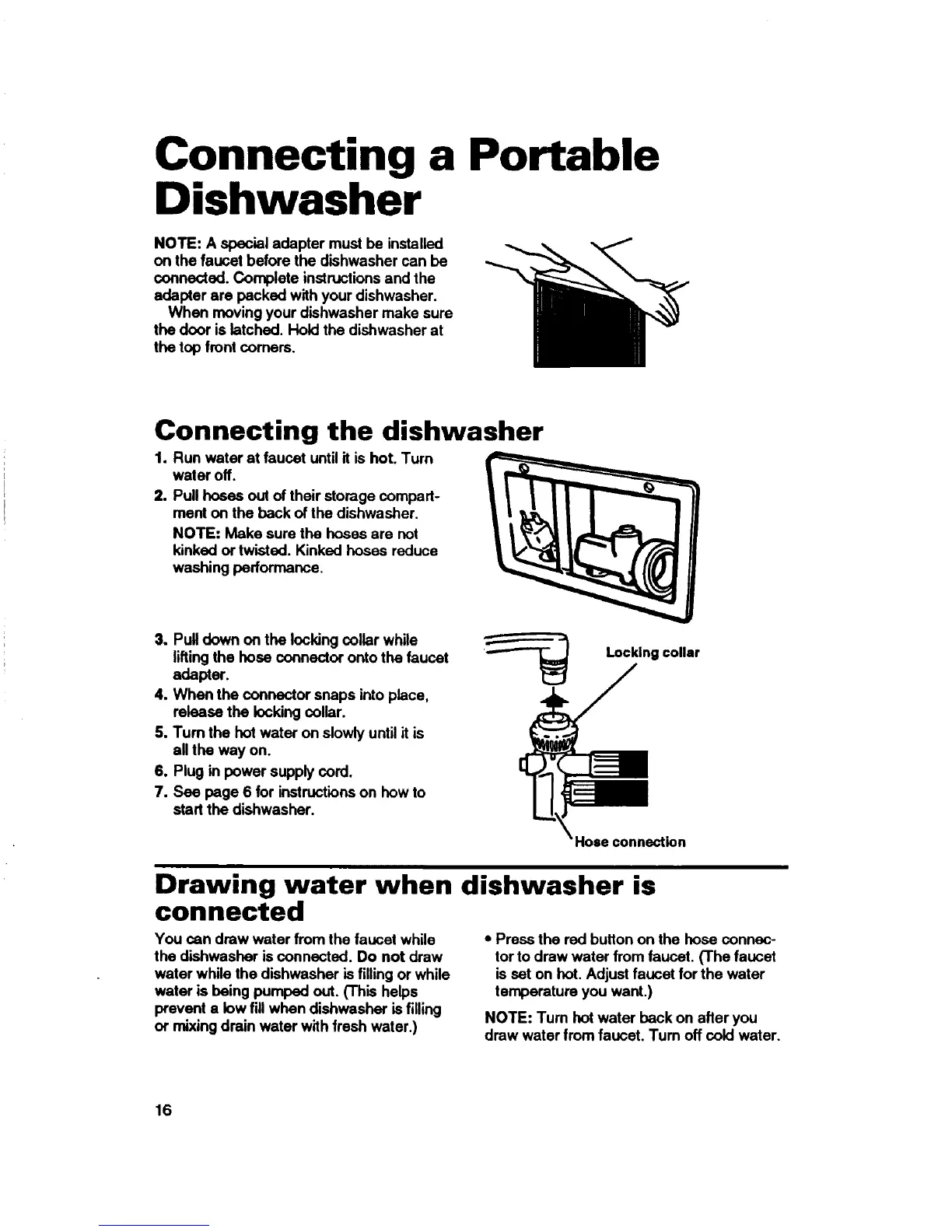
When moving your dishwasher make sure
the door is latched. Hold the dishwasher at
the top front corners.
Connecting the dishwasher
1, Run water at faucet until it is hot. Turn
water off.
2. Pull hoses out of their storage compart-
ment on the beck of the dishwasher.
NOTE: Make sure the hoses are not
kinked or twisted. Kinked hoses reduce
washing performance.
3. Pulldown on the Iocldng collar while
liftingthe hose connector onto the faucet
adapter.
4. When the connector snaps into place,
release the locking collar.
5. Turn the hot water on slowly until it is
all the way on.
6. Plug in power supply cord.
7. Sea page 6 for instructionson how to
start the dishwasher.
Locking collar
Hose connection
Drawing water when dishwasher is
connected
You can draw water from the faucet while
the dishwasher isconnected. Do not draw
water while the dishwasher is filling or while
water is being pumped out. ('This helps
prevent a low fill when dishwasher is filling
or mixing drain water with fresh water.)
• Press the red button on the hose connec-
tor to draw water from faucet. (The faucet
is set on hot. Adjust faucet for the water
temperature you want.)
NOTE: Turn hot water back on after you
draw water from faucet. Tum off cold water.
16



 To Next Page