EasyManua.ls Logo

Whirlpool LHW0050PQ - User Manual

Whirlpool LHW0050PQ
64 pages
Print Icon
To Next Page IconTo Next Page
Loading...
CONSUMER SERVICES TECHNICAL
EDUCATION GROUP PRESENTS
L-75
JOB AID
Part No. 8178474
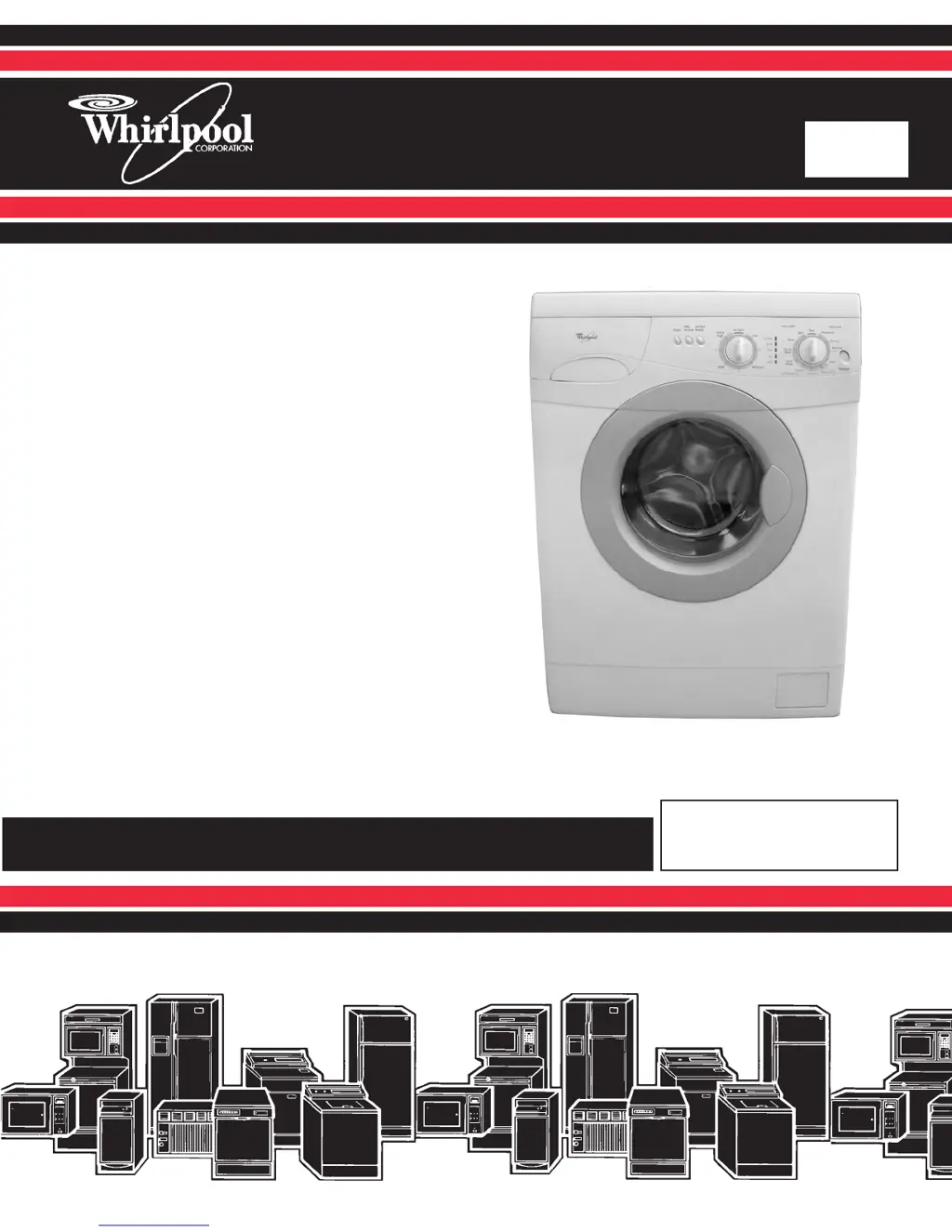
24 FRONT-LOADING
AUTOMATIC
WASHER
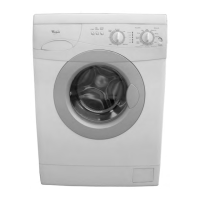
Model LHW0050PQ

Questions and Answers

  • A
    Anthony WebbJul 27, 2025
    Why does my Whirlpool LHW0050PQ not drain?
    • V
      Vanessa MoralesJul 27, 2025
      If your Whirlpool washer isn't draining, start by checking the washer/drier filter and your drains for blockages. Put the control unit in test mode and move the program knob to the Test 4 position. After the LEDs light up, test the pump by removing the wires and checking the continuity between the two terminals. If the circuit is open, replace the pump. If the circuit is closed, remove the pump and check for any foreign material in the scroll. Also, use a tester to check the continuity in the pump power supply wires. If these tests are negative, replace the control unit.
  • M
    michael11Aug 5, 2025
    Why is my Whirlpool LHW0050PQ continuously filling with water?
    • P
      phillipsmarkAug 5, 2025
      If water continuously flows into the tub of your Whirlpool washer, verify the solenoid valve and pressure switch are working correctly by performing their respective tests. Inspect the tub unit for leaks. Remove the pressure switch pipe from the drain coupling, ensuring there are no holes. If all tests are negative, then replace the control unit.
  • C
    Christine JonesAug 10, 2025
    Why is my Whirlpool LHW0050PQ Washer motor not turning properly?
    • B
      Brett RodgersAug 10, 2025
      If the motor in your Whirlpool washer isn't turning correctly during a wash or spin cycle, put the control unit into test mode and set the program knob to the Test 4 position. Allow the LEDs to light up, then test the motor. If the motor still isn't running right, disconnect it from the wiring terminal board. Use a tester to check the continuity at the ends of the wires connecting the wiring terminal board to the control unit, and make sure the connectors aren't damaged or dirty. Replace the control unit with a working one to see if the motor runs. If it does, replace the original control unit; if not, replace the motor.
  • C
    christopherwalkerAug 16, 2025
    What to do if water does not enter Whirlpool Washer?
    • S
      Sarah RobinsonAug 16, 2025
      If water isn't entering the tub of your Whirlpool washer, first check that the water feed valve to the washer is open. Put the control unit in test mode. Perform Test 2 (testing the solenoid valve). When the LEDs switch off, perform these tests: Use a tester to check the voltage at the ends of the wires connecting the solenoid valve to the control unit, and use a tester to check the continuity between the two contacts of the solenoid valve. If the circuit is open, replace the component. If all the above tests are okay, replace the control unit.
  • C
    cgibsonAug 20, 2025
    How to fix Whirlpool LHW0050PQ not heating water?
    • T
      Timothy ZimmermanAug 20, 2025
      If your Whirlpool washer isn't heating water, put the control unit in test mode and perform Test 2 to allow water to enter the tub. With water in the tub, perform Test 3. After the LEDs switch on, test the heating element by checking the continuity between its two contacts with a tester. If the circuit is open, replace the heating element. Use a tester to check the continuity at the ends of the wires connecting the heating element to the control unit. Also, use a tester to check the continuity between the two contacts of the 90° safety thermostat. If the circuit is open, replace the thermostat. If all the above tests are okay, replace the control unit.
  • R
    riveramauriceOct 30, 2025
    What to do if Whirlpool LHW0050PQ Washer program will not start?
    • L
      Lisa HowardOct 30, 2025
      If the program on your Whirlpool Washer won't start, begin by attempting to start the test. If the control unit doesn't enter test mode, inspect the connections on the control unit; if they're in good condition, replace the control unit. If the door lock switch isn't closing, ensure the connections are properly made, and use a tester to check the voltage between contacts BP3 and BP1. If there's no voltage, verify the power at the control unit's input. If power is present at the input but not at the door lock switch, use a tester to check the output voltage from the control unit to the door lock switch. If there is power between contact BP3 and contact BP1, replace the component. If the door lock switch closes correctly, inspect the pressure switch. Disconnect the pressure switch from the w...

Summary

General Information

Safety First

Details safety alert symbols, DANGER, and WARNING meanings.

Model and Serial Number Label Location

Illustrates the location of the model and serial number label on the appliance.

Specifications

Lists dimensions, electrical requirements, and miscellaneous specifications of the washer.

Whirlpool Washer Warranty

Outlines the terms and conditions of the one-year full and limited warranties for the washer.

Installation Information

Installation Requirements

Lists necessary tools, parts, and site requirements for washer installation.

Location Requirements

Specifies proper placement, spacing, and environmental conditions for washer installation.

Electrical Requirements

Details voltage, amperage, grounding, and circuit requirements for safe operation.

Installation Instructions

Step-by-step guide for removing transport system and completing washer installation.

Drain System

Explains different drain options (standpipe, tub, floor) and their setup requirements.

Connect Inlet Hoses

Instructions for connecting hot and cold water inlet hoses to the washer and faucets.

Installation Completion Checks

Covers leak checks, drain hose securing, leveling, and final installation steps.

Product Operation

Theory of Operation

Explains the function of pressure switch, heating element, temp sensor, inlet valves, and door lock.

Detergent Dispenser Operation

Describes how wax motors activate the dispenser for wash and rinse cycles.

Washer Use

Guides initial wash cycle, loading, and operating the washer.

Using the Dispenser

Details adding laundry products to dispenser compartments and choosing detergent.

Controls

Control Panel Overview

Describes the function of Power, Cycle Knob, Spin Speed Knob, and Extra Rinse Button.

Wash Cycles Overview

Details available wash cycles, temperatures, fabrics, and spin speeds.

Washer Care

Cleaning the Washer

Instructions for cleaning exterior, interior, door seal, dispenser, filter, and control panel.

Component Access

Component Locations

Identifies the location of various internal components within the washer.

Removing Control Panel Components

Step-by-step guide to remove switches, boards, and buttons from the control panel.

Removing Dispenser Motor and Assembly

Detailed procedure for removing dispenser motors and the dispenser assembly.

Removing Control Board & Pressure Switch

Instructions for removing the main control board and the pressure switch.

Removing Water Inlet Valve

Step-by-step guide to remove the water inlet valve assembly.

Removing Power Supply Cord & Interference Filter

Instructions for removing the power supply cord and interference filter.

Removing Door Switch

Procedure to remove the door switch from the washer.

Removing Door Seal

Detailed steps to remove the door seal and its retaining bands.

Removing Drain Pump

Instructions on how to access and remove the drain pump.

Removing Motor Control Unit

Procedure for removing the motor control unit.

Removing Heating Element & Temperature Sensor

Steps for removing the heating element and temperature sensor.

Removing Wash Motor

Detailed procedure for removing the wash motor.

Removing Thermostat

Instructions for removing the thermostat.

Removing Filter Housing

Steps to remove the filter housing.

Removing Basket from Tub

Procedure to remove the wash basket from the tub assembly.

Component Testing

Power On;Off Switch Testing

Instructions on how to test the power on/off switch using a VOM/DVM.

Dispenser Motors Testing

Procedure to test dispenser motors for resistance using an ohmmeter.

Pressure Switch Testing

How to test the pressure switch using an ohmmeter and air pressure.

Water Inlet Valves Testing

Instructions for testing water inlet valve solenoid resistance.

Door Switch Testing

How to test the door switch resistance using an ohmmeter.

Drain Pump Testing

Procedure to test the drain pump resistance using an ohmmeter.

Heating Element Testing

How to test the heating element resistance using an ohmmeter.

Temperature Sensor Testing

How to test the temperature sensor resistance at various temperatures.

Wash Motor Testing

Procedure to test wash motor winding resistance using an ohmmeter.

Thermostat Testing

How to test the thermostat for continuity using an ohmmeter.

Diagnostics & Troubleshooting

General Diagnostics

Initial checks for power, water supply, and connections before performing service.

Circuit Board Testing Procedures

Outlines tests for circuit boards, thermistor, pressure switch, and door lock.

Diagnostic Test Sequence

Details test numbers, procedures, LED indicators, and knob positions for fault diagnosis.

Troubleshooting Guide

Identifies problems, tests, and potential component replacements for washer issues.

Pinouts

Electronic Control Pinouts

Details pin assignments for the electronic control connectors (F, B, M, S).

Motor Control Unit and Main Motor Connections

Shows connections for motor control unit and main motor, detailing wire assignments.

Wiring Diagram

Washer Wiring Diagram

A visual representation of the electrical connections between all components of the washer.

Product Specifications and Warranty Information

Contact Information for Support

Provides phone numbers and website for product specifications, warranty, and technical assistance.

Whirlpool LHW0050PQ Specifications

General IconGeneral
BrandWhirlpool
ModelLHW0050PQ
ColorWhite
Energy Star CertifiedYes
Voltage120V
Frequency60Hz
Delay StartYes
Child LockYes

Related product manuals