10
4. Touch POWER button repeatedly to select desired power level.
5. Touch PRE-SET button.
6. Use number pads 10MIN, 1MIN, 10SEC, and 1SEC to enter preset time “12:35”.
7. Touch START button.
Note: Jet start function cannot be applied in pre-set cooking. You can check the pre-set time by
pressing “PRE-SET” button; press the "stop" key again to cancel function.
JET START COOKING
Use this feature to program the oven to microwave food at 100% power conveniently.
In standby mode, press JET START in quick succession to set the cooking time, the oven will
start automatically.
The longest cooking time is 10 minutes.
WEIGHT DEFROST
Automatically sets proper defrosting cycle once you have entered the weight of the food to be thawed.
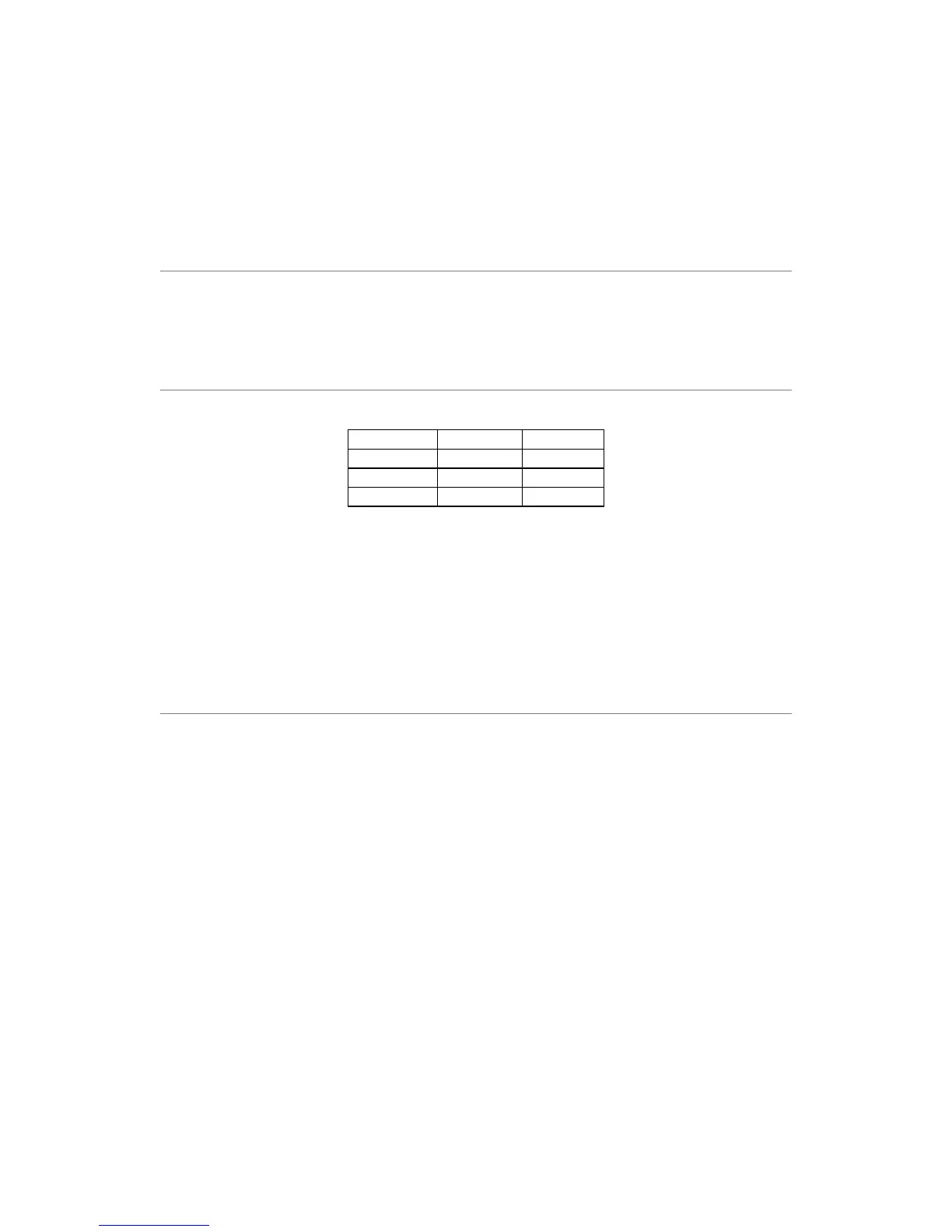
Maximum allowable weight for each category is shown below.
FOOD MAXIMUM DISPLAY
Meat 2300g d1
Poultry 4000g d2
Seafood 900g d3
1. Touch WEIGHT DEFROST repeatedly to select the food stage
2. Use number pads 10MIN, 1MIN, 10SEC, and 1SEC to enter food weight.
3. Touch START button.
During defrosting process, the oven will pause and signal to remind user to turn over food, after that,
press START to resume defrosting.
The oven will not start if you happen to enter weight in excess of the maximum recommended.
For food exceeding these maximum weights, use the TIME DEFROST program.
TIME DEFROST
With Time Defrost, you need to input defrosting time. The longest defrosting time is 99 minutes and
99 seconds.
1. Touch TIME DEFROST button.
2. Use number pads 10MIN, 1MIN, 10SEC, and 1SEC to enter cooking time.
3. Touch START button.
Note: During defrosting process, the oven will pause and signal to remind user to turn over food, after
that, press START to resume defrosting.


 To Next Page