3-4
REMOVING THE CONTROL PANEL & DISPLAY PCB
1. Unplug the air conditioner or disconnect
the power.
2. Remove the air conditioner from the win-
dow (see page 2-2 for the procedure).
3. Remove the grille assembly from the air
conditioner (see page 3-2 for the proce-
dure).
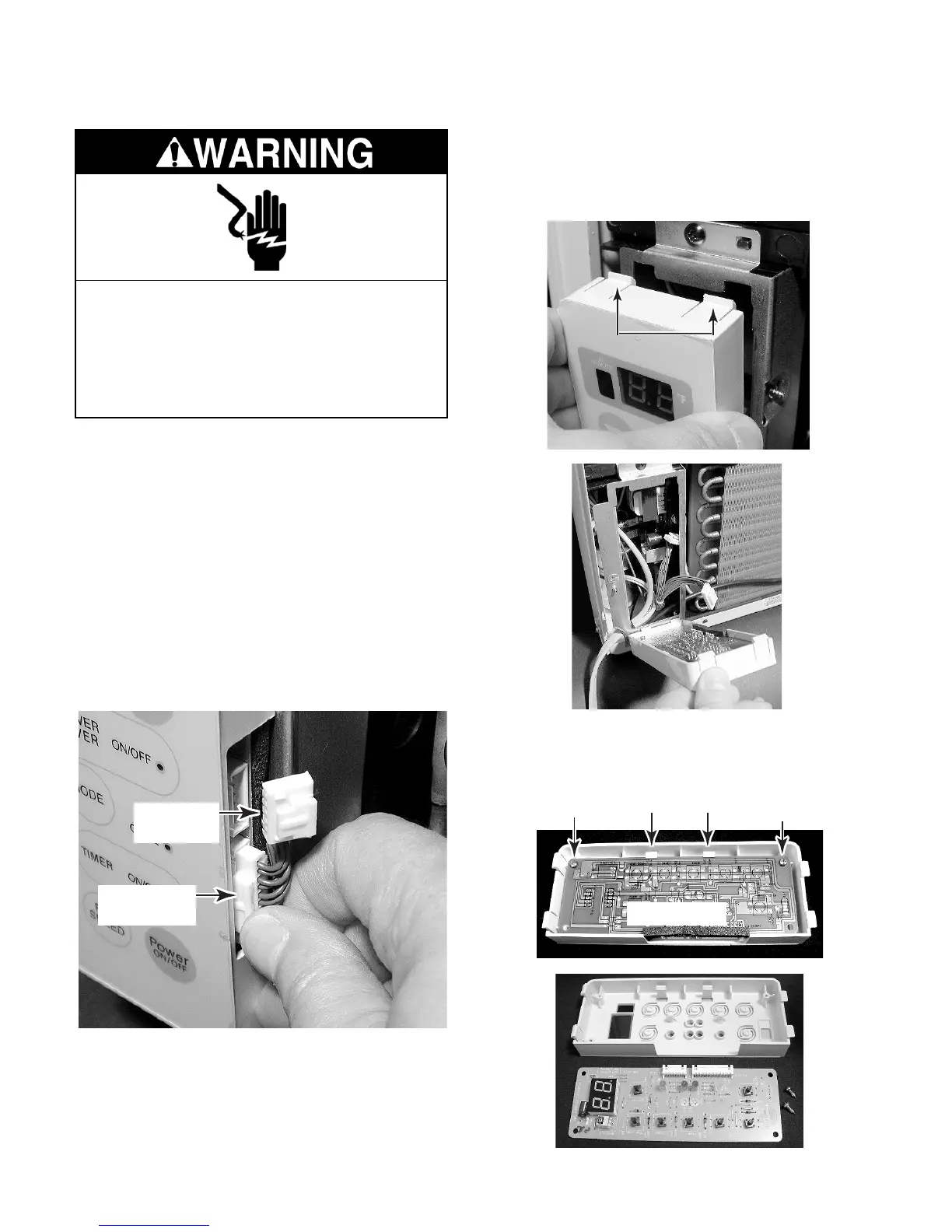
4. Press in on the locking arms and discon-
nect the two connectors from the display
PCB.
NOTE: Sharp edges may be present.
5. Push down on the top two clips of the con-
trol panel and unhook them from the chas-
sis slots, then lift the panel assembly off
the unit, and remove it.
Press In On
Locking Arm
Connector
(1 of 2)
6. Remove the two screws from the display
PCB, unclip the board from the control
panel, and remove the board.
Control Panel
Clips
Clips
Screw
Screw
Display PCB
Electrical Shock Hazard
Disconnect power before servicing.
Replace all panels before operating.
Failure to do so can result in death or
electrical shock.



 To Next Page