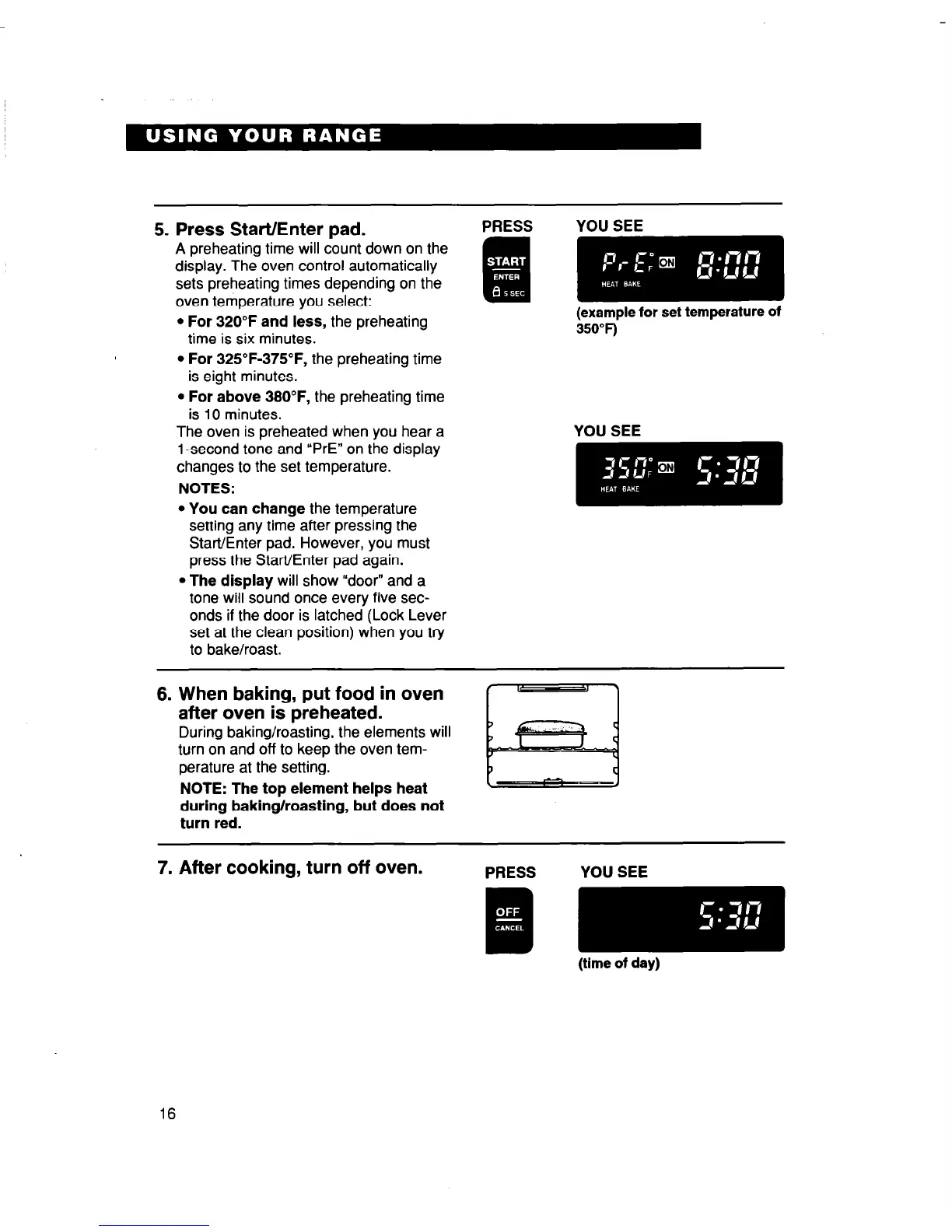
5. Press Start/Enter pad.
A preheating time will count down on the
display. The oven control automatically
sets preheating times depending on the
oven temperature you select:
l For 320°F and less, the preheating
time is six minutes.
l For 325”F-375”F, the preheating time
is eight minutes.
l For above 38O”F, the preheating time
is 10 minutes.
The oven is preheated when you hear a
1 -second tone and “PrE” on the display
changes to the set temperature.
NOTES:
l You can change the temperature
setting any time after pressing the
Start/Enter pad. However, you must
press the Start/Enter pad again.
l The display will show “door” and a
tone will sound once every five sec-
onds if the door is latched (Lock Lever
set at the clean position) when you try
to bake/roast.
PRESS
(example for set temperature of
asoT)
6. When baking, put food in oven
after oven is preheated.
During baking/roasting, the elements will
turn on and off to keep the oven tem-
perature at the setting.
NOTE: The top element helps heat
during baking/roasting, but does not
turn red.
7. After cooking, turn off oven.
16



 To Next Page