5
GB
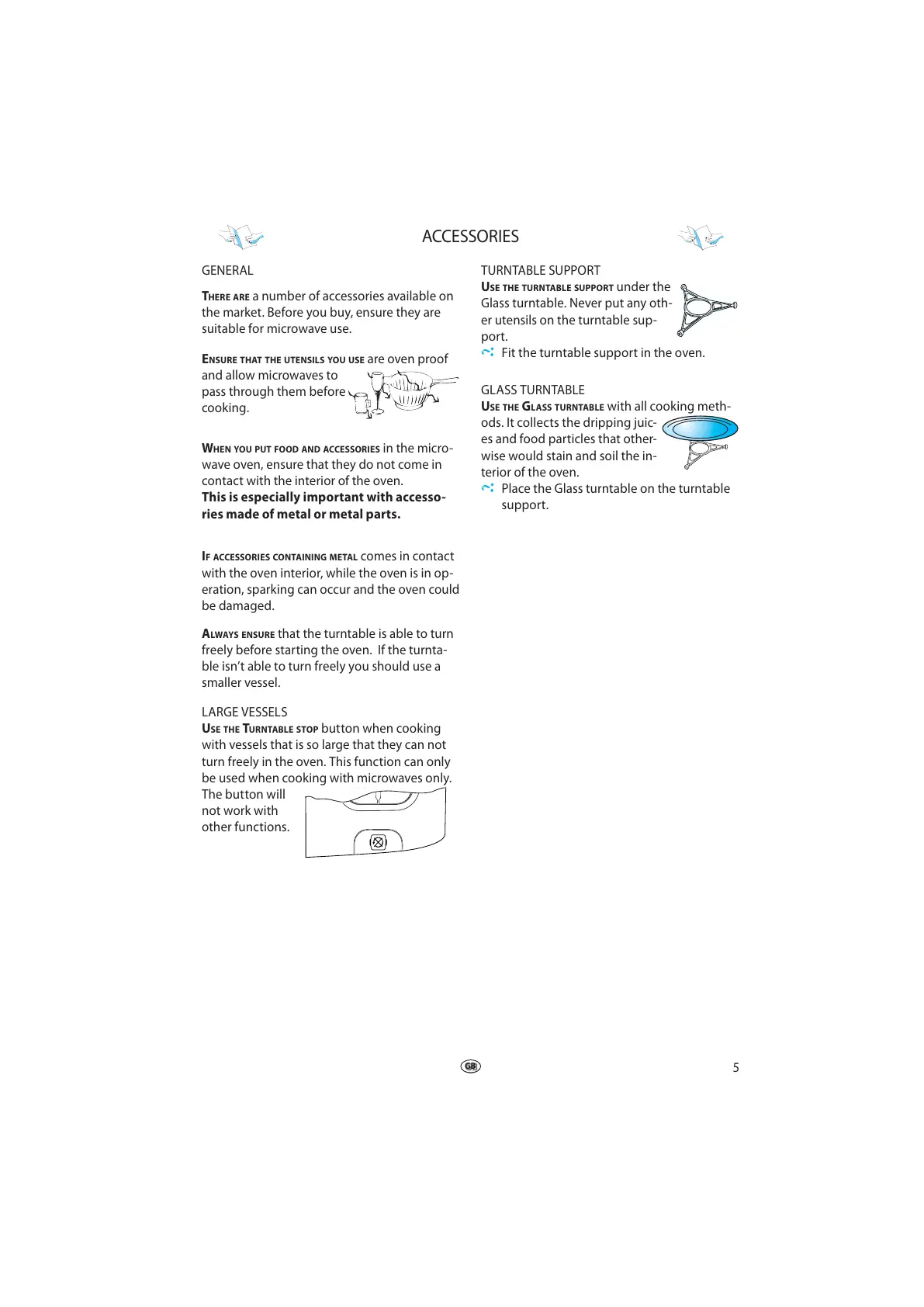
LARGE VESSELS
USE THE TURNTABLE STOP button when cooking
with vessels that is so large that they can not
turn freely in the oven. This function can only
be used when cooking with microwaves only.
The button will
not work with
other functions.
ACCESSORIES
GENERAL
I
F ACCESSORIES CONTAINING METAL comes in contact
with the oven interior, while the oven is in op-
eration, sparking can occur and the oven could
be damaged.
TURNTABLE SUPPORT
U
SE THE TURNTABLE SUPPORT under the
Glass turntable. Never put any oth-
er utensils on the turntable sup-
port.
Fit the turntable support in the oven.
GLASS TURNTABLE
USE THE GLASS TURNTABLE with all cooking meth-
ods. It collects the dripping juic-
es and food particles that other-
wise would stain and soil the in-
terior of the oven.
Place the Glass turntable on the turntable
support.
ENSURE THAT THE UTENSILS YOU USE are oven proof
and allow microwaves to
pass through them before
cooking.
WHEN YOU PUT FOOD AND ACCESSORIES in the micro-
wave oven, ensure that they do not come in
contact with the interior of the oven.
This is especially important with accesso-
ries made of metal or metal parts.
A
LWAYS ENSURE that the turntable is able to turn
freely before starting the oven. If the turnta-
ble isn’t able to turn freely you should use a
smaller vessel.
THERE ARE a number of accessories available on
the market. Before you buy, ensure they are
suitable for microwave use.





 To Next Page