EasyManua.ls Logo

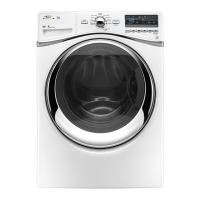
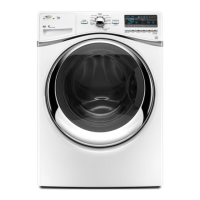
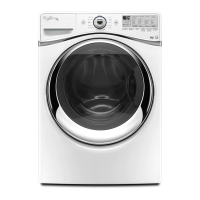
Whirlpool WFW94HEXWO - User Manual

Whirlpool WFW94HEXWO
52 pages
Print Icon
To Next Page IconTo Next Page
Loading...
PAGE 1
FOR SERVICE TECHNICIAN’S USE ONLY
DO NOT REMOVE OR DESTROY
IMPORTANT SAFETY NOTICE — “For Technicians only”
This service data sheet is intended for use by persons having electrical, electronic, and
mechanical experience and knowledge at a level generally considered acceptable in the
appliance repair trade. Any attempt to repair a major appliance may result in personal injury
and property damage. The manufacturer or seller cannot be responsible, nor assume any
liability for injury or damage of any kind arising from the use of this data sheet.
Whirlpool Control Panel ........................................ 2
Maytag Control Panel ........................................... 3
Diagnostic Guide .................................................. 4
Activating Service Diagnostic Mode ...................... 4
Service Diagnostic Menu ...................................... 4
User Interface Test ............................................... 5
Software Version DIsplay ..................................... 5
Contents
Quick Diagnostics ................................................ 6
Fault/Error Codes ........................................... 7–10
Troubleshooting Guide .................................. 11, 12
Test Procedures ........................................... 13–21
Manually Unlocking the Door Lock System ......... 22
Component Removal .......................................... 22
Wiring Diagrams .......................................... 23, 24
PART NO. W10254474B
IMPORTANT: Electrostatic Discharge (ESD) Sensitive Electronics
ESD problems are present everywhere. Most people begin to feel an ESD discharge at
approximately 3000V. It takes as little as 10V to destroy, damage, or weaken the main control
assembly. The new main control assembly may appear to work well after repair is finished,
but a malfunction may occur at a later date due to ESD stress.
n Use an anti-static wrist strap. Connect wrist strap to green ground connection point or
unpainted metal in the appliance
-OR-
Touch your finger repeatedly to a green ground connection point or unpainted metal
in the appliance.
n Before removing the part from its package, touch the anti-static bag to a green ground
connection point or unpainted metal in the appliance.
n Avoid touching electronic parts or terminal contacts; handle electronic control assembly
by edges only.
n When repackaging main control assembly in anti-static bag, observe above instructions.
Voltage Measurement Safety Information
When performing live voltage measurements, you must do the following:
n Verify the controls are in the off position so that the appliance does not start when energized.
n Allow enough space to perform the voltage measurements without obstructions.
n Keep other people a safe distance away from the appliance to prevent potential injury.
n Always use the proper testing equipment.
n After voltage measurements, always disconnect power before servicing.

Question and Answer IconNeed help?

Do you have a question about the Whirlpool WFW94HEXWO and is the answer not in the manual?

Overview

This document serves as a service manual for a washing machine, providing technicians with detailed information for diagnosis, repair, and maintenance. It covers both Whirlpool and Maytag models, highlighting their control panel features, diagnostic modes, fault codes, and test procedures.

Function Description:

The washing machine is controlled by a Central Control Unit (CCU) and a User Interface (UI). The UI allows users to select cycles, adjust settings, and initiate operations. The CCU manages various components such as the Motor Control Unit (MCU), door lock system, water inlet valves, drain pump, heating element, temperature sensor, and dispenser distribution system. The machine offers a range of wash cycles and options, including steam models with additional features like a steam valve and drum light.

Important Technical Specifications:

  • Electrical: The machine operates on AC line voltage. DC supplies of +5V and +12V are used to power internal circuits and actuate relays, triacs, and switches.
  • Motor Control Unit (MCU): The MCU manages motor speed and operation. Motor windings typically have a resistance of 8.5 - 14.0 Ω.
  • Door Lock System: The door lock coils have a resistance of 50-74 Ω. The door lock switch indicates continuity when locked and open circuit when unlocked.
  • Water Inlet Valves: Solenoid coils for cold fill, hot fill, and steam valves (on steam models) have a resistance of 890-1.1k Ω.
  • Pressure Sensor/Switch: This component detects water level and pressure. Its functionality is crucial for proper filling and draining.
  • Heating Element: Resistance for the heating element is typically between 10-20 Ω.
  • Temperature Sensor: The temperature sensor's resistance varies with temperature, ranging from 35.9 kΩ at 32°F (0°C) to 1.3 kΩ at 194°F (90°C).
  • Drain Pump: The drain pump has a resistance of approximately 16 Ω.
  • Flow Meter (Steam Models): This sensor measures water input, with a nominal voltage reading of approximately 200mV when water flows.
  • Dispenser Motor: The dispenser motor has a resistance of 1400-1600 Ω.
  • Drum Light (Steam Models): The drum LED driver should measure 150-370 mA when working properly.

Usage Features:

The washing machine features a user-friendly control panel with a cycle selector knob, "POWER," "START/PAUSE," and "Delay Start" buttons, along with various option and modifier buttons.

  • Whirlpool Control Panel:
    • Cycle Selector Knob: Turns off corresponding cycle indicators.
    • POWER Button: Press once to turn off indicators; press twice to exit most service diagnostic modes and return to standby.
    • START/PAUSE Button: Begins or continues tests; turns off its indicator.
    • Delay Start (▼) Button: Turns off the top segment of the display.
    • Delay Start (▲) Button: Turns off the seven-segment display.
    • Option Buttons: Each button turns off its respective indicator.
    • Modifier Buttons: Each button turns off its respective display segment.
    • FanFresh Button: Turns off its indicator (not available on all models).
    • Deep Clean Button: Turns off its indicator (not available on all models).
  • Maytag Control Panel:
    • Cycle Selector LED: Turns off after slowly rotating the knob through all positions.
    • Power/Cancel Button: Press once to turn off indicator; press twice to exit most service diagnostic modes and return to standby.
    • Start/Pause Button: Begins or continues tests; turns off its indicator.
    • Delay Start (+) Button: Turns off the seven-segment display.
    • Delay Start (-) Button: Turns off the upper right corner of the display.
    • Option Buttons: Each button turns off its respective indicator.
    • Modifier Buttons: Each button turns off its respective display segment (recommended for accessing Diagnostic Mode).
    • Fresh Hold Button: Turns off its indicator (not available on all models).
    • Steam for Stains Button: Turns off its indicator (not available on all models).

Maintenance Features:

The manual provides comprehensive diagnostic and troubleshooting procedures for technicians.

  • Service Diagnostic Mode: Allows testing and verification of all inputs to the machine control electronics.
    • Activation: From standby mode, select any three buttons (except POWER) and press them in sequence three times within 8 seconds. All console indicators illuminate for 5 seconds, and "888" appears on the display.
    • Service Diagnostic Menu:
      • 1st Button (Momentary press): Activates User Interface Test.
      • 1st Button (Press and hold for 5 secs): Exits Service Diagnostic Mode.
      • 2nd Button (Momentary press): Activates Quick Diagnostic Test.
      • 2nd Button (Press and hold for 5 secs): Displays Software Version.
      • 3rd Button (Momentary press): Displays Next Error Code.
      • 3rd Button (Press and hold for 5 secs): Clears Error Codes.
    • Exit Procedure: Press and hold the 1st selected button for 5 seconds, or press the POWER button once or twice.
  • Quick Diagnostic Test: Runs a series of tests on various components (C00-C08).
    • C00: Door lock actuation, unlock, lock, and drain pump activation.
    • C01 (Steam models only): Heater and steam valve activation.
    • C02: Cold water valve actuation.
    • C03: Dispensing system to Prewash position.
    • C04: Hot water valve actuation.
    • C05: Drum rotation clockwise at wash speed.
    • C06: Heater activation to pre-set temperature, drum rotation (clockwise and counter-clockwise), water valve activation to fill drum.
    • C07: Drain pump actuation until no water remains.
    • C08: Drum rotation counter-clockwise at various RPMs, then maximum speed, followed by door lock actuation and unlock.
  • Fault/Error Codes: Displayed as F# and E# (e.g., F0E1, F1E1). Up to four codes can be stored.
    • Display Method: Alternately shows F# (suspect System/Category) and E# (suspect Component system).
    • Advancing Through Codes: Pressing the 3rd button cycles through saved codes; a triple beep and "888" indicate no saved codes.
    • Clearing Codes: Press and hold the 3rd button for 5 seconds in Service Diagnostic mode.
  • Troubleshooting Guide: Provides solutions for common problems like "Won't Power Up," "Won't Start Cycle," "Door Won't Lock/Unlock," "Won't Dispense," "Won't Fill," "Overfills," "Drum Won't Rotate," "Motor Overheats," "Sanitize LED Does Not Turn On," "Won't Drain," "Incorrect Water Temperature," "Drum Light Does Not Turn On," "Leaking," "Vibration or Noise," and "Poor Wash Performance."
  • Test Procedures: Detailed steps for checking specific components.
    • TEST #1: CCU Power Check: Verifies incoming and outgoing power to/from the CCU.
    • TEST #2: User Interface (UI): Checks UI functionality, button response, and beep sound.
    • TEST #3: Motor Circuit: Checks motor, MCU, and wiring.
    • TEST #4: Door Lock System: Checks door lock mechanism, switch, and coils.
    • TEST #5: Drum Light (Steam Models): Checks drum LED and its circuit.
    • TEST #6: Water Inlet Valves: Checks electrical connections and valve coils.
    • TEST #7: Pressure Sensor/Switch: Checks pressure sensor/switch, CCU, and wiring.
    • TEST #8: Drain Pump: Checks drain pump and electrical connections.
    • TEST #9: Flow Meter (Steam Model): Checks flow meter and electrical connections.
    • TEST #10: Heating Element: Checks heating element, wiring, and CCU.
    • TEST #11: Temperature Sensor: Checks temperature sensor, wiring, and CCU.
    • TEST #12: Dispenser Distribution System: Checks dispenser motor and mechanical linkage.
  • Manually Unlocking the Door Lock System: Instructions for emergency door unlocking.
  • Component Removal: Guidance for accessing and removing various components, including the CCU, dispenser motor, flow meter, interference filter, pressure sensor/switch, UI/console, water valve assembly, drive motor, heater/temp sensor assembly, MCU, door lock/switch assembly, drain pump/filter, and drum light.
  • Wiring Diagrams: Detailed electrical schematics for both steam and non-steam models.

Important Safety Notice:

  • Only authorized technicians with electrical, electronic, and mechanical experience should perform repairs.
  • Always disconnect power before servicing to prevent electrical shock.
  • Use proper testing equipment and maintain a safe distance from the appliance during live voltage measurements.
  • Electrostatic Discharge (ESD) Precautions: Use an anti-static wrist strap, touch a green ground connection point or unpainted metal, and handle electronic control assemblies by their edges to prevent damage to sensitive electronics.

Whirlpool WFW94HEXWO Specifications

General IconGeneral
BrandWhirlpool
ModelWFW94HEXWO
CategoryWasher
LanguageEnglish

Related product manuals