EasyManua.ls Logo

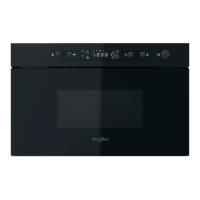
Whirlpool WMBN5 R1 PT - User Manual

Whirlpool WMBN5 R1 PT
20 pages
Print Icon
To Next Page IconTo Next Page
Loading...
1
EN
DAILY REFERENCE
GUIDE
THANK YOU FOR PURCHASING A
WHIRLPOOL PRODUCT
To receive more comprehensive help and
support, please register your product at
www . whirlpool . eu/ register
WWW
You can download the Safety Instructions
and the Use and Care Guide by visiting our
website docs . whirlpool . eu and following the
instructions on the back of this booklet.
Before using the appliance carefully read the Health and Safety guide.
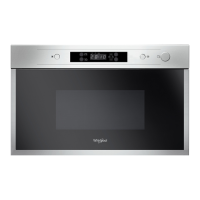
PRODUCT DESCRIPTION
1. Control panel
2. Identification plate
(do not remove)
3. Door
4. Light
5. Turntable
CONTROL PANEL DESCRIPTION
1
32 5
6 74
1. STOP
For stopping a function or an
audible signal, cancelling the
settings and switching off the oven.
2. MICROWAVE FUNCTION/POWER
For selecting the microwave
function and setting the required
power level.
3. JET DEFROST
4. DISPLAY
5. + / - BUTTONS
For adjusting the settings of a
function (e.g. length, weight).
6. START
For starting a function.
7. DOOR OPENING BUTTON
1
3
5
4
2

Questions and Answers

Summary

Product Description

Control Panel Description

STOP

For stopping a function or an audible signal, cancelling the settings and switching off the oven.

MICROWAVE FUNCTION;POWER

For selecting the microwave function and setting the required power level.

+;- BUTTONS

For adjusting the settings of a function (e.g. length, weight).

START

For starting a function.

Accessories

Turntable

Placed on its support, the glass turntable can be used with all cooking methods. The turntable must always be used as a base for other containers or accessories.

Turntable Support

Only use the support for the glass turntable. Do not rest other accessories on the support.

Functions

Microwave

For quickly cooking and reheating food or drinks.

Jet Defrost

For quickly defrosting various different types of food simply by specifying their weight.

Daily Use

Select a Function

Simply press the button for the function you require to select it.

Set the Length

After selecting the function you require, use or to set the length for it to run.

Set the Power of the Microwave

Press as many times as required to select the power level for the microwave.

Jet Defrost Operation

Press, then use or to set the weight of the food. During defrosting, the function will pause briefly.

Activate the Function

Once you have applied the settings you require, press to activate the function.

Jet Start

When the oven is switched off, press to activate cooking with the microwave function set at full power.

Pause Function

To pause an active function, for example to stir or turn the food, simply open the door.

Safety Lock

This function is automatically activated to prevent the oven from being switched on accidentally.

Set the Time of the Day

Press until the two digits for the hour starting flashing and press to confirm.

Minuteminder

The display can be used as a timer. To activate the function and set the length of time you require, use or.

Cleaning

Interior and Exterior Surfaces

Clean the surfaces with a damp microfibre cloth. If they are very dirty, add a few drops of pH-neutral detergent.

Accessories Cleaning

All accessories are dishwasher safe.

Troubleshooting

Oven Not Working

Check for the presence of mains electrical power and whether the oven is connected to the electricity supply.

Display Showing Err

Contact your nearest After-sales Service Centre and state the letter or number that follows "Err".

Product Fiche

Contacting Our After-Sales Service

Obtain Use and Care Guide

Download the Use and Care Guide from our website docs.whirlpool.eu specifying the product's commercial code.

Whirlpool WMBN5 R1 PT Specifications

General IconGeneral
Product TypeMicrowave Oven
ModelWMBN5 R1 PT
Capacity25 Liters
Power Output900 Watts
Cooking Programs8
ColorPlatinum
Grill Power1000 Watts

Related product manuals