12
GB
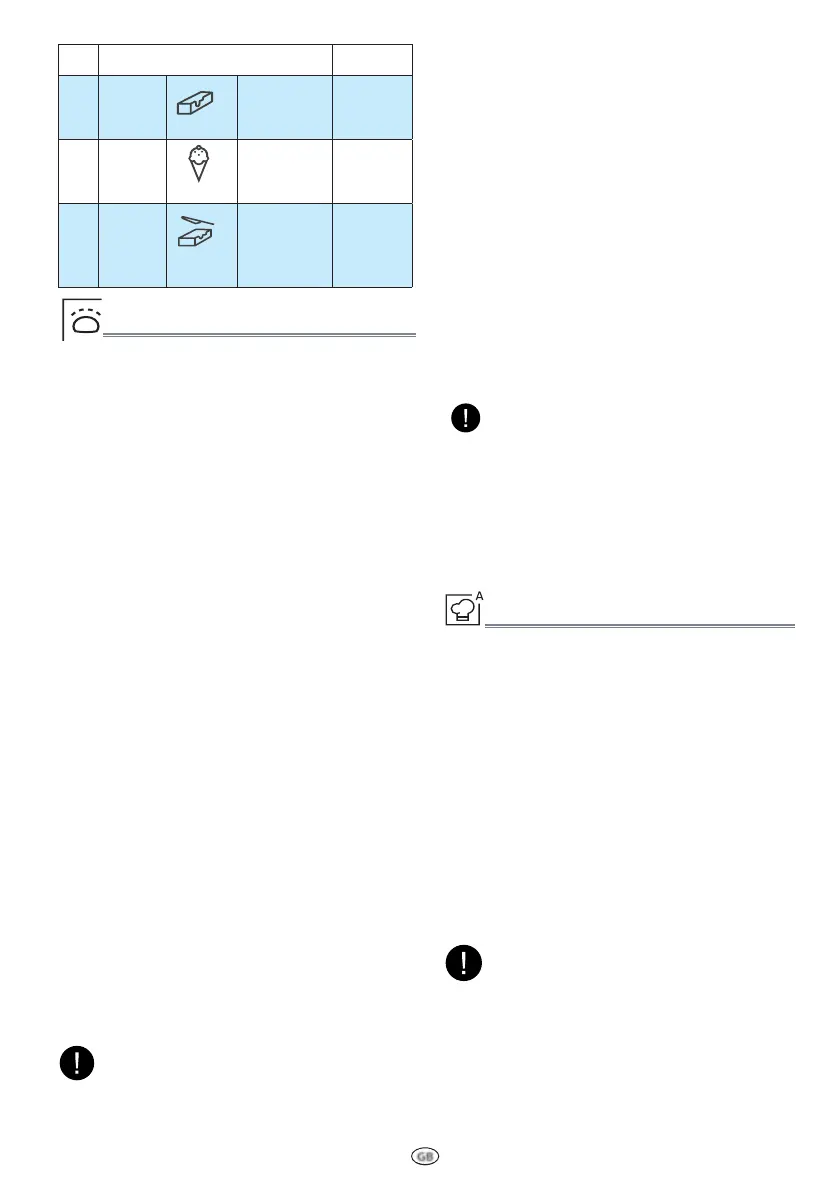
FOOD TYPE WEIGHT
p 5
Soften
Butter
Refrigeration
50 -
500g/50g
p 6
Soften
Ice cream
Frozen
100 -
1000g/50g
p 7
Soften
Cream
cheese
Refrigeration
50 -
500g/50g
P1 KEEP WARM
.
Press the Special functions button.
Press Push&Go button to confirm
3
Press the +/- button select suitable
time, then press JET START button to
start.
THIS FUNCTION ALLOWS YOU to keep your dishes
warm automatically.
SPECIAL FUNCTIONS
P2 DOUG H RISING
.
Press the Special functions but-
ton repeatedly or press +/- button to
choose P2.
3
Put 200ml water into a container.
$
Place the container directly in the
middle of the cavity.
/
Press the JET START button.The func-
tion will start.
.
Open the door, remove the container,
put the dough onto the turntable.
3
Close the door, press JET START but-
ton to start .
THIS FUNCTION ALLOWS YOU to raise the bread
dough.
When the clock counts down to 30
minutes,the display shows“Add“ (no
operation for 5 minutes automatically
return to standby).
NOTE:
Don‘t open the door during the countdown.
The volume of the container should be at
least 3 times the one of the dough.
P3 YOGURT
THIS FUNCTION ALLOWS YOU to obtain healthy
and natural yogurt.
.
Press the Special functions button
repeatedly or press +/- to choose P3.
3
Put 1000g milk and 1g yogurt star-
ter(heat-resistant) or 15g yogurt into
container, then add 50g sugar, mix
well. And put into the middle of cavi-
ty.
$
Press the JET START button to start
It needs 5Hr20mins for this recipe. Please do
not open the door during the countdown. It
will taste better if you keep the yogurt in re-
frigerator for 24hs after cooking.
The cooking recipe will be confirmed if the fun-
ction button is not operated for 3 seconds,-
press the function key again to change the re-
cipe type.
NOTE:
AUTO COOK MENU
.
Press the Auto Cook button.
3
Press Auto Cook button repeatedly
or turn the KNOB to select the desi-
red recipe (see the following table).
$
Press the KNOB/JET START button
to confirm the recipe and turn the
KNOB to select the weight when the-
re is a weight amount in below table.
/
Press the KNOB/JET START button.
The function will start.
A SELECTION OF AUTOMATIC RECIPES with preset
algorithms to offer optimal cooking results.
NOTE:
According to the selected recipe, after a
certain time, the display would ask you to
add or turn or stir the food.
The cooking recipe will be confirmed once
you leave the function button for 3 se-
conds, press the Auto Cook button again
to change the recipe type.
Using MW safe dish as the container
The performance will be better if covering
the dish with lid or lm
All the container should be sterilized with boi-
led water or UV light.



 To Next Page