
 Need help?
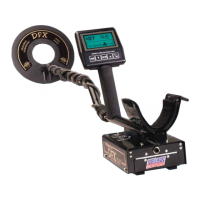
Do you have a question about the Whites DFX and is the answer not in the manual?
Detailed steps for assembling the metal detector and its components.
Information on installing, using, and charging the detector's battery pack.
Initial steps to assemble and start using the DFX™ metal detector.
Explanation and adjustment of fundamental detector settings for optimal performance.
Overview of advanced settings and features for fine-tuning detector performance.
Details on pre-loaded programs and how to save custom settings.
Details on the detector's warranty coverage, exclusions, and transfer process.
 General
| Operating Frequency | 3 kHz and 15 kHz |
|---|---|
| Display | LCD |
| Discrimination | Yes |
| Target ID | Yes |
| Ground Balance | Automatic and Manual |
| Pinpoint Mode | Yes |
| Depth Indicator | Yes |
| Water Resistance | Search coil submersible |
| Search Coil | 9.5" Concentric |
| Battery Type | 8 AA batteries |



 To Next Page