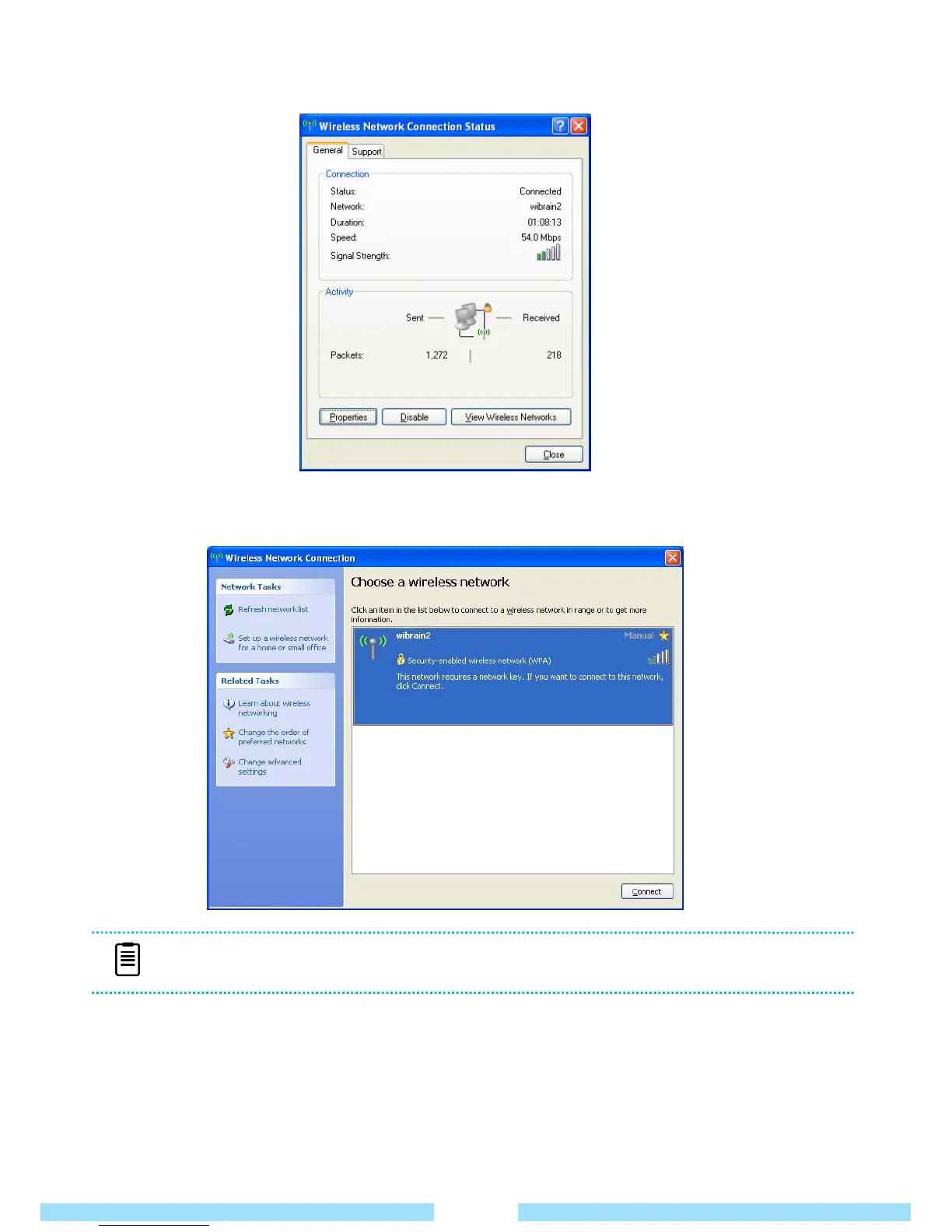
② When the Network Connection window pops up, click View Wireless Networks.
③ Select an AP to connect to and click Connect. If a network key is necessary you will be prompted
sto enter it now. Enter the network key and then click the Connect button.
④ Once the AP’s status is Connected, click the Close button. You can now access the network.
⑤ If it is a “Security-enabled Wireless Network” you must input a “Network Key”.
If you do not have the network key ask your network administrator.
⑥ Checking network connection status.
If you have the pointer over the Network Connections icon on the taskbar, you can check connection status.
NOTE
■ Ask your network administrator for the network key, if necessary.
29



 To Next Page