●
System Management
System Recovery & Reinstallation
■ The system Recovery should be needed as below conditions.
- Virus Infection
- Unstable System
- Formatting the hard disk by accident
■ If it’s difficult to boot the reasons of system errors or viruses, your system would be recovered as a mass
production stage.
■ Be sure to make a backup cop
.
36
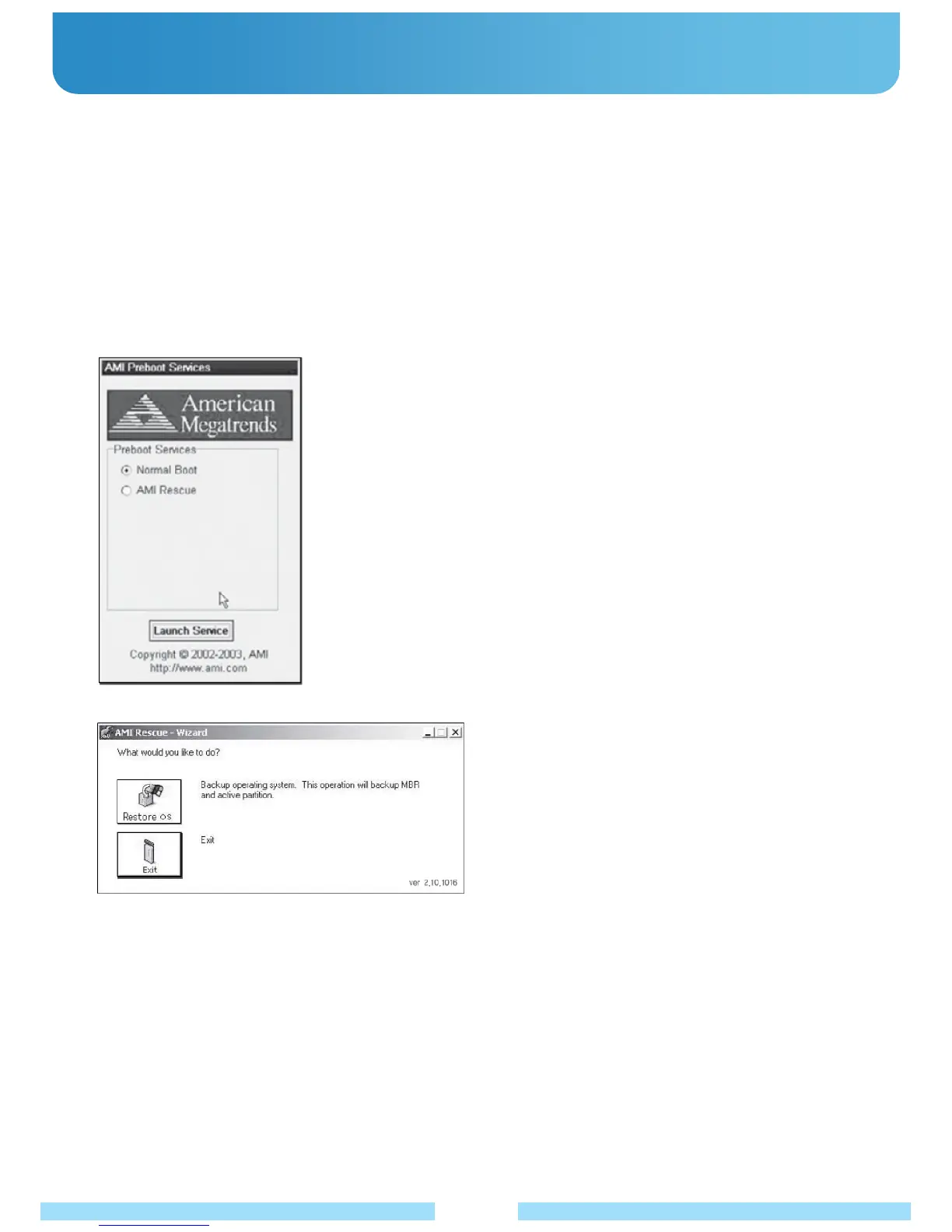
1. Keep pressing “Fn+F10” buttons after getting ready to recover the system.
2. Choose “AMI RESCUE” on the above image and click “Enter”.
(On this page the mouse, touch screen and touch pad will not be working.
Use 4 arrow keys.)
3. On the above page, click “Restore OS”.
4. If it asks for the recovery, click “Yes”.
5. The bar will be progressing till the end and click “OK” after it has been completely finished.
6. The system will be restarted after clicking “EXIT” to finish the recovery process.



 To Next Page