EasyManua.ls Logo

Widex SmartRIC WPP401 - User Manual

Widex SmartRIC WPP401
2 pages
Print Icon
To Next Page IconTo Next Page
Loading...
CHARGING THE WIDEX SMARTRIC HEARING AIDS
Solid green The hearing aid is fully charged.
Flashing green The hearing aid is charging.
Note: If the charger is not connected to a power source, short press the on/o button on the bottom of the charger
to check the battery status. The light indicators will turn o after 12 seconds.
Hearing Aid Light Indicators:
Fading green After a long press of the on/o button – charger is turning o.
Flashing orange
When charging via Qi-certified charging pad, high hearing aid temperature.
Charging will continue when temperature reduces.
Flashing red
When charging via USB-C, high hearing aid temperature. Charging will continue
when temperature reduces.
Other light indications that may appear:
Each hearing aid will charge independently, e.g. if one hearing aid is fully charged and the other is not, only
the hearing aid with low battery will charge. Hearing aids will charge with the charger lid open.
From 0% battery status,
a full hearing aid charge
will take about four hours.
If the hearing aid battery is
less than 40%, fast charging is
activated and a 30-minute charge
will provide up to eight hours of
hearing aid use.
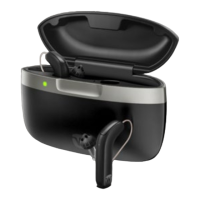
Charging
wells
Receiver
compartment
Hearing aid
LED light
indicators
SOUND LIKE NO OTHER
QUICK GUIDE
WIDEX SMARTRIC
PORTABLE CHARGER (WPP401)
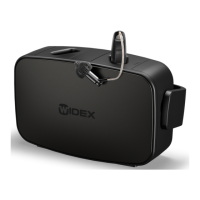
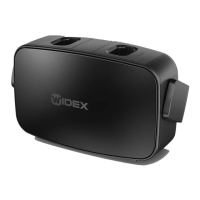
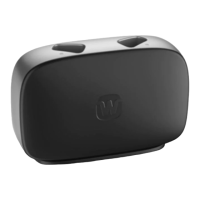
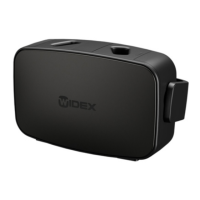
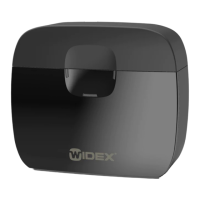
The Widex SmartRIC™ is a fully rechargeable hearing aid, using a sleek and stylish portable charger
for charging on the go. A fully charged Widex portable charger allows for five full hearing aid charges,
providing the wearer over a week of freedom.
i
Question and Answer IconNeed help?

Do you have a question about the Widex SmartRIC WPP401 and is the answer not in the manual?

Summary

Charging the Widex SmartRIC Hearing Aids

Charging Duration and Fast Charging

Details the time required for a full hearing aid charge and the benefits of fast charging.

Hearing Aid Indicator Lights

Explains LED indicators for hearing aid charging status, including solid green and flashing green lights.

Hearing Aid Charging Issues

Details indicator lights for charging anomalies like high temperature and turning off the charger.

Charging the Portable Charger

Charger Charging Time

States the time needed to fully charge the portable charger via USB-C or a Qi-certified pad.

Portable Charger Battery Status

Explains LED indicators for the charger's battery level and available hearing aid charges.

Portable Charger Charging Issues

Details indicator lights for charger issues like high temperature, errors, or being turned off.

Overview

The Widex SmartRIC Portable Charger (WPP401) is a sleek and stylish accessory designed for the Widex SmartRIC rechargeable hearing aids, enabling convenient charging on the go. This quick guide provides essential information on its function, technical specifications, usage, and maintenance features.

Function Description

The primary function of the Widex SmartRIC Portable Charger is to provide a portable power source for recharging Widex SmartRIC hearing aids. It allows users to charge their hearing aids without needing a direct power outlet, offering flexibility and freedom for over a week of use on a single full charger charge. The charger features two charging wells where the hearing aids are placed. It also includes LED light indicators for both the hearing aids and the charger itself, providing clear visual feedback on charging status and battery levels. The charger supports both USB-C and Qi-certified wireless charging for its internal battery.

Important Technical Specifications

  • Hearing Aid Charging Time:
    • From 0% battery status, a full hearing aid charge takes approximately four hours.
    • Fast charging is activated when the hearing aid battery is less than 40%. A 30-minute charge provides up to eight hours of hearing aid use.
  • Charger Charging Time:
    • Via USB-C: Four hours for a full charge.
    • Via Qi-certified charging pad: Six hours for a full charge.
  • Charging Capacity: A fully charged portable charger provides enough power for five full hearing aid charges.
  • Charging Interface:
    • For internal charger battery: USB-C port and Qi-certified wireless charging.
    • For hearing aids: Inductive charging via charging wells.
  • Indicators: Multiple LED light indicators for hearing aid status, charger internal battery status, and error conditions.

Usage Features

  • Portable Charging: The charger's internal battery allows for multiple hearing aid charges without being connected to a power source, making it ideal for travel or extended periods away from home.
  • Independent Hearing Aid Charging: Each hearing aid charges independently. If one hearing aid is fully charged and the other is not, only the hearing aid with a low battery will continue to charge.
  • Lid Open Charging: Hearing aids can charge even with the charger lid open.
  • Battery Status Check (Charger): When the charger is not connected to a power source, a short press of the on/off button on the bottom of the charger will display the internal battery status via three LED indicators. These indicators will turn off after 12 seconds to conserve power.
  • Hearing Aid Light Indicators:
    • Solid green: Hearing aid is fully charged.
    • Flashing green: Hearing aid is charging.
  • Charger Internal Battery Status Indicators (when not connected to power source):
    • Three solid green lights: Three or more full hearing aid charges available.
    • Two solid green lights: Minimum two full hearing aid charges available.
    • One solid green light: Minimum one full hearing aid charge available.
    • One solid orange light: Less than one hearing aid charge left.
    • No lights (or all off): Internal battery is discharged.

Maintenance Features and Troubleshooting

  • Automatic Shutdown: The charger can be turned off by a long press of the on/off button, indicated by a fading green light.
  • Temperature Protection:
    • Flashing orange (Qi charging): Indicates high hearing aid temperature when charging via a Qi-certified pad. Charging will pause and resume automatically once the temperature reduces.
    • Flashing red (USB-C charging): Indicates high hearing aid temperature when charging via USB-C. Charging will pause and resume automatically once the temperature reduces.
    • Flashing red (Charger internal battery): Indicates the internal battery temperature is too high or too low, causing charging to stop. Charging will resume when the charger returns to room temperature.
  • Qi Charging Error Indication: If using a Qi pad for charging and a charger error occurs (e.g., voltage out of range), the lights may flash red. In this case, remove the charger from the Qi pad and try again.
  • User Instructions: For more detailed information on charger use and troubleshooting, users are advised to refer to the User Instructions booklet provided with the product.

The Widex SmartRIC Portable Charger is designed to be a reliable and user-friendly companion for Widex SmartRIC hearing aid users, ensuring their devices are always ready for use with minimal hassle.

Widex SmartRIC WPP401 Specifications

General IconGeneral
BrandWidex
ModelSmartRIC WPP401
CategoryBattery Charger
LanguageEnglish

Related product manuals