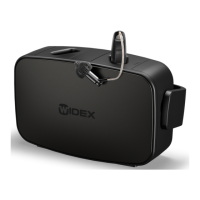
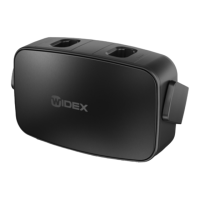
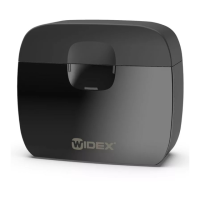
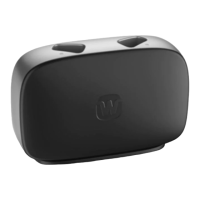
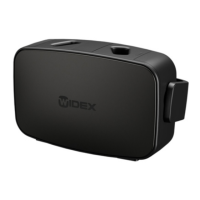
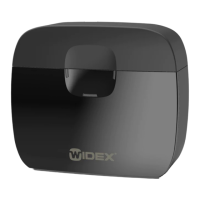
The Widex SmartRIC™ is a fully rechargeable hearing aid system that utilizes a portable charger for convenient on-the-go charging. This quick reference guide provides an overview of the WPP401 Widex Portable Charger, detailing its components, charging functionalities, and light indicators for both the hearing aids and the charger itself.
Device Overview and Components:
The portable charger is designed to be sleek and stylish, offering more than a week of autonomy for the hearing aids due to its exceptional battery life. Key components of the charger include:
- Charging wells: These are the designated slots where the Widex SmartRIC™ hearing aids are placed for charging.
- LED light indicators (for hearing aids): Located on the front of the charger, these indicators provide visual feedback on the charging status of each individual hearing aid.
- Receiver compartment: This area is likely designed to accommodate the receiver components of the hearing aids when they are placed in the charging wells.
- Internal battery status light indicator: Positioned at the bottom of the charger, this indicator displays the power and battery status of the portable charger's internal battery.
- USB-C port: This port is used to connect the charger to a mains power supply for charging its internal battery.
- On/off button: This button controls the power of the portable charger.
Charging the Widex SmartRIC™ Hearing Aids:
The portable charger facilitates efficient charging of the Widex SmartRIC™ hearing aids with specific timelines and features:
- Full Charge Time: From 0% battery status, a full charge for a hearing aid takes approximately 4 hours.
- Fast Charging: If a hearing aid's battery is below 40%, fast charging is activated. A 30-minute charge in this mode can provide up to 8 hours of hearing aid use.
- Independent Charging: Each hearing aid charges independently. This means if one hearing aid is fully charged and the other is not, only the hearing aid with the low battery will continue to charge.
Hearing Aid Charging Light Indicators (when charger is not plugged into mains):
The LED light indicators on the front of the charger provide clear status updates:
- Solid Green (12 seconds): Indicates that the hearing aid is fully charged.
- Pulsing Green (12 seconds): Indicates that the hearing aid is currently charging.
Hearing Aid Charging Light Indicators (when charger is plugged into mains or on a Qi pad):
- When the charger is connected to a mains power supply via a USB-C cable or placed on a Qi pad charger, the light indicators for the hearing aids will remain illuminated, providing continuous feedback.
Other Hearing Aid Charging Light Indications:
- Fading Green (within 10 seconds of a long button press): Signifies that the charger is switching off.
- Flashing Orange: Indicates a high hearing aid temperature during Qi-pad charging. Charging will pause until the temperature reduces.
- Flashing Red: Indicates a high hearing aid temperature during normal charging. Charging will pause until the temperature reduces.
Charging the Widex Portable Charger:
The internal battery of the portable charger can be recharged using two methods:
- USB-C Cable: Connect the charger to a mains power supply using a USB-C cable.
- Qi Pad Charger: Place the charger on a compatible Qi pad for wireless charging.
The hearing aids can always be charged if the portable charger is connected to the mains or placed on a Qi pad. However, for "on-the-go" charging, the internal battery of the portable charger must be charged.
Portable Charger Light Indicators (when not connected to mains):
The three LED light indicators at the bottom of the charger display the internal battery status:
- Three Solid Green Lights (12 seconds): Indicates 3 or more full hearing aid charges remaining.
- Two Solid Green Lights (12 seconds): Indicates a minimum of 2 full hearing aid charges remaining.
- One Solid Green Light (12 seconds): Indicates a minimum of 1 full hearing aid charge remaining.
- One Flashing Orange Light (12 seconds): Indicates less than 1 hearing aid charge left.
Portable Charger Light Indicators (when connected to mains via USB-C/Qi pad):
- Three Solid Green Lights: Indicates the internal battery is fully charged.
- Two Solid Green Lights and One Pulsing Green Light: Indicates the internal battery is charging, with less than 3 full hearing aid charges currently stored.
- One Solid Green Light and Two Pulsing Green Lights: Indicates the internal battery is charging, with less than 2 full hearing aid charges currently stored.
- Three Pulsing Green Lights: Indicates the internal battery is charging, with less than 1 full hearing aid charge currently stored.
Other Portable Charger Light Indications:
- Fading Green (within 10 seconds of a long button press): Signifies that the charger is switching off.
- Fading Orange: Indicates high temperature during Qi pad charging, causing charging to pause.
- Solid Green: Indicates the battery is fully charged and charging has stopped (during Qi pad charging).
- Flashing Red: Indicates an error during Qi pad charging, possibly due to voltage being out of range.
- Flashing Red (12 seconds): Indicates that the internal battery temperature is either too high or too low, causing charging to stop.
This comprehensive system ensures users have clear visibility into the charging status of both their Widex SmartRIC™ hearing aids and the portable charger itself, promoting reliable and convenient use.

 Need help?
 General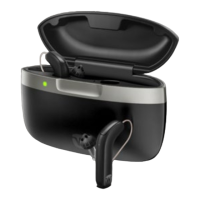

 To Next Page