Version 1.6 Updated on 7/1/2023
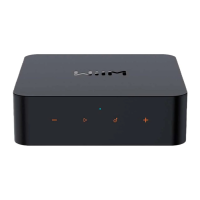
BUTTONS AND INPUT/OUT INTERFACE
USB Type-C power plug, 5V, 2A
Play/Pause, network pairing, and restore to the
factory setting
Start to play the preset content (short press) or
save the favorite content as the preset (long
press)
Digital Optical audio out
SPDIF optical up to 192 kHz/24-bit
Digital Coaxial port up to 192 kHz/24 bit
Used to auto-measure the audio path latency for
multiroom sync (i.e., AirPlay 2, Alexa MRM,
Chromecast MRM, Linkplay MRM, etc.)
2.5 mm port to connect cable with your amplifier
to automatically turn it on or off.
Note: Read the guide that came with your
amplifier for details on using 12V trigger input.


 To Next Page