Version 1.6 Updated on 7/1/2023
● Configure two or more devices.
● Open WiiM Home App.
● Select the device and click the plus sign in the upper right corner “ ”
● Select the other WiiM Pro, click “Done”
● Click the LR icon” ” and set the device to "L/R/LR"
● Select Browse tab, choose your music to play.
9.2 AMAZON ALEXA MULTIROOM
TIP: Download Amazon Alexa App and get ready with Echo or other Amazon devices.
For detailed steps please refer to 6.1.
Since the WiiM Pro is an Alexa Cast audio receiver, not a transmitter, it can’t transmit
the Line-in or Optical-in audio to other Alexa-enabled devices such as Echo.
9.3 MULTIROOM WITH CHROMECAST AUDIO DEVICES
You can group WiiM Pro with other Google Home or Chromecast audio enabled devices
to play the same music on all devices via the Google Home App.
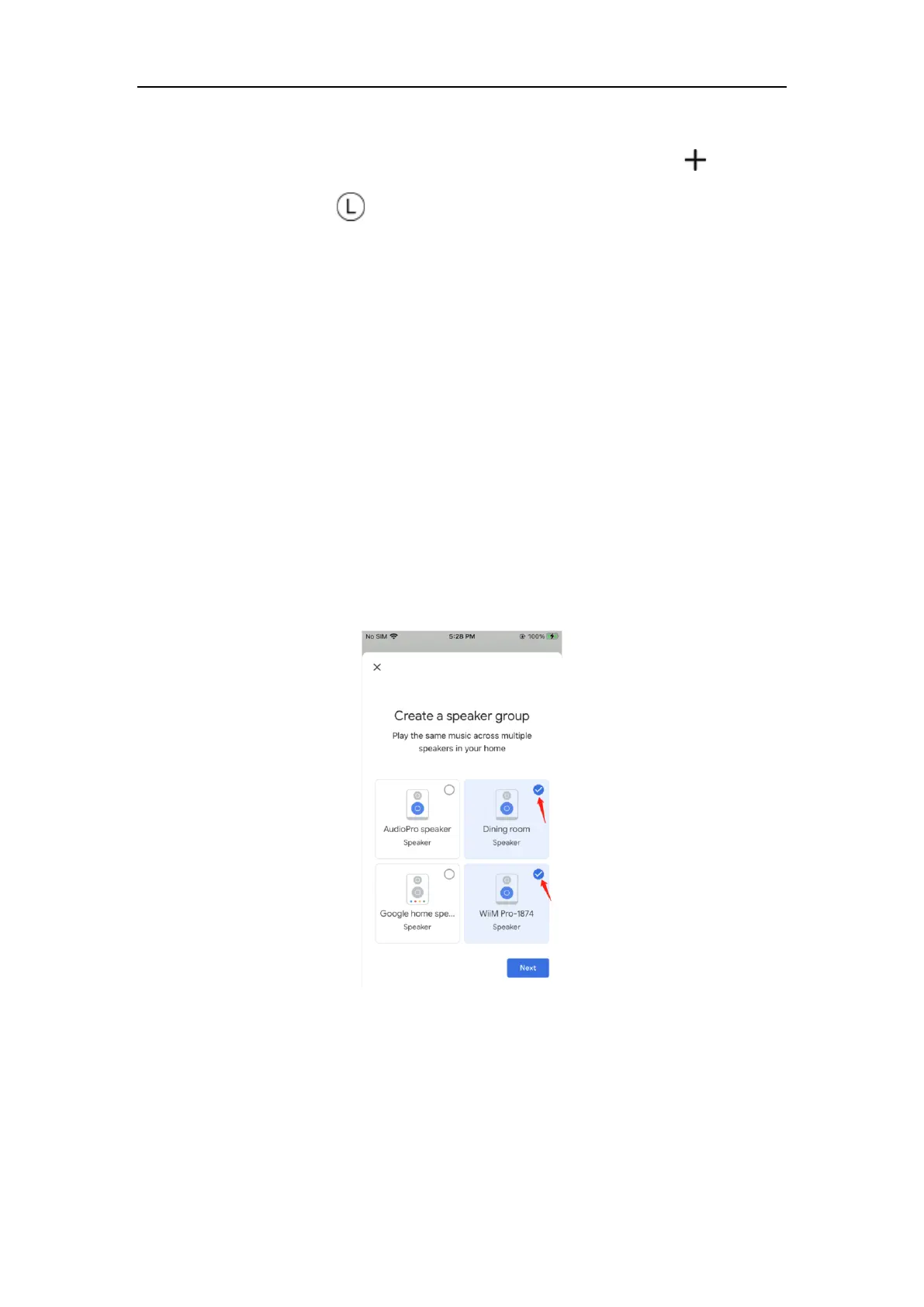
● Enter Google Home App, tap the “+” in the top left corner
● Tap “Create speaker group” to create a speaker group
● Select the devices that are in the same network
● Give a group name
● Stream music to the group
Since the WiiM Pro is a Chromecast audio receiver, not a transmitter, it can’t transmit the
Line-in or Optical-in audio to other Chromecast audio devices such as Google Home.


 To Next Page