
 Need help?
Do you have a question about the WIK SHARK and is the answer not in the manual?
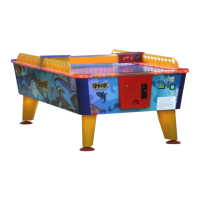
Unpack the air hockey machine and open access doors for assembly.
Route the leg lighting cable through the table base and connect it.
Securely attach the table legs and side barriers using the provided screws.
Route the power lead and connect to power, then start the machine.
Insert coin, press START, and aim to score goals with the puck.
Proper grounding, power supply, and water contact precautions for safe operation.
Instructions on power cable extensions, water contact, and securing cables.
Guidelines for water exposure, unplugging, and using the drying mode.
Daily cleaning of the playfield and periodic renovation via polishing.
Frequent cleaning and checking of optic sensors for optimal performance.
Learn how to enter the programming menu, use the PIN, and navigate options.
Overview of essential settings like game cost, language, and coin selector.
Configure ticket dispensing, goals, game time, and auto-start options.
Explore advanced menu options and diagnostic test functions for troubleshooting.
Details on product warranty period, consumer vs. commercial use, and repair organization.
Cases where WIK warranty does not apply, including alterations and misuse.
Procedure for reporting defects, repair timelines, and part return policy.
Conditions under which the buyer forfeits warranty rights, including reporting delays.
 General
| Brand | WIK |
|---|---|
| Model | SHARK |
| Category | Video Gaming Accessories |
| Language | English |

 To Next Page
