Getting Started
~ Inserting the SIM cards
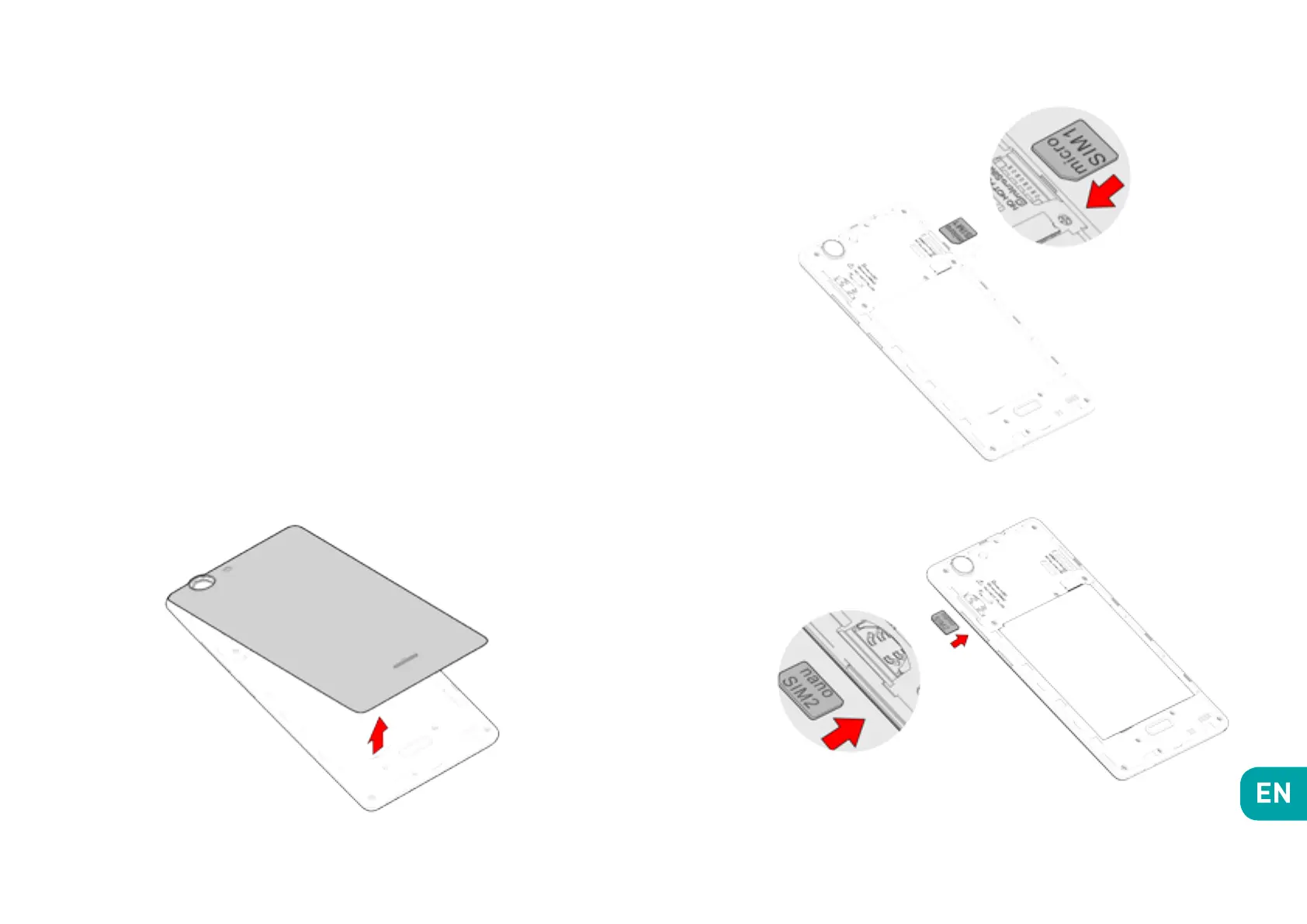
In order to use your telephone, you need to insert your
SIM Card. The back cover of the phone is clipped on.
Please unclip it using the notch on the cover, following
the contour of the phone.
You may insert 2 SIM cards (1 Micro SIM + 1 Nano SIM),
or 1 Micro SIM + 1 microSD card. Insert the SIM cards
following the diagrams below.
1.
2.
3.


 To Next Page