Blind / Attended call transfer
During a call tap Transfer
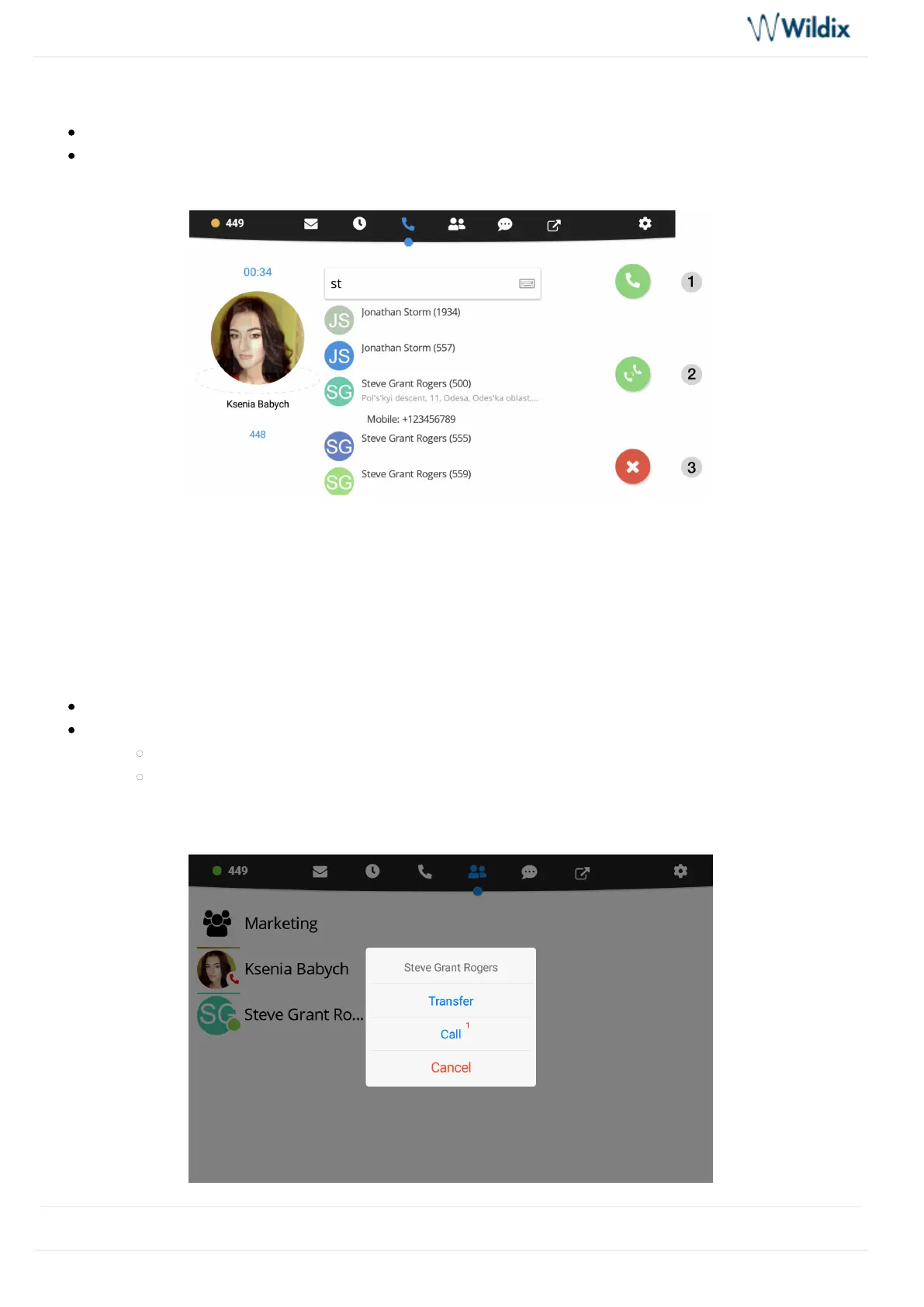
Enter the number for the transfer into the Search field:
1 – Tap for Attended transfer (call recipient is notified): new call starts, tap button again from Call Transfer
window to complete the transfer
2 – Tap for Blind transfer (call recipient is not notified)
3 – Tap to cancel transfer
Blind / Attended call transfer via BLF keys
Transfer a call to a colleague / a call group configured as BLF key
During a call, go to BLF keys menu
Tap the BLF key of colleague / call group
Tap for blind transfer (without notification)Transfer
Tap for attended transfer (with notification): new call starts, tap button again from Call Transfer
Call window to complete the transfer



 To Next Page