BLF keys
Monitoring and management of colleagues and features.
Configure BLF keys
BLF keys must be configured in Collaboration -> -> / or in WMS (more info: Settings Fn keys Collaboration User
)Guide
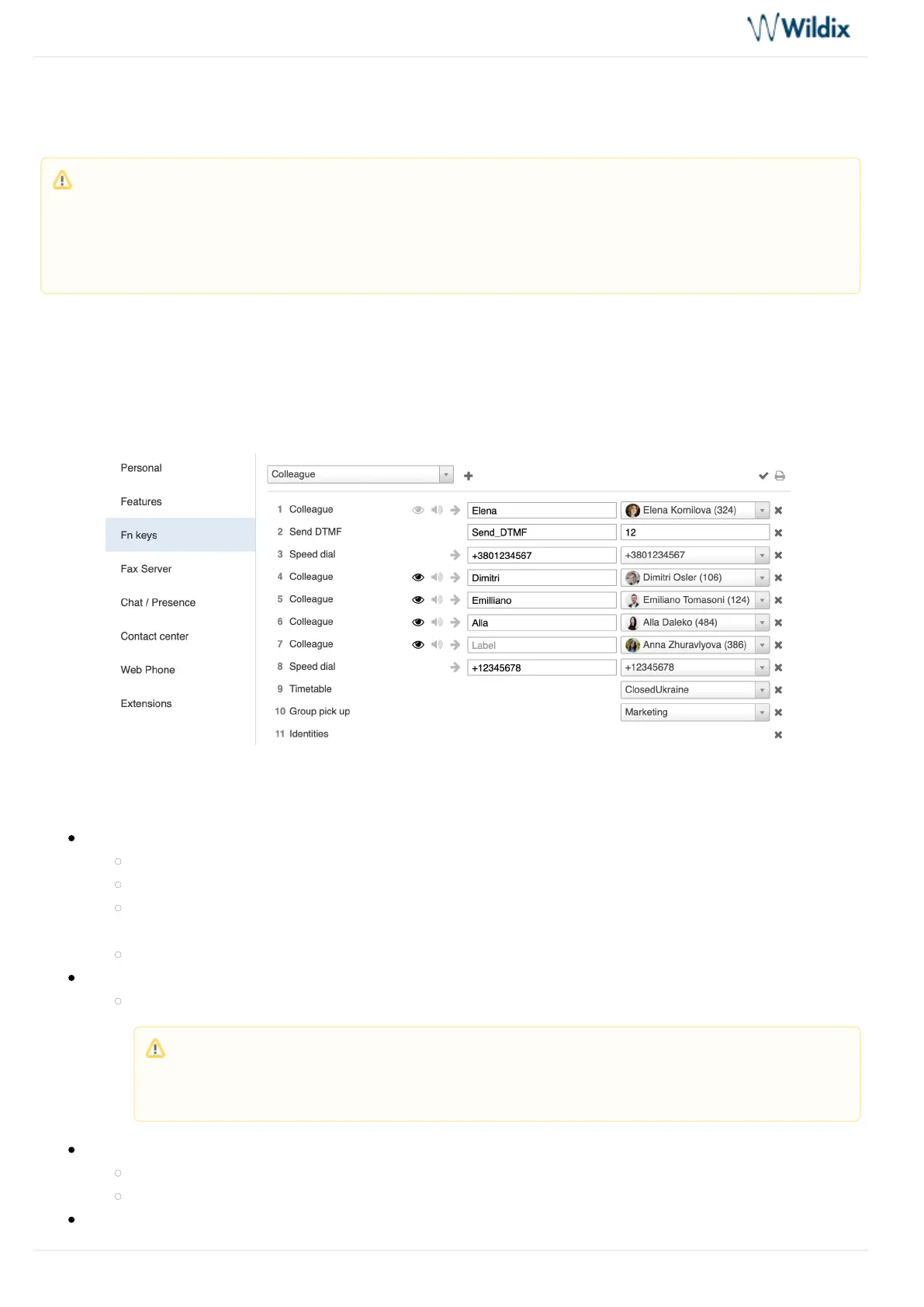
Example of BLF keys configuration in Collaboration:
Supported BLF Keys
Colleague
Monitor status (ringing/in call; dnd/away)
Call (tap the element and select )Call
Call pickup (no possibility to check who is calling and audio notification; tap the element while the
status is “ringing” and select )Pickup
Transfer a call (tap the element and select during a call)Transfer
Speed Dial
Call number configured as speed dial
Trunk
Monitor status for BRI/FXO/GSM (green/red)
Call through this trunk (if green)
Timetable
Note: Max 120 elements can be added for monitoring (features and colleagues). Swipe on the screen to
the left/to the right to move between the pages of Feature keys.
You can customize the size of the BLF keys in this menu in Phone App -> > Settings Advanced Settings
“X keys per page”. (More info: Advanced Settings)
Note: you can use any shortcut based on Feature codes with Speed Dial function key,
example: enter the value “cgmanager*2*[call_group_ID]” into the field for dynamic call group
login / logout.



 To Next Page