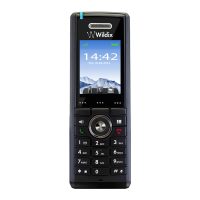
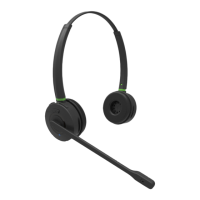
W-AIR Headset idle state
When the assignment is completed, the Headset is in the idle state and ready to handle calls.
In this state you can:
Enable/ disable Silent mode:
o Press Volume+/ Volume- button for 2 seconds to enable/ disable the mode. The voice prompt
will announce "Silent mode on/ off"
Increase/ decrease ringer volume:
o Press Volume+/ Volume- button to increase/ decrease ringer volume
Enter Menu mode:
o Press AUX function button to enter Menu mode
Call Control
Incoming call
When you receive an incoming call, the LED indicator starts blinking with fast short green flashes
and you hear a ringer (in case you enable "Silent mode on", only LED indicator will blink)
Answer an incoming call
Press Call button to answer an incoming call
Answer a second incoming call
Press Call button for 2 seconds to answer a second incoming call and put an active call on hold
Swap between two active calls
Press Call button for 2 seconds to swap between two active calls. The voice prompt will announce
"Call swaped"
Note: you can switch active device during a call by clicking on Continuity button in a call dialog
window (refer to Collaboration Guide, chapter Switch active device during a call).
Reject an incoming call
Double press Call button to reject an incoming call. The voice prompt will anounce "Call rejected"
Increase/ decrease a call volume
Press Volume+/ Volume- button to increase/ decrease a call volume
Mute/ unmute an active call
Press Mute button to mute/ unmute the microphone during an active call. The voice prompt will
announce "Mute on/ off"



 To Next Page